Build a Lock Ecosystem Feature Matrix
Compare smart-lock ecosystems by model, connection path, lock actions, PIN, voice, remote access, state, and automation.
Jump to a section
“Compatible” is not a feature list. Build a matrix for the exact lock, firmware, connection path, and controller you plan to use. Record what a source actually confirms and leave unsupported cells as unknown. A platform’s support for the Matter Door Lock type does not establish that every retail model or every action works.
Wallet-based access needs its own rows. Record whether an exact lock and wallet support NFC tap, Bluetooth LE, or UWB access, along with the phone, market, onboarding app, and date. An Aliro standard or Matter control path does not establish that any one of those digital-key methods is available. See Aliro digital home keys vs Matter smart-lock control.
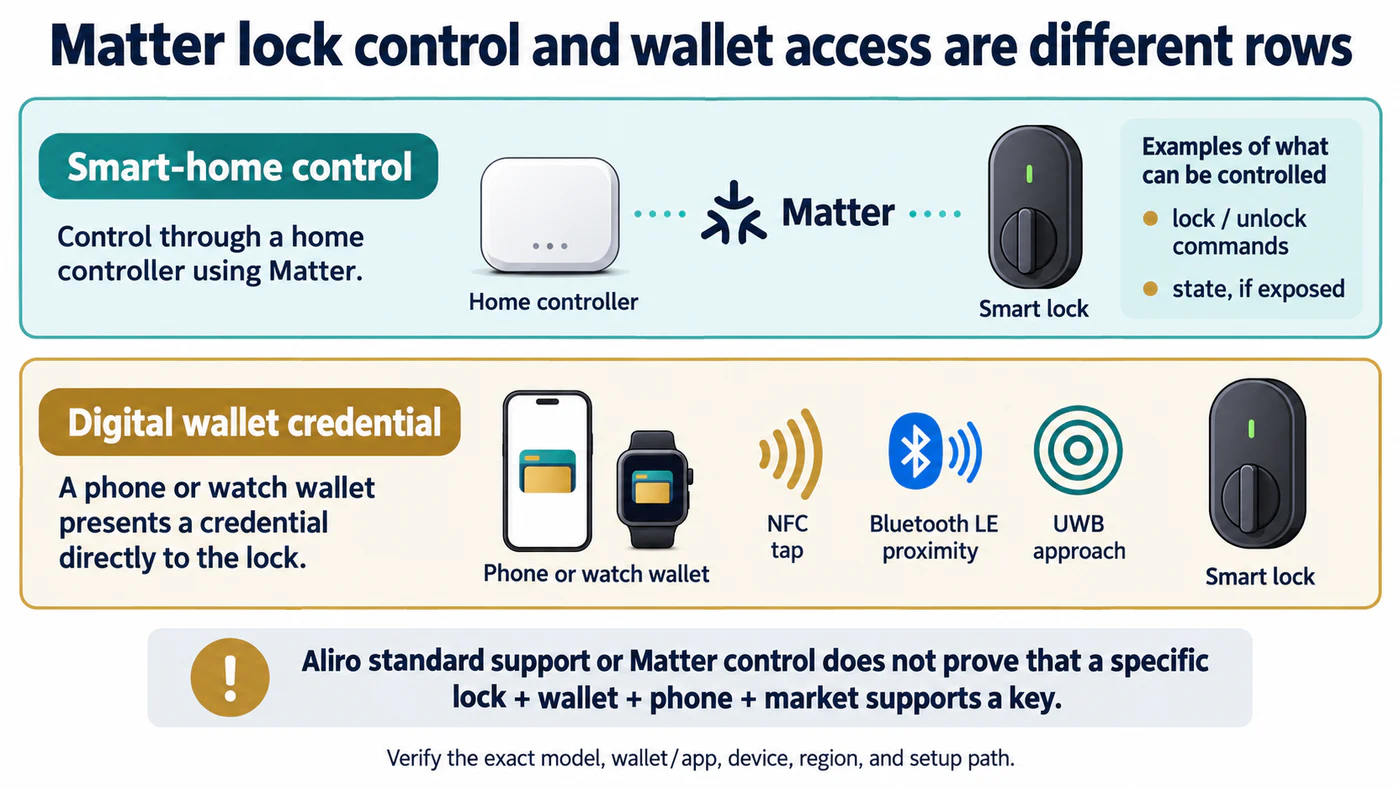
A wallet key can use access methods that are independent of Matter lock commands.
Start with the device and its path
Record manufacturer, full model number, region, firmware, and date checked. Then write down whether the lock connects directly over Wi-Fi or Thread, uses another radio through a bridge, or uses a manufacturer integration. Include the required controller and, for Thread, the border router. These details make results reproducible when a firmware or platform update changes behavior.
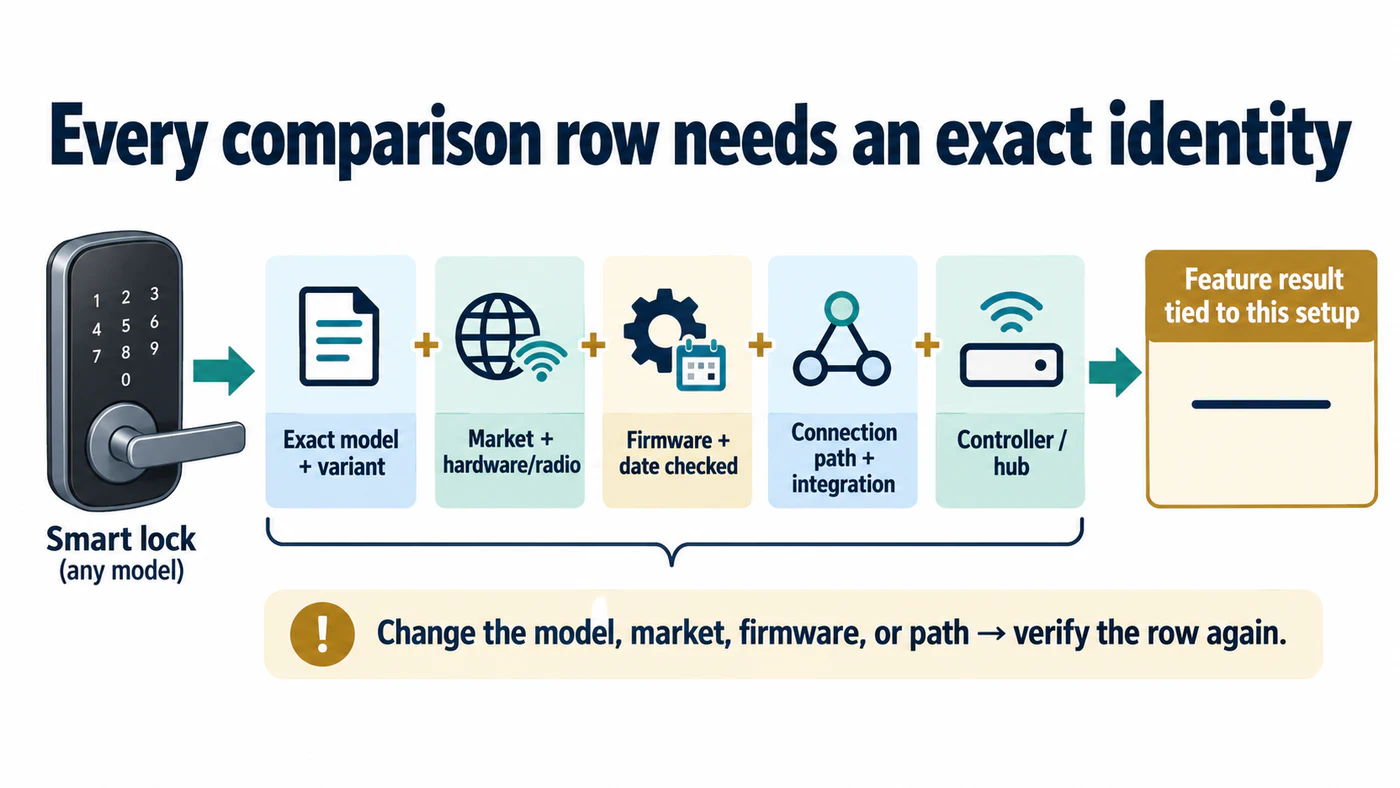
A result is reproducible only while its model, market, firmware, path, and controller match.
Use this worksheet for each ecosystem:
| Check | Record |
|---|---|
| Exact model and firmware | Full model/variant, region, firmware version, and verification date |
| Connection path | Native integration, direct Matter over Wi-Fi or Thread, or named bridge |
| Controller and infrastructure | App/controller, required hub, Thread border router, and account dependency |
| Lock and unlock | Local and remote behavior tested separately; note PIN or confirmation prompts |
| PIN and users | Where codes are created, managed, and revoked; identify any limits |
| Voice and routines | Each command and automation tested, including whether unlock is allowed |
| State and alerts | Locked/unlocked, door position, jam, battery, event history, and notifications |
| Updates and recovery | Which app updates firmware and how to recover access if the hub or network is down |
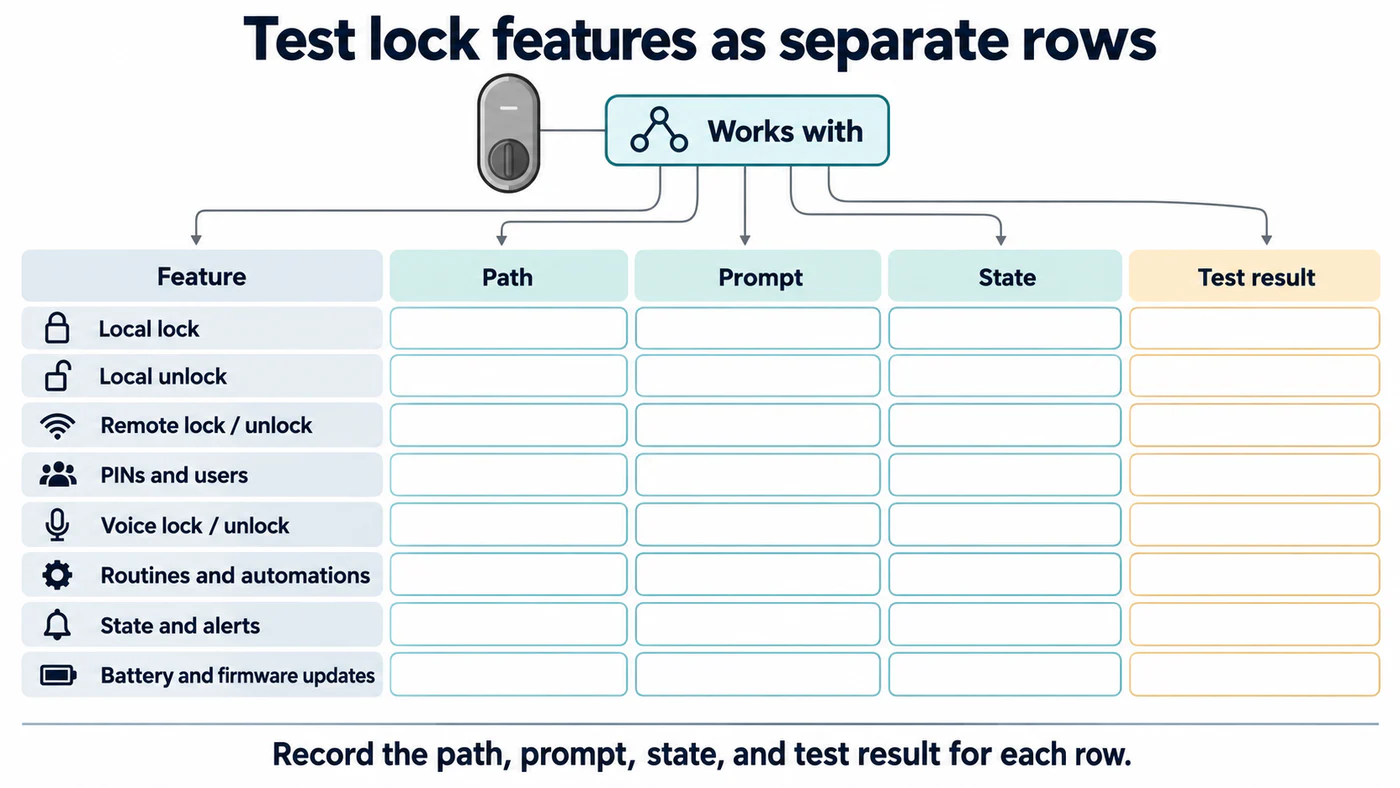
A positive result for one feature says nothing about the next row.
Compare platform rules without turning them into model claims
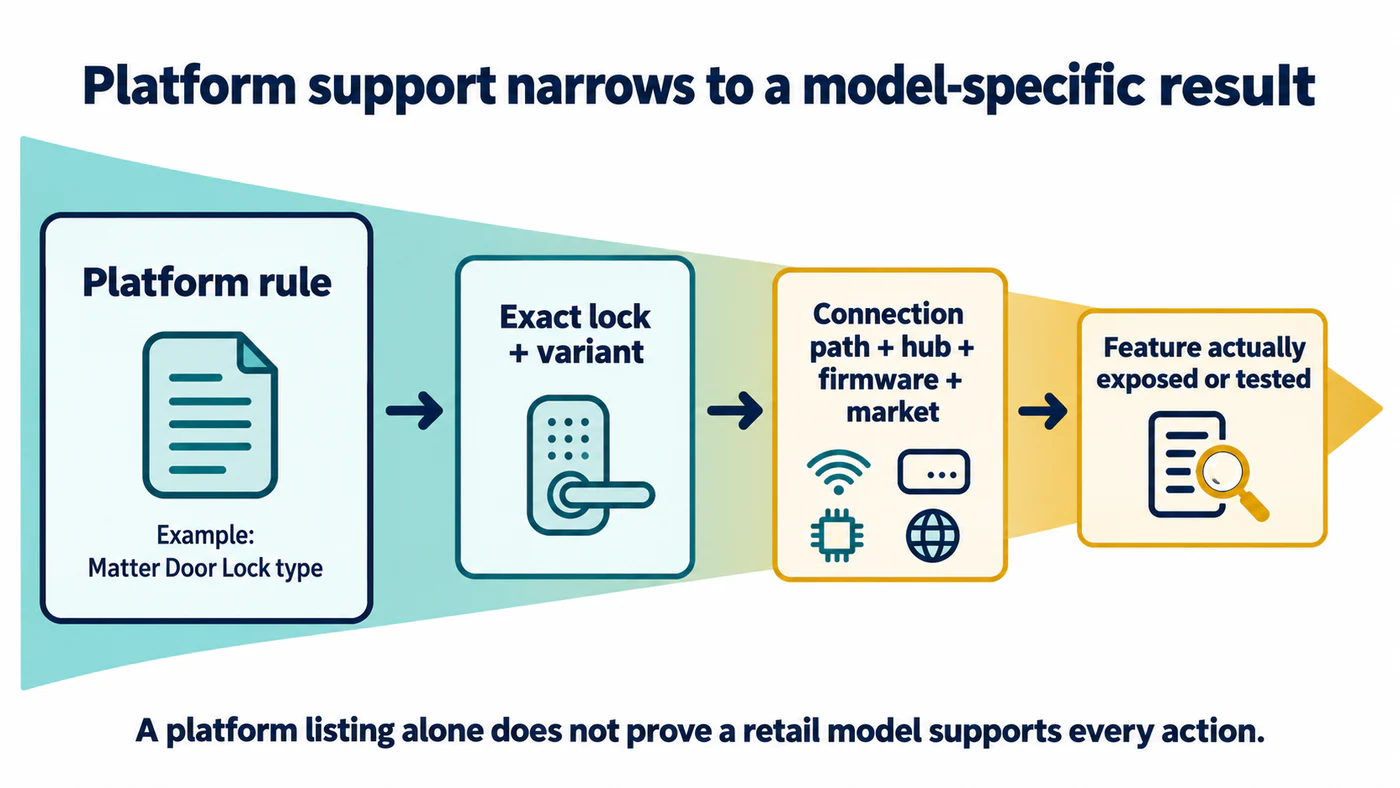
Use the platform table to set context, then verify the model and its path.
| Ecosystem | Platform-level evidence | Still verify for the exact lock |
|---|---|---|
| Apple Home | Apple documents Matter support and both home-hub guidance and specified local no-hub pairing cases; the cited no-hub pairing details are from its UK support page. Thread and remote/automation paths have additional device and hub conditions. | Supported model, regional Apple guidance, iPhone and OS, local versus remote use, Thread border router, Home Key, and each exposed state. |
| Google Home | Google lists Matter Door Lock support and maps the Door Lock cluster to lock/unlock controls. Matter remote unlock is disabled for locks without a required PIN; voice unlock is disabled. | Exact model, PIN behavior, hub/network path, state, and whether non-Matter integrations behave differently. |
| Alexa | Amazon documents Matter door-lock actions and separate Wi-Fi/Thread support and device inventories. | Exact Echo/eero role, direct or bridged path, voice/remote authorization, routines, PINs, and battery reporting. |
| Home Assistant | Home Assistant has a Matter controller path and lock entities; integration-dependent states may include locked, unlocked, jammed, open, unavailable, or unknown. | Matter Server and network setup, exact entity attributes, PIN support, native integration features, and remote access. |
| SmartThings | SmartThings lists door locks as a Matter device category and requires a compatible hub. | Compatible hub by region, exact lock model, supported actions, status, routines, and remote behavior. |
| openHAB and HomeSeer | Their Matter documentation covers lock management in openHAB and lists door locks in the HomeSeer MatterPlugin; see the platform guide. | Exact lock support, software/plugin version, editable credentials, exposed states, and feature parity across the two platforms. |
| Yale Linus L2 | Yale lists specific Apple, Google, SmartThings, and Alexa hubs for the L2. Its current page also distinguishes Matter 1.2 “Open door” and “Unlock” actions for firmware 2.0.20+, currently with Home Assistant as the Matter hub; check Yale’s current Matter guidance. | A generic “Yale Matter” claim, other Yale generations, or hub behavior outside the exact list and firmware note. |
Keep model examples in their own rows
Examples help explain different paths, but none substitutes for checking the whole market:
| Example | Documented path or feature | What the example does not establish |
|---|---|---|
| Aqara U100 | Aqara documents a Zigbee lock with a Matter path through a supported Aqara hub, Apple Home/Home Key features, and a US single-deadbolt form. Its page lists additional hub conditions for some remote and automation use. See Aqara’s U100 product information for its published door-preparation values. | That any Aqara lock has the same path, that Home Key comes from Matter, or that status and logging features marked planned are currently available. |
| SwitchBot Lock with Hub 2 | SwitchBot describes Hub 2 exposing a compatible lock to Matter. | Native Matter radio in the lock or full feature parity through the hub. Confirm the exact Lock generation and actions. |
| Tedee GO/GO2 | Tedee documents a Matter setup path with firmware, account, accessory, Thread, and remote-access conditions. For Tedee GO’s separate cylinder requirement, check Tedee’s GO guidance and the UK and European locks guide. For GO2, use its separate installation manual; do not transfer GO’s cylinder requirement to GO2. | That the GO and GO2 use identical setup requirements or expose every Tedee accessory to Matter. Follow the dedicated Tedee guide. |
| ULTRALOQ Bolt NFC HomeKey | The support notice separates Wi-Fi remote access through Xthings Home, local Home Key/Bluetooth control, and Apple Home remote access through a compatible Apple border router when the Xthings path is not used. Read the model-specific guide. | Behavior of other ULTRALOQ models, Apple Home automation support, or a Matter path through the lock’s Wi-Fi radio. |
| Lockin Veno series | Lockin says Matter integration uses a compatible hub and lists Apple Home, Alexa, Google Home, and SmartThings. Its FAQ says Veno Pro does not support HomeKit directly; the Veno guide explains the Matter route. | Exact variant/hub support or matching features across the named platforms. |
| Danalock V3 | Danalock lists Bluetooth, Bluetooth/Zigbee, Bluetooth/Z-Wave, and HomeKit variants; remote paths vary. See the V3 connectivity guide. | Matter support, current stock in every market, or interchangeable radios and hub requirements across variants. |
| Level Matter-enabled locks | Level’s current setup guide names Level Lock Pro, Level Lock+ (Matter), Matter-enabled Level Lock, and Level Bolt (Matter), and describes first and additional ecosystem pairing. See the Level Matter setup guide. | That every Level lock uses Matter, that the ecosystem exposes identical features, or that its advertised setup path proves physical fit. |
| Aqara U200 and U400 | Both use Matter over Thread, but their Aqara app, third-party Matter, and Apple access requirements differ. The Aqara guide separates the U200’s Thread-border-router requirement from the U400’s selected Apple-device and Thread-enabled-controller prerequisites. Aqara’s US U400 page currently says Samsung Wallet Digital Home Key is supported through SmartThings. Its Canadian page still says it was planned for Q1 2026, although that quarter has passed; treat this as stale regional wording, not confirmation that Wallet access is live or unavailable in Canada. Samsung describes a selective, partner-led rollout, so verify the exact market, package, phone, and access method. | Feature parity between models, Home Key or UWB availability for every phone/watch, Samsung Wallet availability in every market/package, or fit across their different hardware designs. |
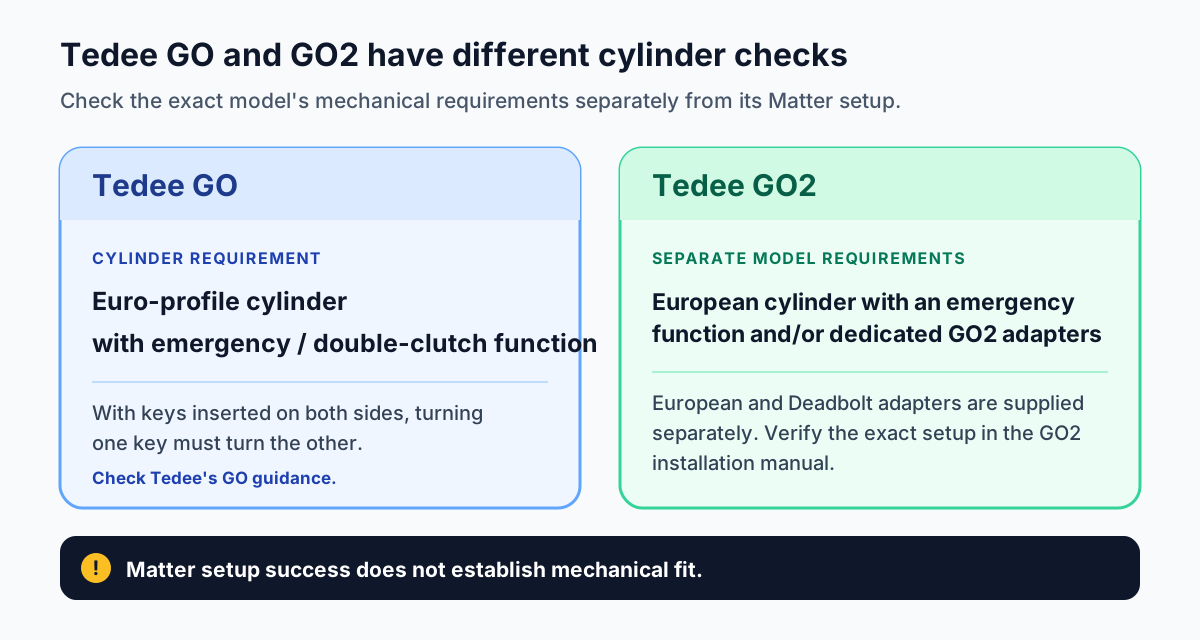
Check the exact Tedee model’s cylinder or adapter requirements in its manufacturer guidance.
Fill the matrix from evidence and tests
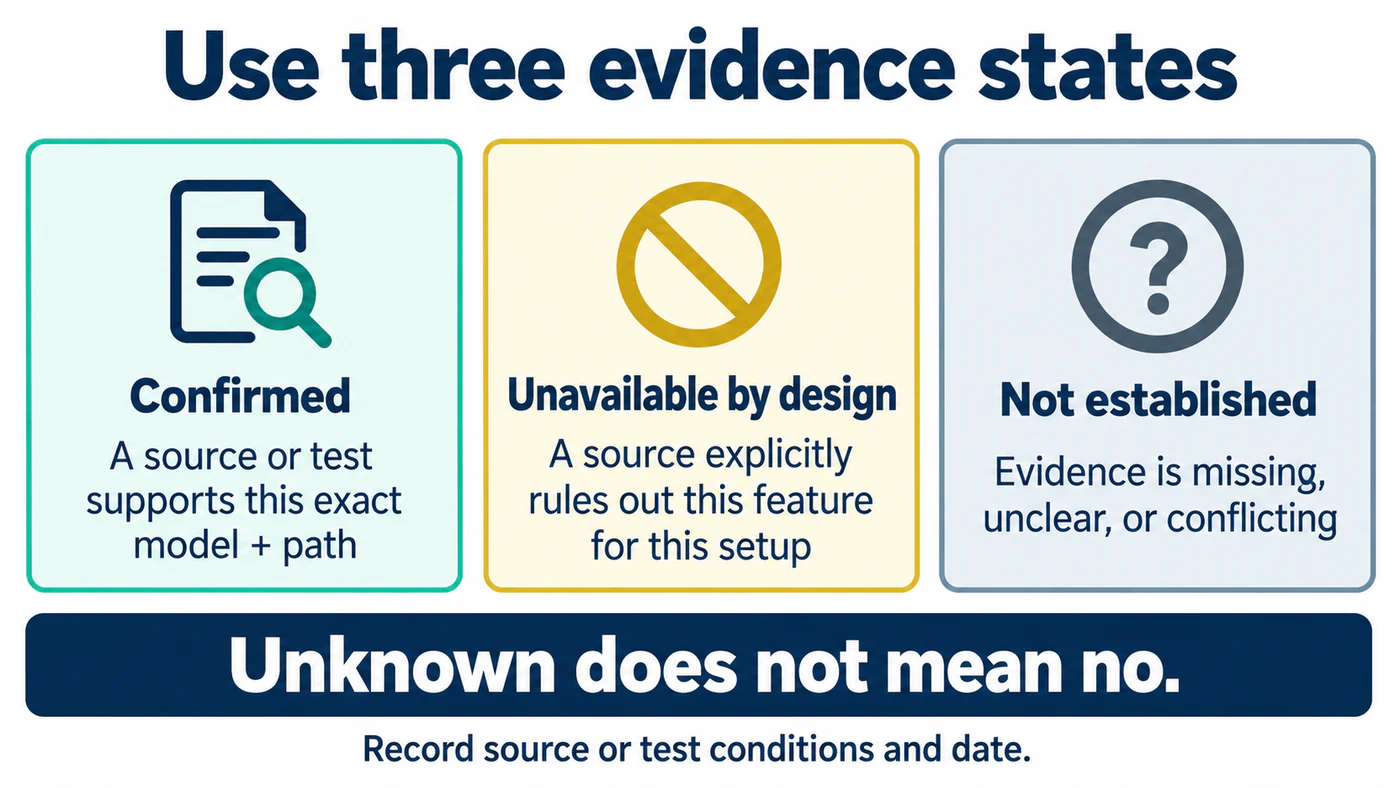
Keep missing or conflicting evidence marked as unknown instead of filling it by assumption.
Use three values: confirmed, unavailable by design, and not established. Add a note beside every confirmed feature stating the source or test conditions. Do not translate an empty cell into “no” unless the platform explicitly says it is unavailable. Do not transfer a result from one firmware, bridge, or regional variant to another.
For a controlled comparison, pair the matrix with the Apple Home, Google Home, Alexa, and Home Assistant guides. The infrastructure guide explains how to record hub and commissioning conditions.
Reference material
Sources for this guide
- Intro to Home on iPhonePrimary
- Set up and use accessories with MatterPrimary
- Supported Matter devices and clustersPrimary
- Supported Matter device categoriesPrimary
- MatterPrimary
- Aqara Smart Lock U100Primary
- SwitchBot Hub 2Primary
- Tedee GO2 Matter setupPrimary
- Tedee GO smart lockPrimary
- Tedee GO2 installation guide and user manualPrimary
- ULTRALOQ Bolt NFC HomeKey Lock Remote Access & Connectivity NoticePrimary
- Lockin Frequently Asked QuestionsPrimary
- Danalock V3 Smart LockPrimary
- Matter bindingPrimary
- HomeSeer MatterPlugin User ManualPrimary
- Aqara Smart Lock U400Primary
- Smart Lock U400, CanadaPrimary
- Introducing Aliro 1.0Primary
- Samsung Wallet Digital Home Key launchPrimary
- How to add a Matter-enabled Level lock to a smart home ecosystem appPrimary
- U200 Installation MethodsPrimary
- Matter | Getting StartedPrimary