Smart Locks in Home Assistant
Compare Home Assistant's native and Matter smart-lock paths, including controller setup, local network needs, and feature limits.
Jump to a section
Home Assistant can control locks through a native integration or a Matter controller. The path determines what hardware, setup steps, and features are available. A Matter lock entity may be convenient and local while exposing fewer manufacturer features than the lock’s own app or native integration.
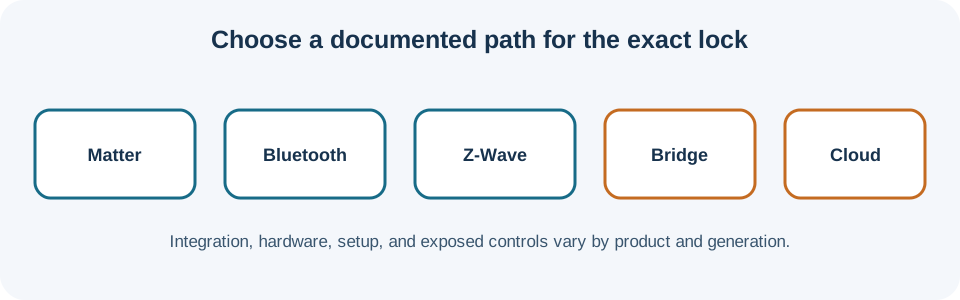
Choose the integration path
A native integration connects Home Assistant to a lock or its manufacturer service using that integration’s supported method. It may expose brand-specific details such as keypad users, door position, battery, or activity. Check the integration page for the exact model and note whether control depends on a cloud account, local hub, or internet connection.
The Matter integration uses Home Assistant’s Matter Server and communicates with the device over the home IP network. Matter devices use Wi-Fi or Thread for routine communication; Bluetooth Low Energy can help commission a nearby device. A Thread lock needs a Thread border router, while Home Assistant’s Matter controller needs IP reachability to the Matter network. One device may serve multiple roles, but a controller and a border router are not the same function.
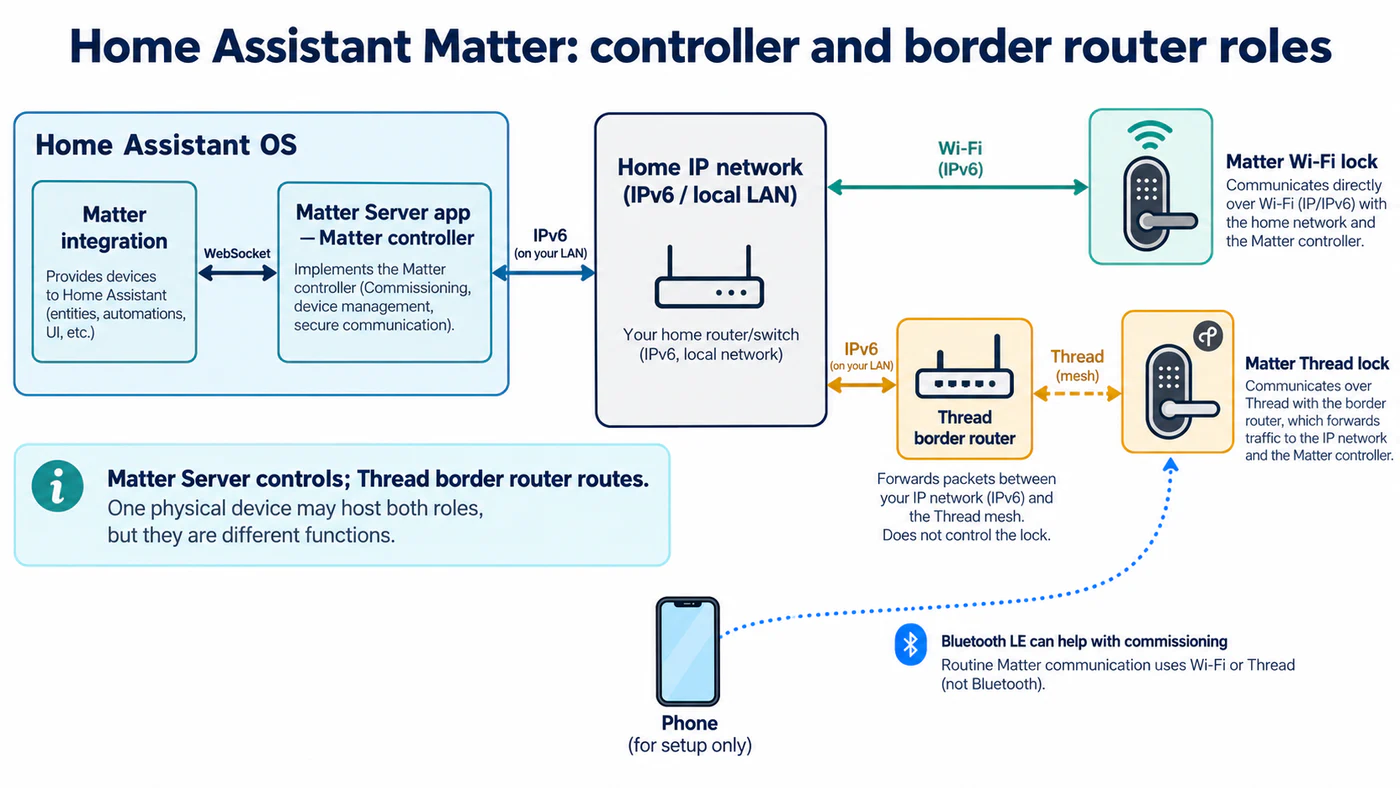
The Matter Server controls devices; a Thread border router forwards traffic between Thread and the IP network.
Home Assistant’s documented Matter path uses the Matter Server app with Home Assistant OS. Check the current integration instructions before choosing a different installation type. Thread credentials, border-router placement, IPv6, and multicast discovery can all affect commissioning. A Matter controller cannot fix a network path that blocks the traffic it needs.
What a Matter lock entity may expose
Home Assistant’s lock entity represents the lock state and lock/unlock controls. Depending on the device and integration, states can include locked, unlocked, jammed, open, unavailable, or unknown. These are entity-level states; do not assume every Matter lock reports every one. The lock, bridge, firmware, and integration determine which state is actually available.
Other capabilities often remain integration-specific. Confirm whether the path you choose exposes PIN entry or management, door-position sensors, battery detail, activity history, notifications, firmware updates, and remote operation. A successful Matter pairing proves the controller can communicate with the device; it does not prove feature parity with the manufacturer’s app.
Set up and verify safely
- Check Home Assistant’s current supported Matter installation and the lock maker’s exact model instructions.
- Confirm whether the lock uses Wi-Fi or Thread. For Thread, identify the border router and ensure it joins the network used by the controller.
- Update the lock using its manufacturer-supported method before pairing. Keep its app available for functions Matter may not expose.
- Commission with the Matter QR code or setup code using the documented Home Assistant flow. Keep the code private.
- Test lock and unlock locally, inspect the reported state, then test any code, automation, notification, or remote-access behavior separately.
Home Assistant documents Matter control as local to the network, but remote use of Home Assistant has its own access and security setup. That is separate from whether a Matter lock is reachable from the controller on the home network. Matter over Thread may also have update limitations that depend on the border-router path; use the manufacturer’s update instructions when Home Assistant does not offer an update.
User codes depend on the lock as well as the integration
Home Assistant’s Matter lock manager can list, add, edit, and remove users and credentials when the lock exposes those functions. Its one-time access option is intended for a code the lock deletes after one use; the platform does not guarantee every lock supports it. Core 2026.10 also adds a one-touch keypad-locking setting and fixes a user-list continuation edge case. Neither change is a model compatibility list. Home Assistant’s Z-Wave access manager supports user and credential actions locally over Z-Wave where the lock provides the required functions; PINs and passwords have different formats. Confirm that a code was accepted on the exact lock before relying on it.
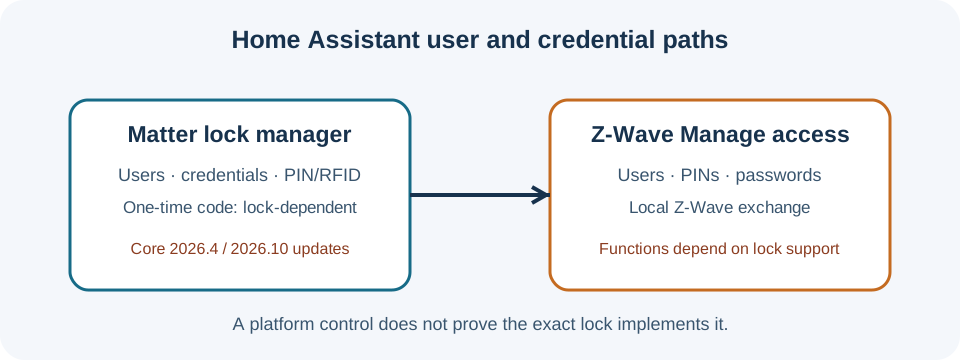
Matter and Z-Wave are separate paths; the exact lock and integration determine which credentials each can manage.
Check the exact integration path
| Lock or family | Home Assistant path and limits |
|---|---|
| Aqara U200 and U300; U400 in the USA and Canada | The certified roster lists Matter over Thread. Fingerprint sensing is unavailable in Home Assistant, and calibration remains in the vendor app. The roster does not promise a complete feature set. |
| Original Sesame; Sesame 5 and Hub 3 | The original Sesame uses a cloud-polling integration, Wi-Fi access point, API key, and app setup. Sesame 5 and Hub 3 use Matter instead. Do not transfer one generation’s setup to another. |
| SwitchBot locks | The Bluetooth integration uses Home Assistant host Bluetooth; a SwitchBot hub is not required for that path. Lock Ultra Max was added to the Bluetooth and Cloud integrations in Core 2026.10, but its exact actions are not listed in the release notes. |
| LOQED Touch Smart Lock | The integration documents lock, unlock, and open commands. “Open” is a distinct action only with a fixed exterior knob; with a push-down handle it behaves as unlock. Setup uses an administrator-created app token. |
| August and Yale devices | Bridge needs vary by generation. The current August table lists Gen 4 Wi-Fi and Gen 1 without a Connect Bridge or Doorbell; Pro Gen 3, Gen 2, Assure Lock, Assure Lock 2, and Yale Smart Safe require one. Yale Home app locks use the separate Yale integration. |
August battery readings need care: Home Assistant says the Gen 4 Wi-Fi lock’s API often reports charge incorrectly; rechargeable cells can also distort readings on other August locks. Battery and lock-operation entities may update slowly, and locks are not automatically woken from deep sleep. Treat a stale value as an integration report to verify, not proof that the battery or lock has failed.
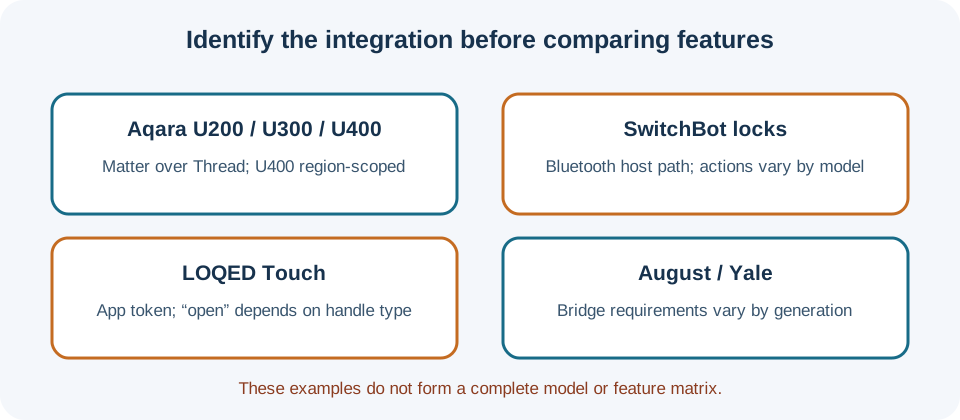
For a side-by-side worksheet, see the ecosystem feature matrix. The infrastructure guide covers network, controller, and commissioning checks.
Reference material
Sources for this guide
- MatterPrimary
- LockPrimary
- Matter lock manager — Home Assistant Core 2026.4Primary
- Z-Wave smart lock credential management — Home Assistant Core 2026.6Primary
- Home Assistant Core 2026.10 release notesPrimary
- August integrationPrimary
- Works with Home Assistant certified productsPrimary
- LOQED Touch Smart Lock integrationPrimary
- Sesame Smart Lock integrationPrimary
- SwitchBot Bluetooth integrationPrimary