Hubs, Border Routers, Bridges, Firmware, and Commissioning
Use a practical checklist to identify the hub roles, network path, setup code, and firmware conditions behind a smart-lock compatibility claim.
Jump to a section
A smart lock may need more than one piece of home infrastructure. A Matter controller commissions and manages the device; a Thread border router connects Thread to the home IP network; a bridge exposes devices using another protocol. A single hub can combine these roles, but its product label does not tell you which ones it supports.
Map the required roles
| Role | Job | Check before setup |
|---|---|---|
| Matter controller | Adds a device to a Matter fabric and sends supported commands. | Is the exact hub or software controller supported by the lock and ecosystem? |
| Thread border router | Routes IP traffic between a Thread mesh and the home network. | Does the home have a compatible border router on the intended Thread network? |
| Bridge | Makes a device or protocol available through another ecosystem interface. | Is this bridge listed for the exact lock, and which features pass through it? |
| Wi-Fi access point/router | Connects a Wi-Fi lock and controller to the IP network. | Can the devices reach each other using IPv6 and local discovery? |
| Manufacturer app/account | May commission, update, or expose features the ecosystem lacks. | Which functions still require the app, account, or cloud service? |
The names overlap in consumer product listings, so write down the role and model number rather than just “hub.” A Matter-capable speaker is not automatically a Thread border router, and a border router is not necessarily the controller you plan to use.
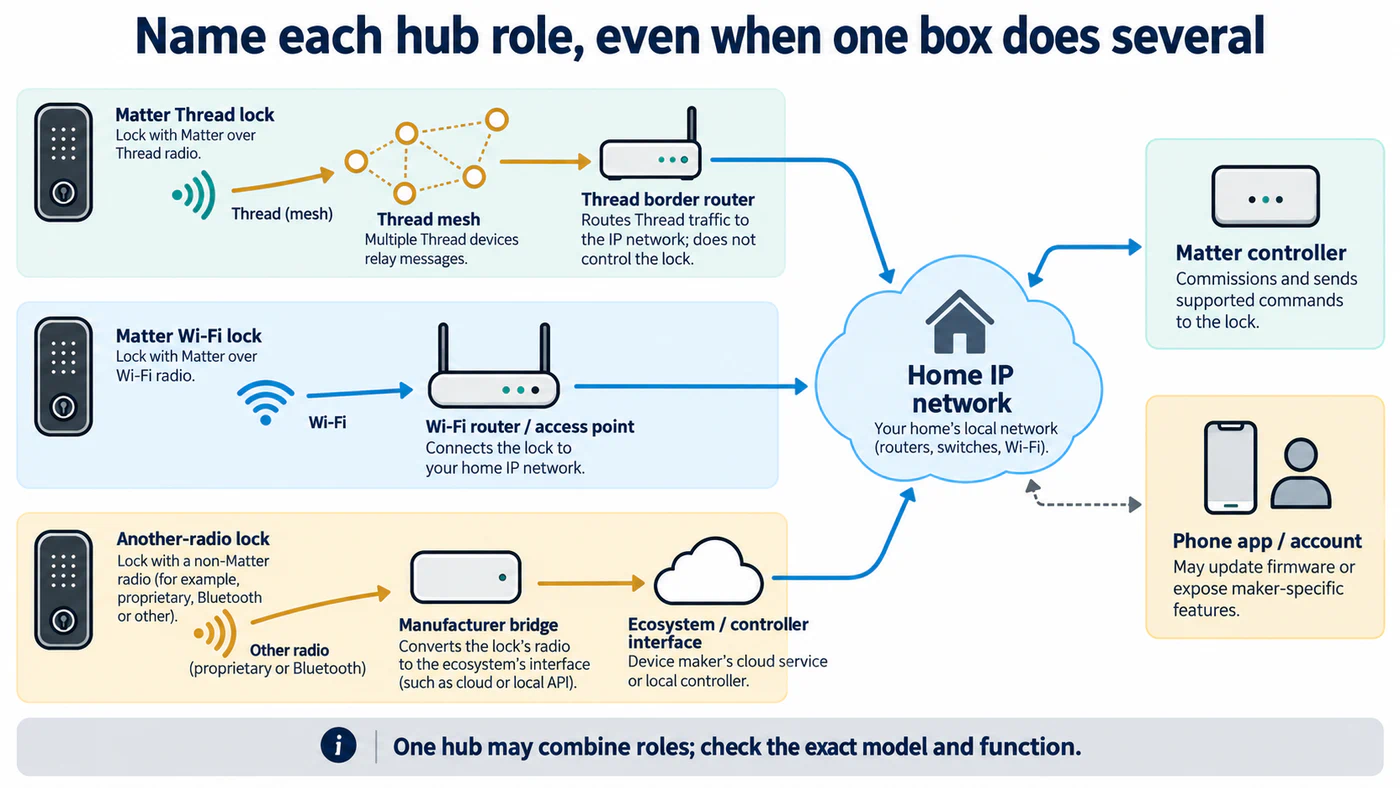
Check the capability of each exact hub or app; product labels alone do not establish its roles.
Commission in a controlled order
- Confirm the exact lock model, regional version, and current firmware. Check the manufacturer’s current setup guide for whether the lock must first be registered in its app.
- Choose the controller and integration path. Decide whether the lock will join by direct Matter, native integration, or a named bridge. Check multi-admin support before trying to add a lock already commissioned elsewhere.
- Confirm transport. For Wi-Fi, keep the lock and controller on a reachable home IP network. For Thread, identify the border router and the Thread network the controller will use.
- Put the phone near the lock and start the documented setup flow. BLE may help the phone discover and commission a Matter device, even when normal control later uses Wi-Fi or Thread.
- Scan or enter the correct Matter setup code only in the intended controller. Treat the code as a credential: anyone with it may be able to commission the device.
- Test basic lock and unlock first. Then test PINs, voice, remote control, status, notifications, and automations one at a time.
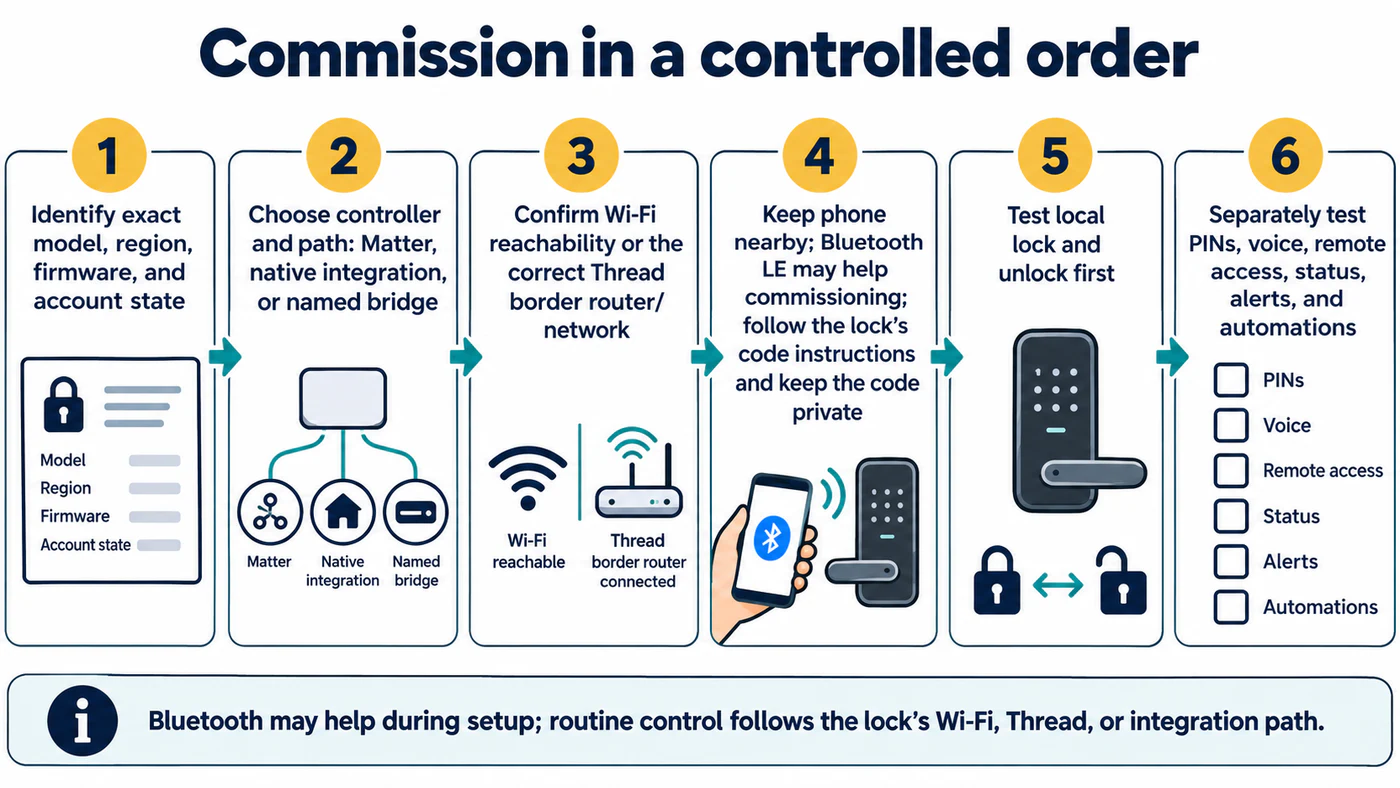
Confirm local lock and unlock before testing PINs, voice, remote access, status, alerts, or automations.
Diagnose failures by layer
If discovery fails, check phone permissions and proximity, lock pairing state, and whether the setup code belongs to that model. If commissioning starts but cannot complete, check that the controller and device can discover each other on the local network. Home Assistant’s current Matter guidance calls out IPv6 and multicast reachability; segmented networks can block discovery even when ordinary internet access works.
For a Thread lock, verify that the border router is online and connected to the correct Thread network. Home Assistant’s Matter network map can show device roles, network, online status, and the path to Home Assistant. The current Matter guide requires Matter Server app 9.2.0 or later for the map, or Matter Server 1.4.0 or later when self-run. Use the display as a reachability diagnostic; an offline or weak path does not by itself establish a lock fault or incompatibility. Avoid factory-resetting until you know whether the lock is still commissioned to another controller and have a recovery plan for physical entry.
Remote access is a separate test from local commissioning. Verify the target ecosystem’s hub and account requirements, then test from outside the home only after local lock operation succeeds. Thread devices can also have platform-specific over-the-air update limitations; follow the lock maker’s update path if the controller does not offer firmware updates. Tedee GO/GO2 has additional Thread, firmware, account, and NAT64 conditions in the model-specific setup guide.
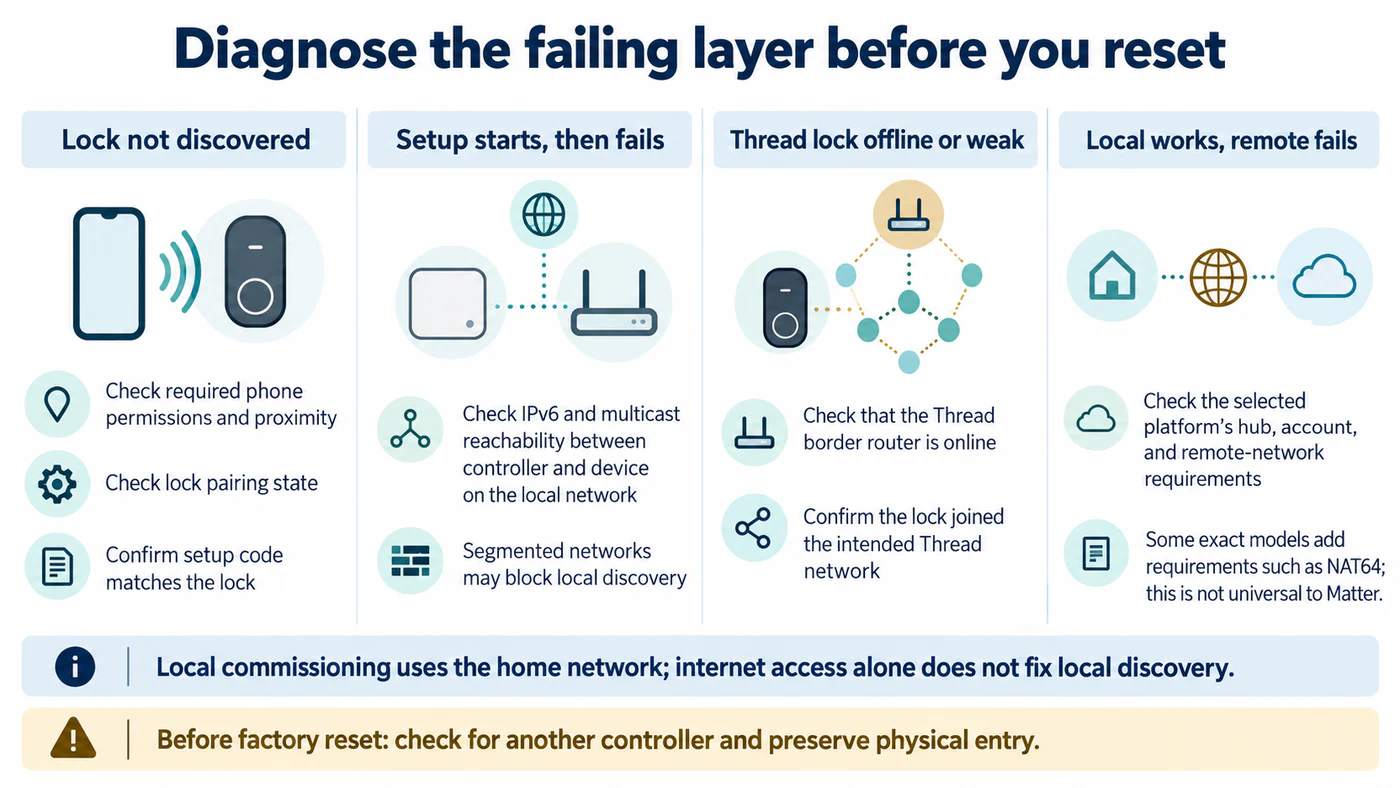
Check local discovery, Thread reachability, and remote access as separate layers before resetting the lock.
For the difference between controller, border router, and bridge, see what each connectivity layer means. Record the tested actions in the ecosystem feature matrix.
Reference material
Sources for this guide
- MatterPrimary
- ThreadPrimary
- Set up and use accessories with MatterPrimary
- Matter support in AlexaPrimary