Lockin Veno Matter and Apple Home Compatibility
Check the Veno series' hub-mediated Matter path and the distinction between direct HomeKit support and Apple Home through Matter.
Jump to a section
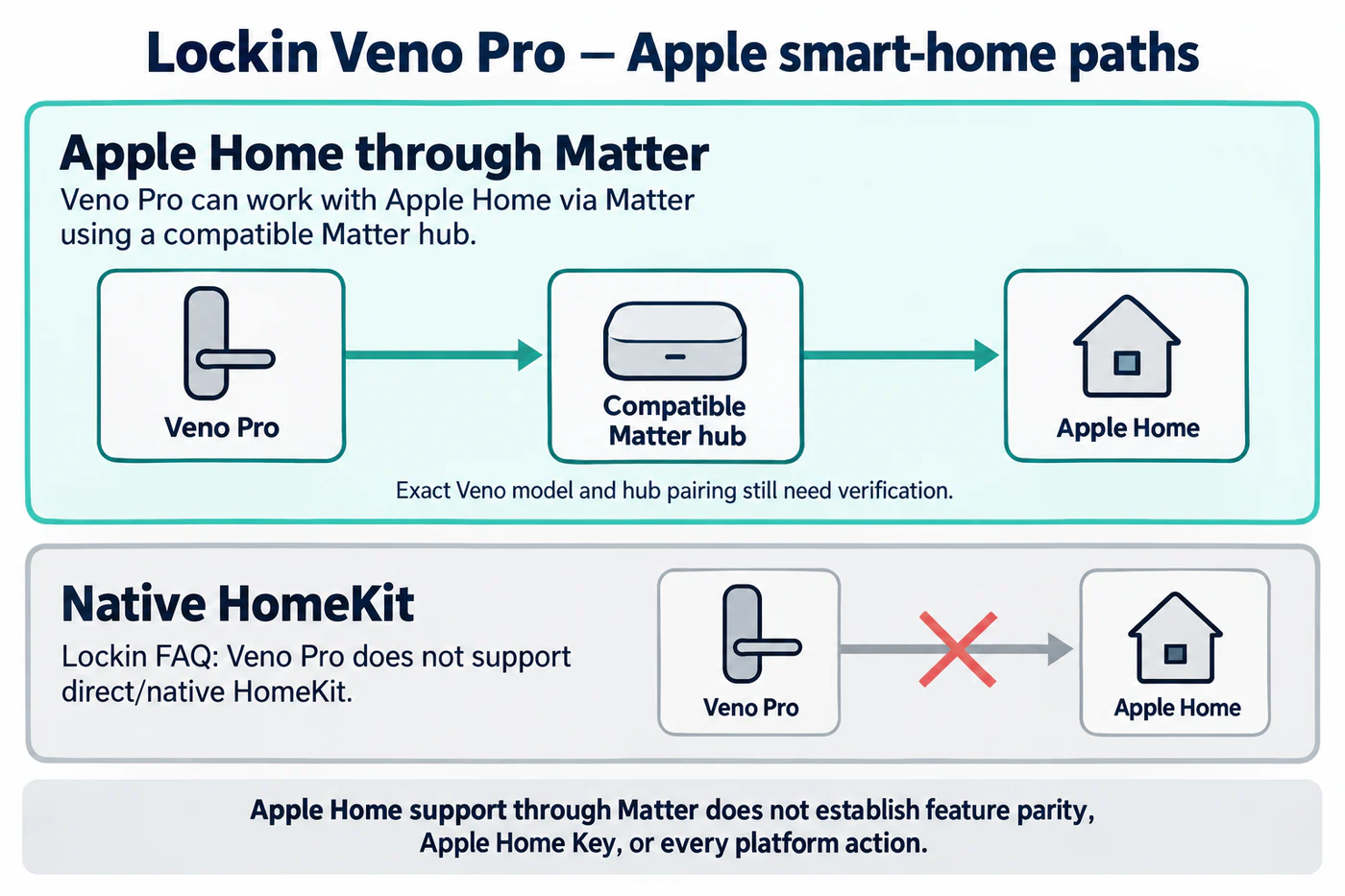
Lockin’s Veno FAQ describes a Matter route through a compatible Matter hub and lists Apple Home, Alexa, Google Home, and SmartThings for the Veno series. It draws a specific distinction for Veno Pro: the FAQ says that model does not support HomeKit directly, but can integrate with Apple Home through Matter. For this product line, “works with Apple Home” and “native HomeKit” are not interchangeable descriptions.
Identify the exact Veno model and hub
Start with the model name on the lock and its current product instructions. Lockin’s FAQ does not give a complete model-by-model hub list, transport matrix, or platform action table. Confirm that the exact Veno version and hub are supported together, and use the hub’s Matter setup instructions to identify whether it acts as the controller, bridge, or both. Do not assume that a hub mentioned for one Veno package applies to another.
The FAQ’s platform list is a compatibility claim, not proof that each ecosystem exposes the same controls. Before choosing a platform, check lock and unlock, user or PIN management, state reporting, voice control, remote operation, and automation separately. If a feature is not named in the model or platform instructions, keep it unconfirmed until tested.
Keep automatic locking tied to the door sensor
Lockin says the Veno series uses its built-in door sensor to prevent automatic locking while the door is open. That is a door-state condition in the lock’s own operation; it does not establish that Apple Home, Alexa, Google Home, or SmartThings exposes the sensor or the same automatic-lock setting. Verify the sensor state and auto-lock behavior in the Lockin app after installation, then check whether the selected ecosystem reports or controls either function.
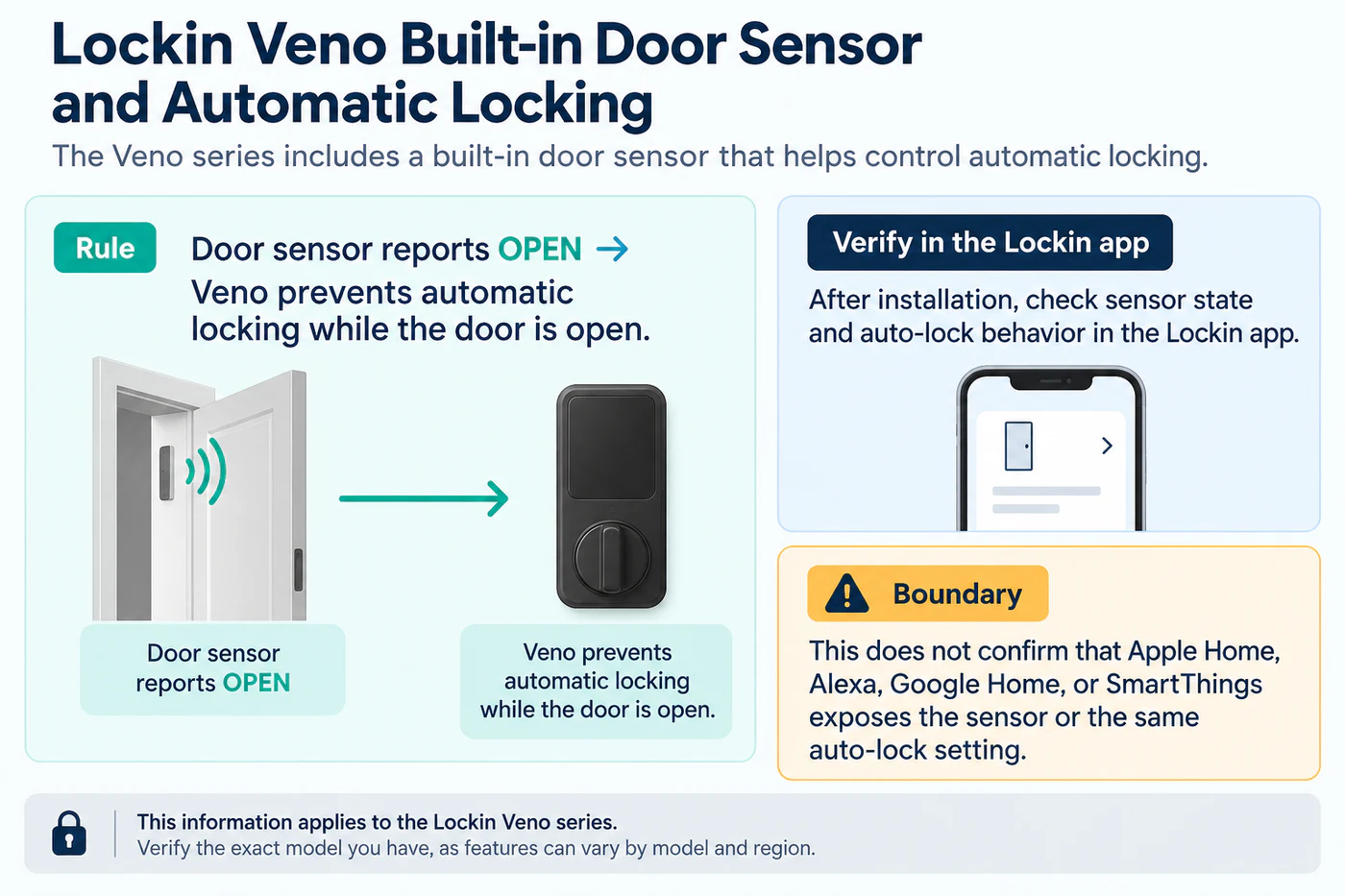
This sensor claim also does not replace a mechanical fit check. A lock may recognize that its door is open and still be wrong for the door’s measurements, latch, frame, or handing. Use the exact Veno installation guide for those checks.
A practical verification sequence
- Record the exact Veno model, region, hub, firmware, and date.
- Confirm the hub-mediated Matter route in current Lockin instructions.
- Pair the lock with the chosen controller and test local lock/unlock.
- Check sensor state and auto-lock behavior in the Lockin app.
- Test remote access, PINs, voice, notifications, and automations separately in the target ecosystem.
Compare recorded results with the ecosystem feature matrix and the Apple Home guide. Lockin’s FAQ does not establish feature parity across its listed platforms, so do not carry a successful result from one hub, model, or ecosystem to another.
Reference material
Sources for this guide
- Frequently Asked QuestionsPrimary