ULTRALOQ Bolt NFC: Home Key and Remote Access
Separate local Home Key and Bluetooth use from Xthings Home Wi-Fi and Apple Home remote-control requirements for the Bolt NFC.
Jump to a section
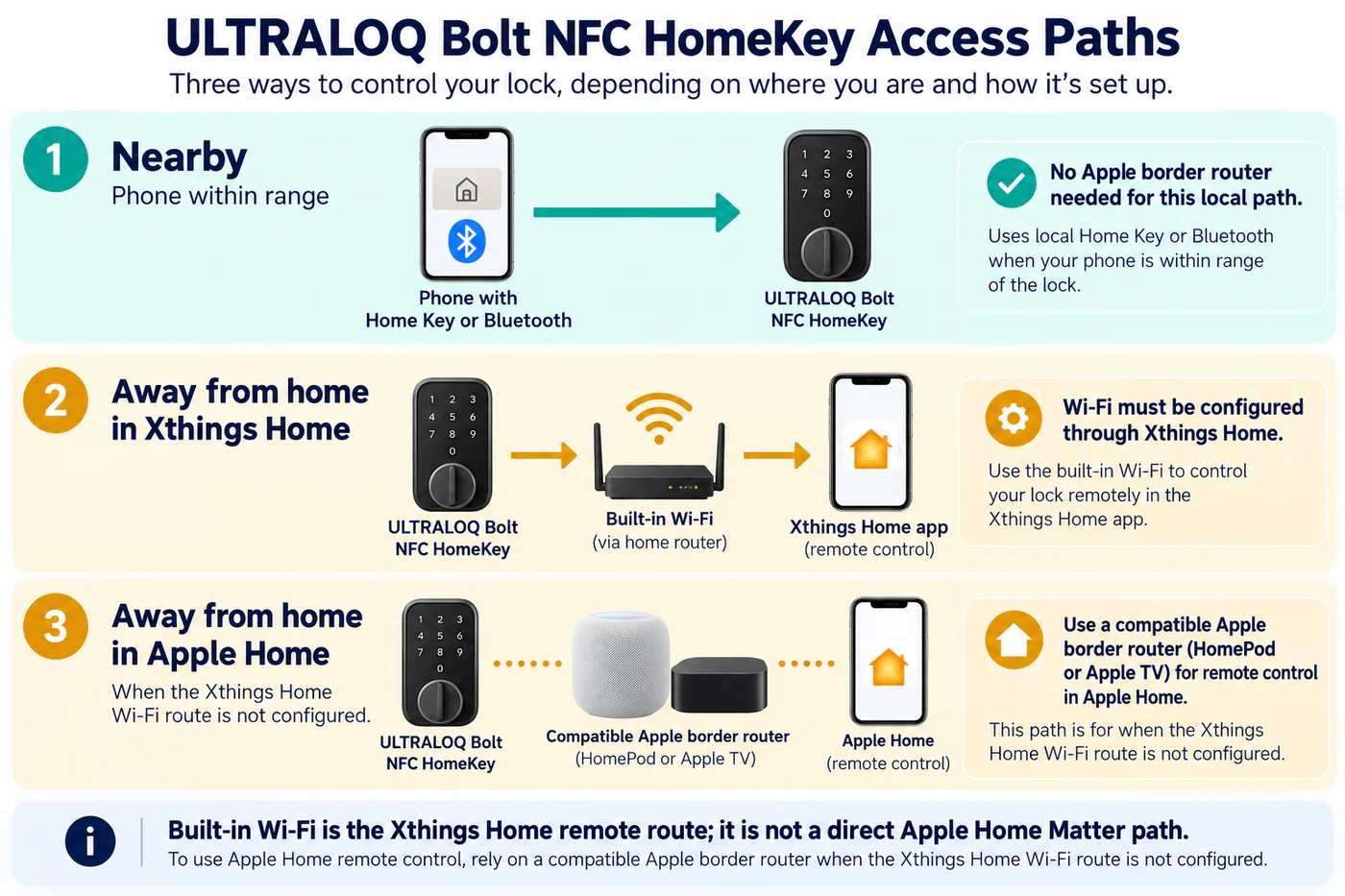
For the ULTRALOQ Bolt NFC HomeKey lock, local access and away-from-home control follow different paths. U-tec’s current connectivity notice describes the lock’s built-in Wi-Fi as a remote-control route through the Xthings Home app. It separately says local Home Key and Bluetooth locking or unlocking can work without an Apple border router.
Choose which remote route you intend to use
If you use the lock’s built-in Wi-Fi for remote access, the cited route is through Xthings Home. That statement does not mean the lock’s Wi-Fi radio is a direct Apple Home Matter path. If you want remote access through Apple Home without configuring the Xthings Wi-Fi route, U-tec says a compatible Apple border router is required, such as a supported HomePod or Apple TV. Confirm Apple’s current device requirements and the exact model setup steps before buying infrastructure.
The local path is different: U-tec says Home Key and Bluetooth control can work without that Apple border router when the phone is nearby. This does not establish remote Apple Home access, automations, or the same behavior for another ULTRALOQ generation. Treat the model name and the app used for control as part of the compatibility result.
| What you want to do | Path described by U-tec | Confirm before relying on it |
|---|---|---|
| Lock or unlock nearby | Local Home Key or Bluetooth | Phone/device requirements, setup, and proximity for your exact unit. |
| Control away from home in Xthings Home | Built-in Wi-Fi through the Xthings Home app | Wi-Fi configuration and account access in the current app. |
| Control away from home in Apple Home | Compatible Apple border router if the Xthings Wi-Fi route is not configured | Current Apple hub requirements, network access, and whether the lock is added through the supported Apple Home path. |
Verify one path at a time
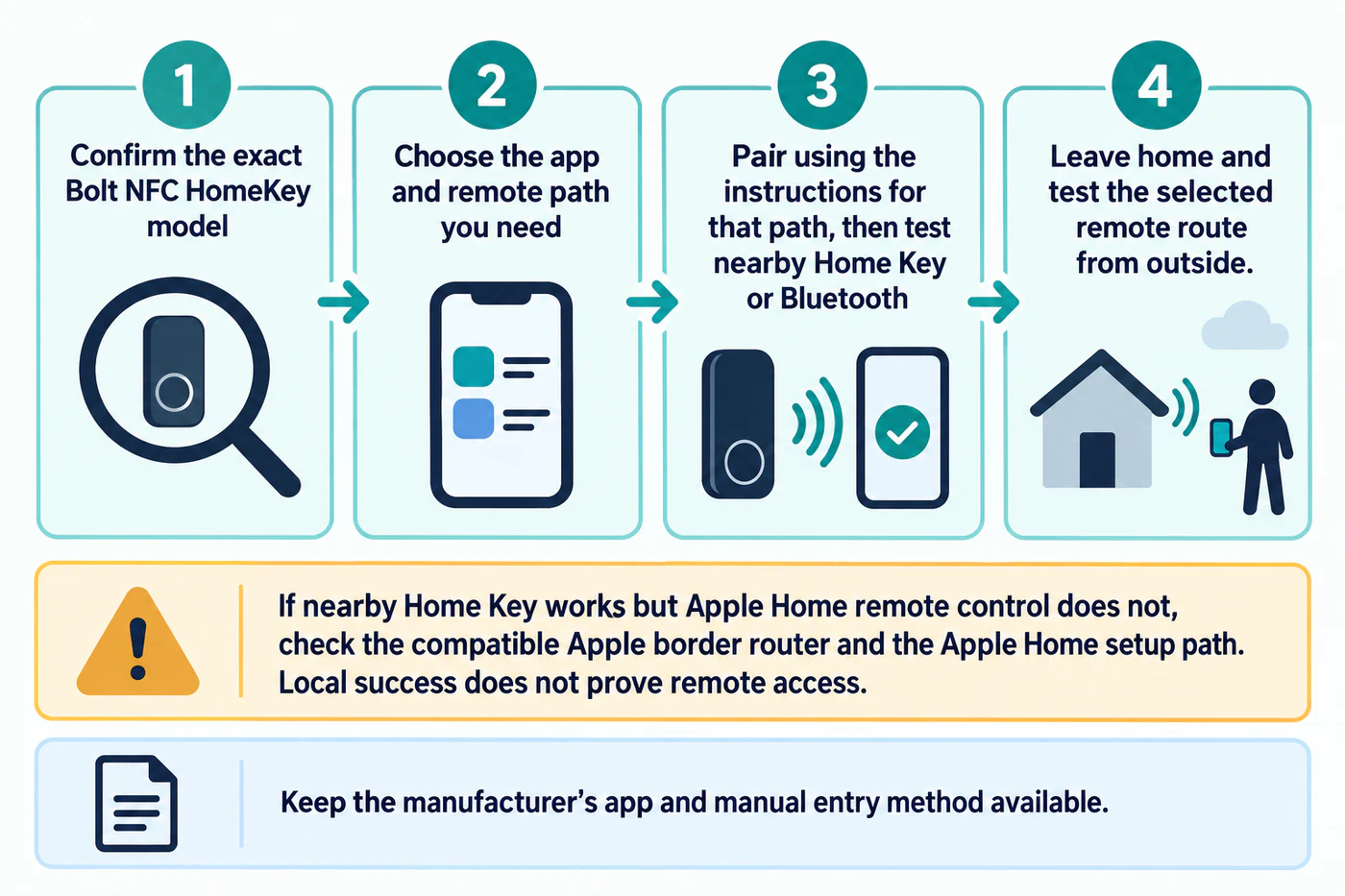
Before installation, decide which app must provide remote access. Keep the manufacturer’s instructions and app available, pair the lock using the route for your goal, and test local operation first. Then test the selected remote route from outside the home. If local Home Key works but remote Apple Home does not, check the Apple border-router requirement and setup path rather than treating the local result as proof of remote support.
U-tec’s notice is specific to the Bolt NFC HomeKey model. It does not establish these behaviors for other Bolt models, every regional package, Apple Home automation behavior, or physical door fit. Compare the lock’s electronic actions in the feature matrix and read the Apple Home guide for the platform-wide local, hub, and Thread distinctions.
Reference material