Danalock V3 Connectivity Options and Remote Paths
Compare the Danalock V3 Bluetooth, Zigbee, Z-Wave, and HomeKit variants before choosing a hub or remote-control route.
Jump to a section
Danalock sells the V3 as several communication variants. The radio choice affects which hub or gateway can provide remote control, so check the complete model code before ordering. A V3 label alone does not identify the protocol or the infrastructure needed in your home.
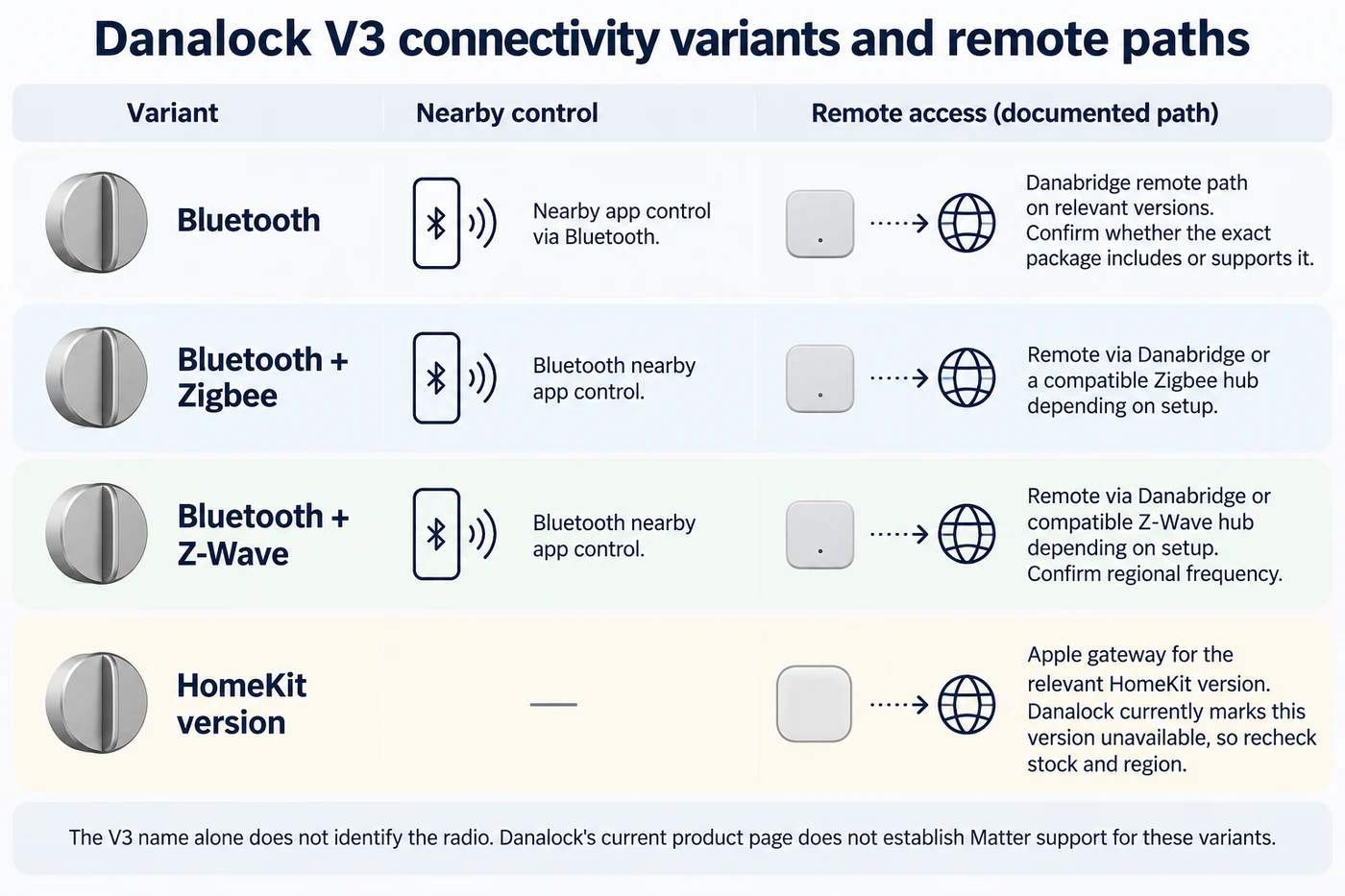
Compare the variants
| V3 version | Connection described by Danalock | Remote path described for the version | Check before purchase |
|---|---|---|---|
| Bluetooth | Bluetooth control through the app. | The product page describes Danabridge for relevant versions; confirm whether it applies to the exact Bluetooth package. | Exact kit, included bridge, and whether control is local or remote. |
| Bluetooth/Zigbee | Bluetooth plus a Zigbee version. | Danabridge or a compatible Zigbee hub, depending on the setup. | That the hub supports this lock and the actions you need. |
| Bluetooth/Z-Wave | Bluetooth plus a Z-Wave version. | Danabridge or a compatible Z-Wave hub, depending on the setup. | Regional radio/frequency, hub compatibility, and lock feature exposure. |
| HomeKit | A separate HomeKit version is listed. | Apple gateway for the relevant HomeKit version. | Danalock’s product page currently marks this version unavailable; recheck stock and region before planning around it. |
The V3 variants are not interchangeable just because the exterior model name is shared. A Zigbee hub or Z-Wave hub is not a Matter controller for the Bluetooth-only version, and the page does not establish Matter support for any V3 variant. Select the radio and matching controller as a pair, then verify the exact functions—lock/unlock, status, remote access, and automations—in the current Danalock instructions.
Separate connectivity from cylinder fit
Danalock’s page also lists country-specific adapters for Scandi oval, Euro drop-shaped, and US deadbolt cylinders. That is a separate mechanical choice from Bluetooth, Zigbee, Z-Wave, or HomeKit. Confirm the adapter and cylinder for your door using the exact installation guide; the connectivity variant cannot establish whether the lock fits or turns the mechanism correctly.
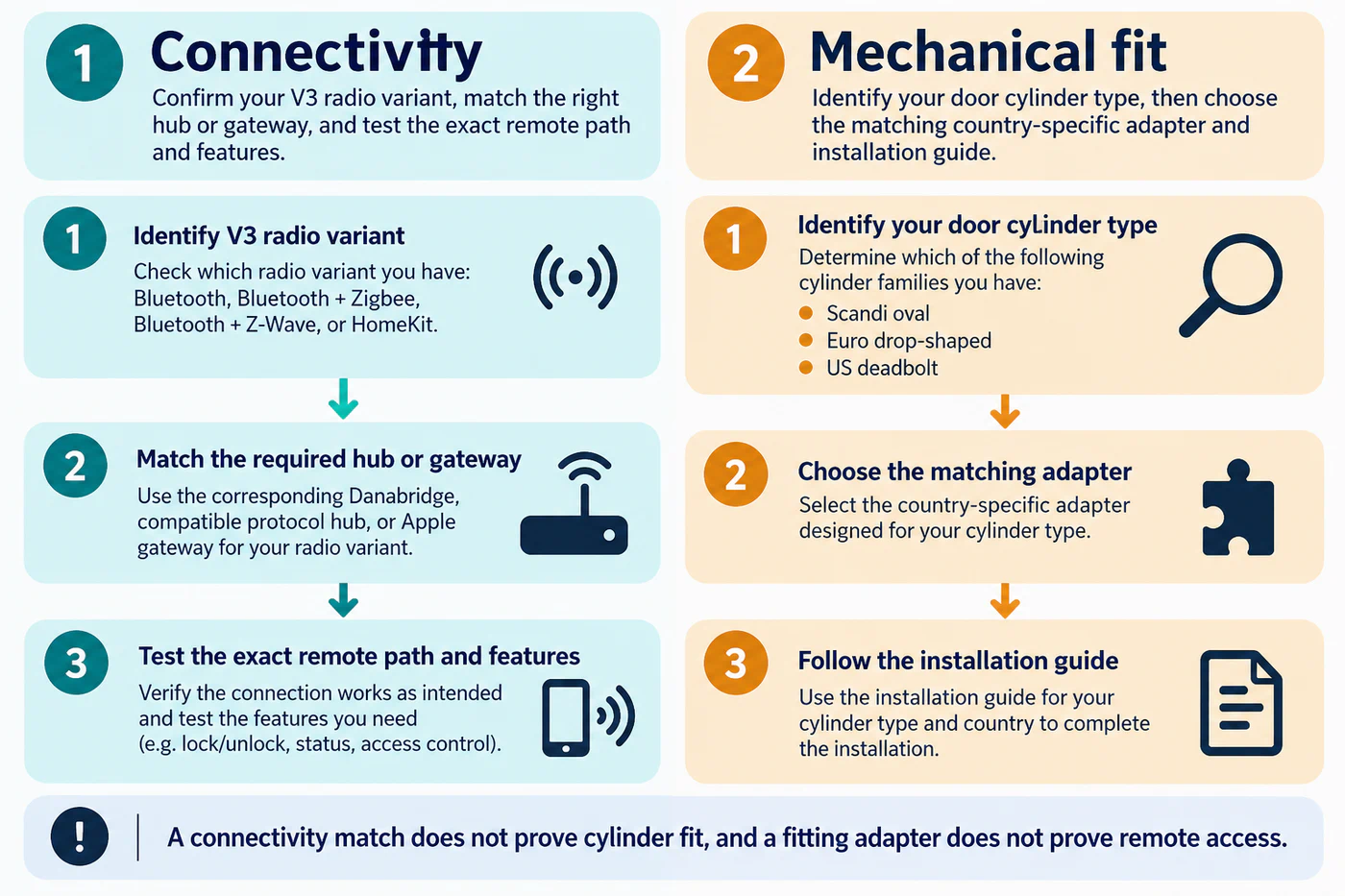
Check the complete setup
Before purchase, record the full V3 variant, country, cylinder adapter, hub or bridge model, and required app. After installation, test nearby control first, then the hub-mediated or remote path. Keep one mechanical entry method available while pairing and troubleshooting. If a required feature or compatible hub is not listed for the exact package, treat it as unconfirmed and ask Danalock before relying on it.
For the difference between the radio networks and Matter, see the connectivity layers guide. The feature matrix provides a place to record the exact model, hub, actions, and test date.
Reference material
Sources for this guide
- Danalock V3 Smart LockPrimary