Yale Linus L2 Matter Hubs and Lock Actions
Check Yale's listed Matter hubs for Linus L2 and the firmware and Home Assistant requirements for its separate Open door action.
Jump to a section
Yale’s Matter getting-started page names hubs for the Linus L2 and lists the Matter 1.2 actions available with a particular firmware and Matter hub. These details are specific to Linus L2. They do not establish compatibility for another Yale lock, model generation, or market package.
Hubs Yale currently lists for Linus L2
Yale’s list below was checked on September 27, 2026. Treat it as a point-in-time check and confirm the exact hub model and regional availability on Yale’s current support page before pairing.
| Ecosystem | Hubs listed by Yale |
|---|---|
| Apple Home | Apple TV 4K (2nd generation); Apple TV 4K (3rd generation, Wi-Fi + Ethernet); HomePod (2nd generation); HomePod mini. |
| Google Home | Nest Hub (2nd generation); Nest Hub Max; Nest Wifi Pro. |
| Samsung SmartThings | SmartThings 2018 Hub (IM6001-V3P01); Aeotec Smart Home Hub; SmartThings Station. |
| Amazon Alexa | Echo (4th generation); eero Pro 6E; eero Pro 6; eero 6+; eero 6; eero PoE 6; eero PoE gateway; eero Pro; eero Beacon. |
Use Yale’s current list to check the model number and region of your hub before pairing. A controller from the same brand is not enough if its exact model is not named. Hub inventories and product availability can change, so revisit the official page when buying or replacing equipment.
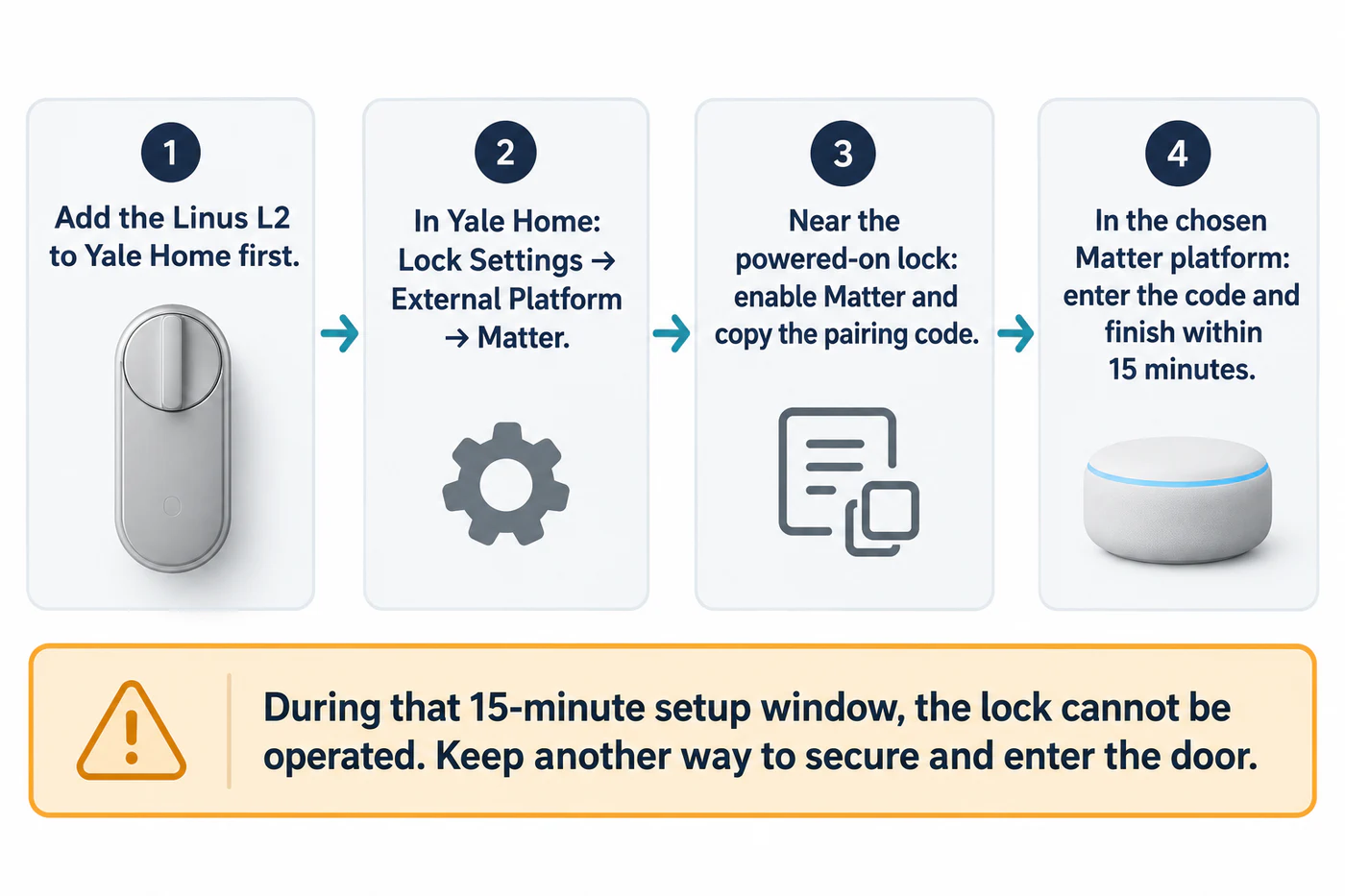
Yale says to add the lock in the Yale Home app before connecting it to a Matter platform. Start Matter setup from the lock’s settings in that app, then enter the pairing code in the chosen platform. Yale states that setup must be completed within 15 minutes; during that window, the lock cannot be operated. Plan the pairing when you have another way to secure and enter the door.
“Open door” is a separate Matter action
Yale says Linus L2 firmware 2.0.20 or later supports Matter 1.2’s separate “Open door” and “Unlock” actions. Its page says that the “Open door” feature is currently available only when Home Assistant is the Matter hub. This is narrower than a general Matter lock/unlock claim: check the exact firmware, Home Assistant setup, and action your app presents before relying on it.
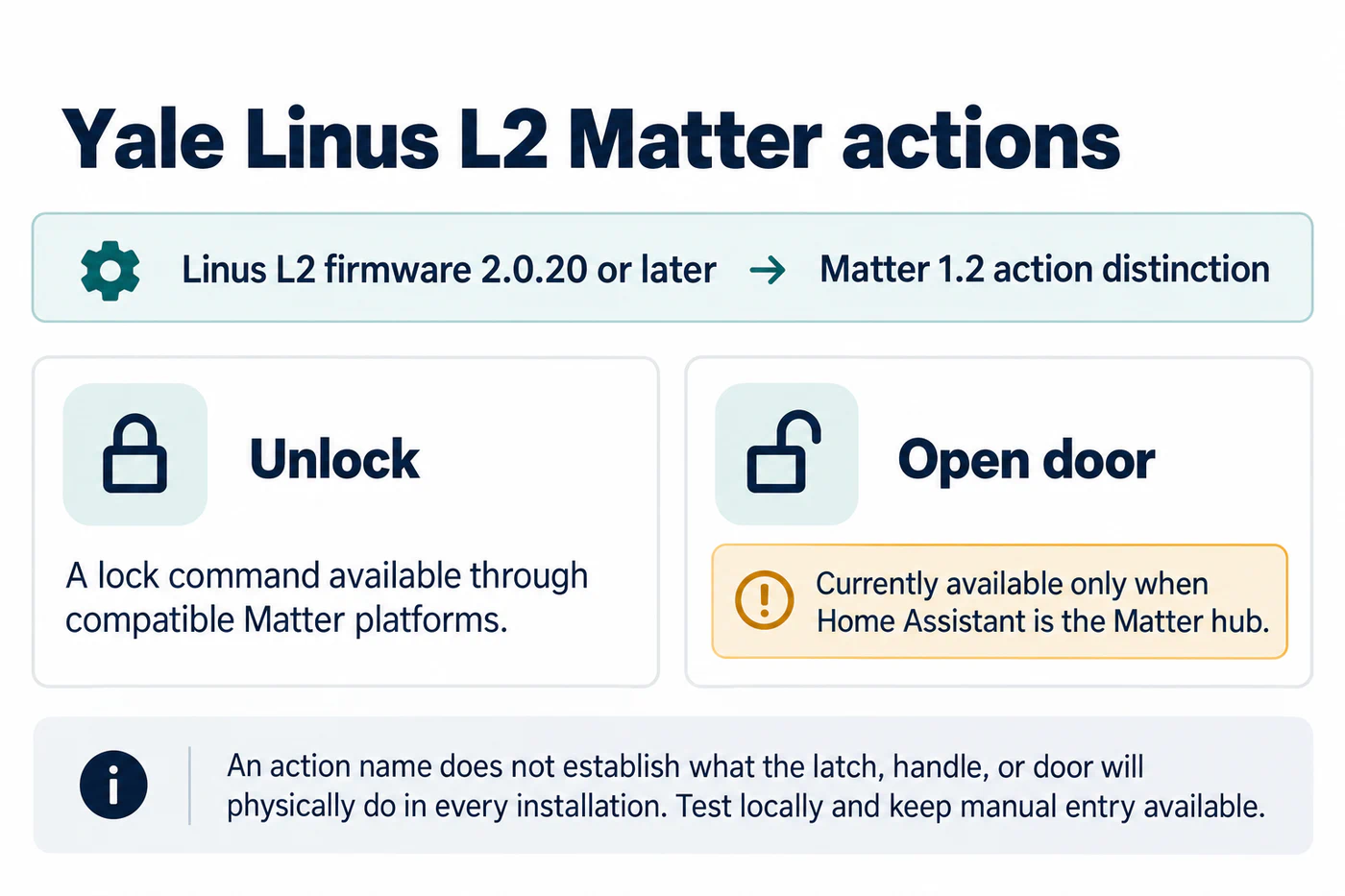
The action name does not describe whether the latch, handle, or door physically moves in every installation. Follow Yale’s setup guidance for the installed mechanism, and test the action locally while you can use the normal manual entry method. Do not assume that a different controller will expose the same action merely because it supports Matter door locks.
Verify the exact lock and door
Record the Linus L2 model and firmware, hub model, platform app, and date tested. Pair through Yale Home and the platform’s current instructions, confirm ordinary lock and unlock, then check the separate “Open door” action if your firmware and controller meet Yale’s stated conditions. Test remote access independently after local control works.
For separate market and cylinder checks, follow Yale’s current installation guidance for the exact model and region; this guide covers Matter hubs and lock actions. Add each action and hub result to the ecosystem feature matrix, and leave untested or unlisted combinations unresolved.
Reference material
Sources for this guide
- Matter | Getting StartedPrimary