Smart Locks in Alexa
Check Matter transport, Echo or eero infrastructure, lock actions, voice security, and model-specific support before choosing an Alexa setup.
Jump to a section
An Alexa compatibility claim may refer to a manufacturer’s Alexa skill, a direct Matter connection, or a Matter bridge. The path affects setup and features. Check the exact lock, connection type, and Alexa device before assuming that voice, remote control, routines, PINs, and lock status will all work.
Separate Matter support from the hub path
Amazon documents Matter door locks and supports Matter over Wi-Fi and Thread. These transports have different infrastructure needs. A Wi-Fi lock must reach the home IP network; a Thread lock also needs a Thread border router that can connect its Thread network to the home network. The Matter-capable Echo or eero inventory and the Thread border-router inventory are related but distinct lists. Verify that the specific device you own supports the lock’s transport and the role required for setup.
Some locks reach Alexa through a manufacturer bridge rather than speaking Matter directly. In that case, check the bridge’s exact lock list, the manufacturer’s account-linking steps, and any feature limitations. A bridge or Alexa skill can expose a different set of actions from direct Matter pairing.
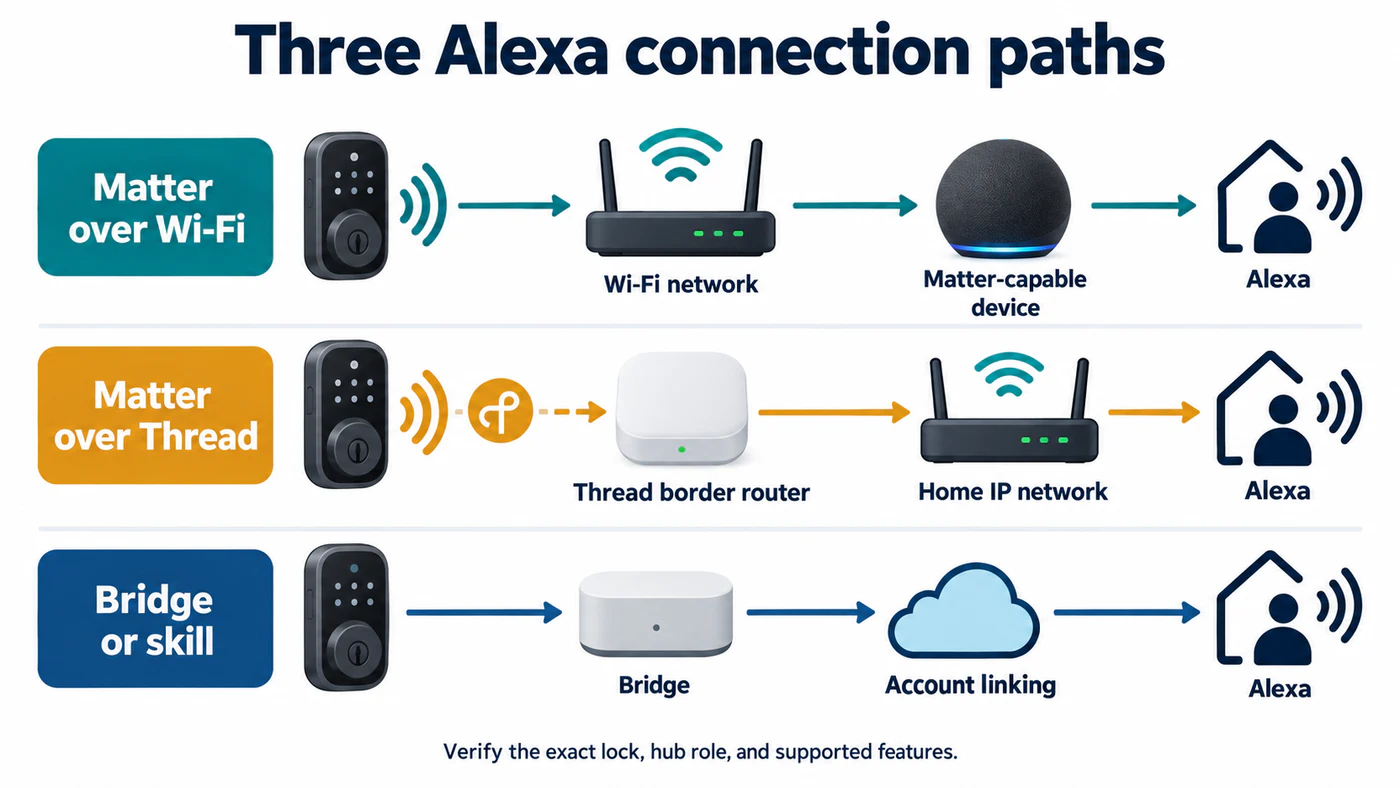
The connection path determines which infrastructure and account steps to verify.
Check each lock action
Amazon’s Matter device-category documentation maps the Matter Door Lock cluster to Alexa’s lock-controller actions. This is a platform action boundary, not an exact-model compatibility promise. The lock and Alexa integration still need to expose the capability, and security settings can change how an action is authorized.
| Capability | What to confirm |
|---|---|
| Lock and unlock | Is the exact model supported through direct Matter, a bridge, or a skill? |
| Voice unlock | Check the lock’s current Alexa instructions and Alexa security settings. Do not infer voice unlock from voice lock support. |
| Remote control | Confirm the supported Echo/eero path, account linking, and any PIN or confirmation requirement. |
| Routines | Test the intended routine action. Support for a lock state does not prove that the lock may be unlocked by every routine. |
| PIN and access | Verify where codes are managed and whether the Alexa integration exposes them. |
| Battery and door state | Check the exact integration and model; platform certification interfaces do not guarantee that every field appears in the consumer app. |
Amazon’s Works with Alexa requirements include a battery-level reporting interface for battery-powered door locks. That is a certification requirement for the integration. It is not proof that every retail lock reports a usable battery percentage to Alexa, or that a particular Matter pairing exposes it.
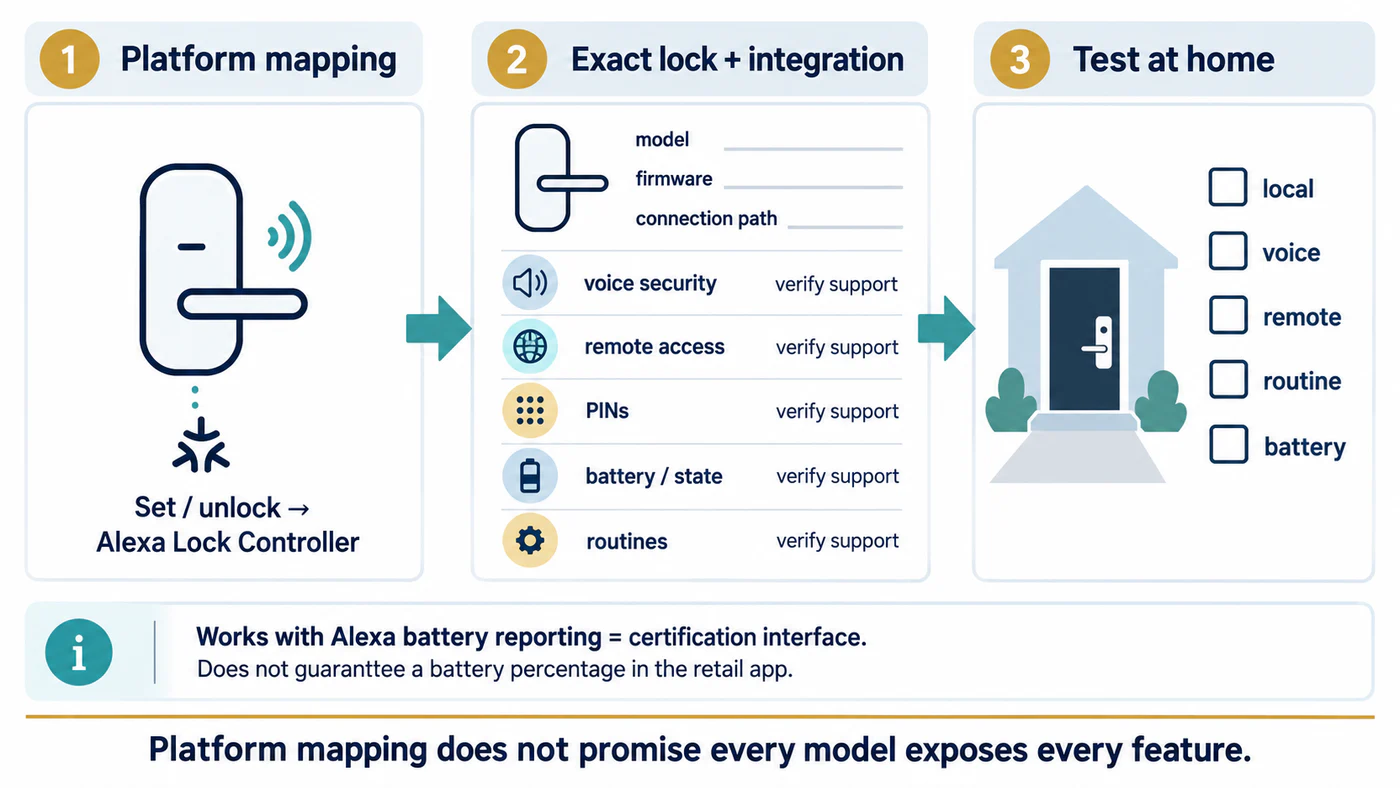
Platform mapping narrows the question; exact-model support and in-home testing establish what works.
Verify before you pair
Record the exact model and firmware, then choose one supported setup path. If the lock has already been added to another Matter controller, check whether multi-admin sharing is supported and follow the lock’s instructions instead of resetting it immediately. After pairing, test local lock and unlock, voice behavior, remote access, battery reporting, and routines separately. Keep the manufacturer’s app available for firmware updates and capabilities the Alexa connection does not expose.
The feature matrix separates the actions to check across platforms. The connectivity-layer guide explains why Matter compatibility, Thread service, and controller support are different questions.
Reference material