Matter Smart Locks in openHAB and HomeSeer
Compare the lock controls documented by openHAB's Matter binding and HomeSeer's MatterPlugin, then verify support for your exact lock.
Jump to a section
openHAB and HomeSeer document different ways to manage Matter door locks from a local automation system. The openHAB Matter binding describes a wider set of lock-management controls; HomeSeer’s MatterPlugin manual names door locks as supported devices and describes status and sharing. Neither platform document certifies every Matter lock or guarantees that a particular model exposes every control.
What each platform documents
| Platform | Documented lock functions | What remains model-dependent |
|---|---|---|
| openHAB Matter binding | When a lock supports the corresponding Matter features, openHAB documents creating, modifying, and deleting users or PINs; selecting Normal, Vacation, Privacy, No Remote Lock/Unlock, or Passage mode; and receiving supported lock alarms such as jammed, wrong-code limit, forced open, or door ajar. | The lock must expose each feature. A user created by another Matter fabric may be visible while remaining editable only from the originating controller. |
| HomeSeer MatterPlugin | The January 2026 Version 1.0 manual lists door locks, Wi-Fi and Thread devices, real-time status, setup-code commissioning, and sharing Matter devices with Apple Home, Google Home, and Alexa. | The manual does not name tested lock models or promise lock-specific PIN, alarm, remote-unlock, or automation behavior. Sharing a device does not establish feature parity in the receiving ecosystem. |
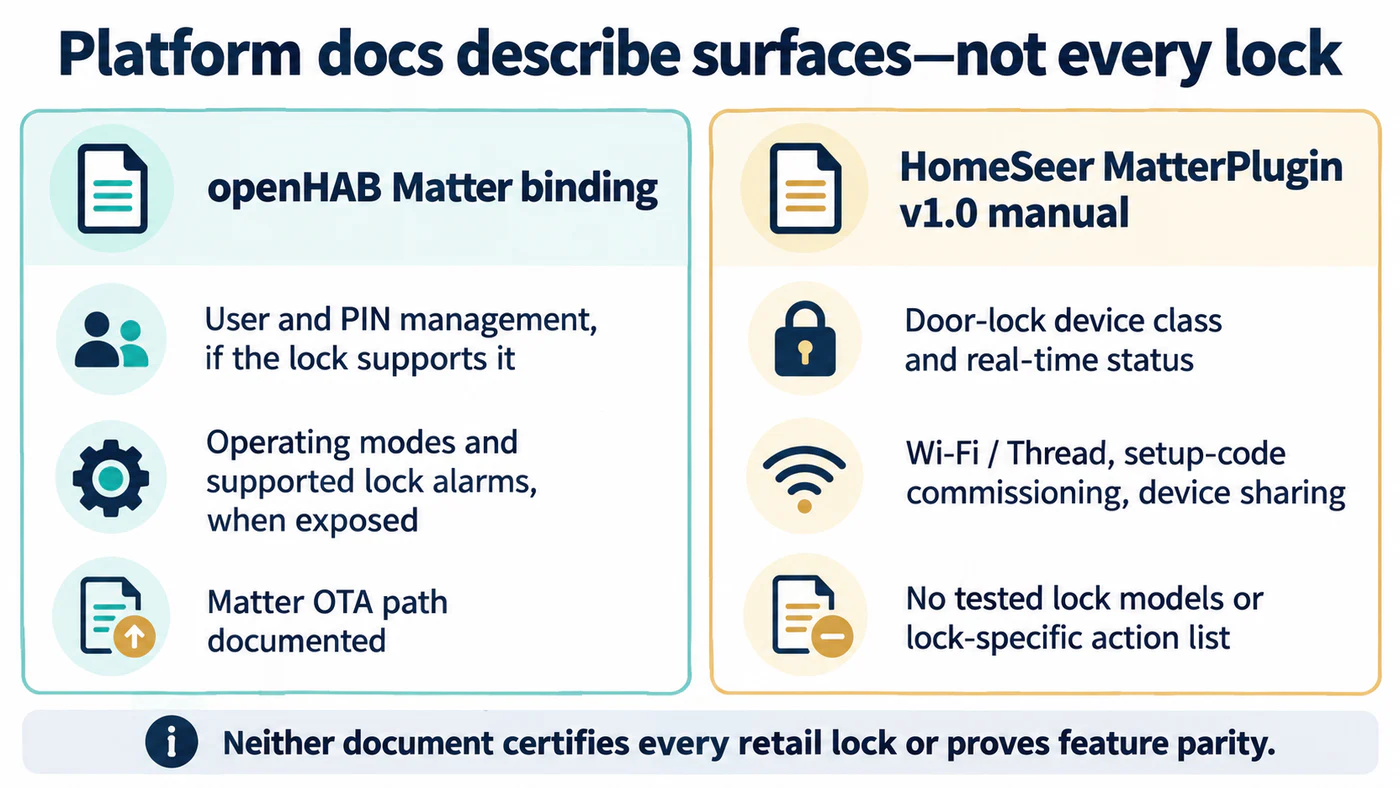
These are documented platform surfaces, not exact lock compatibility results.
The difference is useful when you are deciding what evidence to seek. If user and PIN management is important, look for that feature in the exact lock’s Matter implementation and check which fabric has permission to change it. If a lock only needs to report and accept basic state changes, confirm those separately in the platform’s supported device details and then test the model you own.
Check the Matter path before pairing
Both are Matter control paths, so start with the lock’s documented transport. For Wi-Fi, confirm the device and controller can reach the same home network. For Thread, identify the Thread border router as well as the Matter controller; one hub may perform both roles, but that is a product-specific capability. Keep the manufacturer’s supported setup route available, because a general Matter controller page does not replace model instructions.
HomeSeer’s manual describes commissioning with the device’s setup code. Treat that code like a credential: share it only with the household members and controllers you intend to authorize. In openHAB, confirm the binding version and the device’s exposed channels after pairing. A visible lock entity alone does not prove that all mode, user, alarm, or update channels are available.
Test the controls you will rely on
After commissioning, record the exact model, firmware, Matter transport, platform version, and date. Test lock and unlock locally, then check any PIN or user-management operation, state report, alarm, and remote route independently. Test remote control only after local operation works and the network or border-router requirements are understood. If a control is absent, record it as not established for that model and platform combination rather than assuming either universal support or a platform defect.
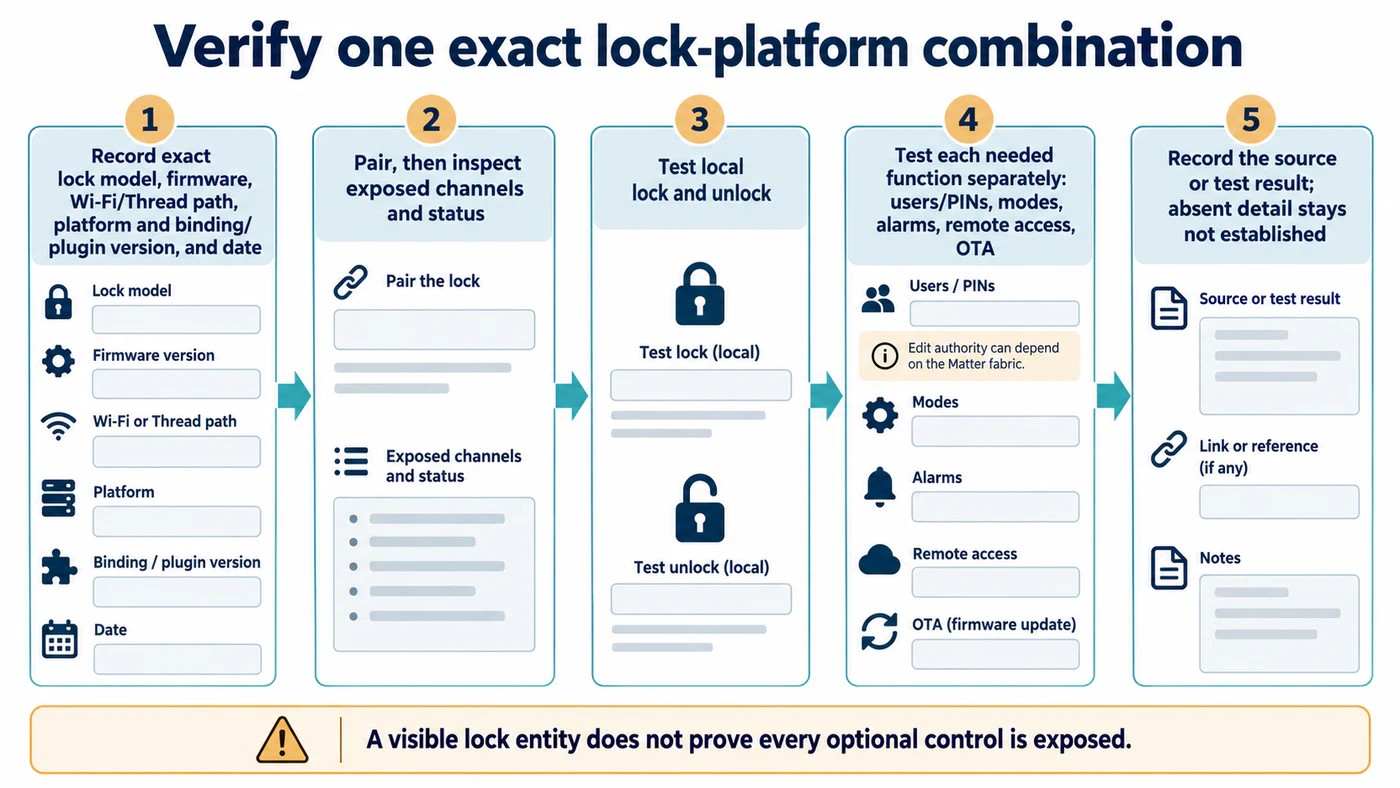
A visible lock entity confirms pairing, not every optional control.
The openHAB binding also documents Matter over-the-air update support using firmware information published through the Connectivity Standards Alliance Distributed Compliance Ledger. That describes an update path in the binding; it does not establish that a particular lock has a compatible public firmware image or that openHAB replaces the manufacturer’s update app.
Use the feature matrix to compare these results with Apple Home, Google Home, Alexa, and Home Assistant. The infrastructure guide covers controller, border-router, firmware, and commissioning checks.
Reference material
Sources for this guide
- Matter - BindingsPrimary
- MatterPlugin User ManualPrimary