Identify and Measure a Multipoint Lock Before Choosing a Smart Lock
Record the locking points, measurements, door operation, and safety functions of a multipoint system before asking whether a specific smart lock can operate it.
Jump to a section
A multipoint lock secures a door at more than one position along its edge. The points may be connected through a central mechanism, handle, or cylinder, and the required sequence differs by door and lock. A smart lock that turns a key is not automatically able to lift a handle or operate every point.
This guide helps you collect the information needed for an exact manufacturer or model check. It does not give a universal multipoint standard or a compatibility verdict.
Record the system before measuring
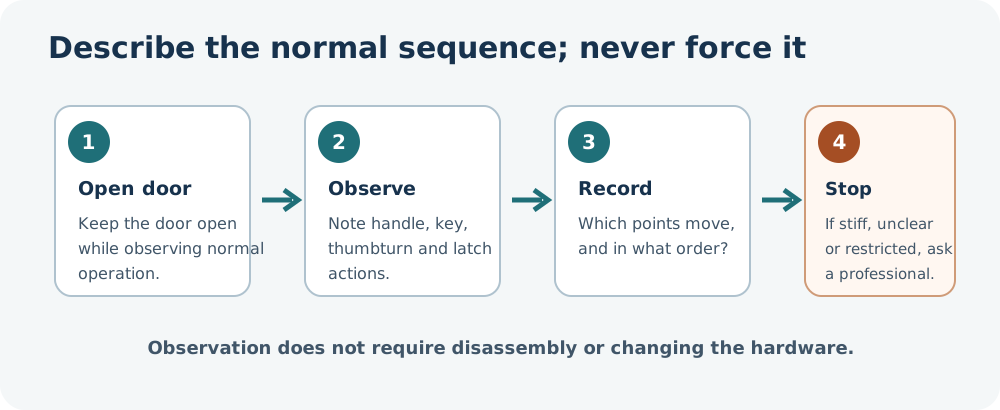
With the door open, photograph the full lock edge and each visible latch, bolt, hook, or roller. Include the handle and cylinder, but keep access codes and identifying home details out of shared photos. Record:
- Door and lock manufacturer, series, model markings, and country, when visible.
- Whether one or both panels move, and which panel opens first.
- Every visible locking point and whether the points move together.
- The normal sequence: handle lift, key turn, thumbturn, latch pull, or another step.
- Any panic, emergency-opening, access restriction, or key-retention feature shown in the manual.
Do not force a handle or point to reveal a mechanism. If the sequence or emergency function is unclear, stop and ask the door manufacturer or a qualified installer.
Measure the details requested by the exact lock guide
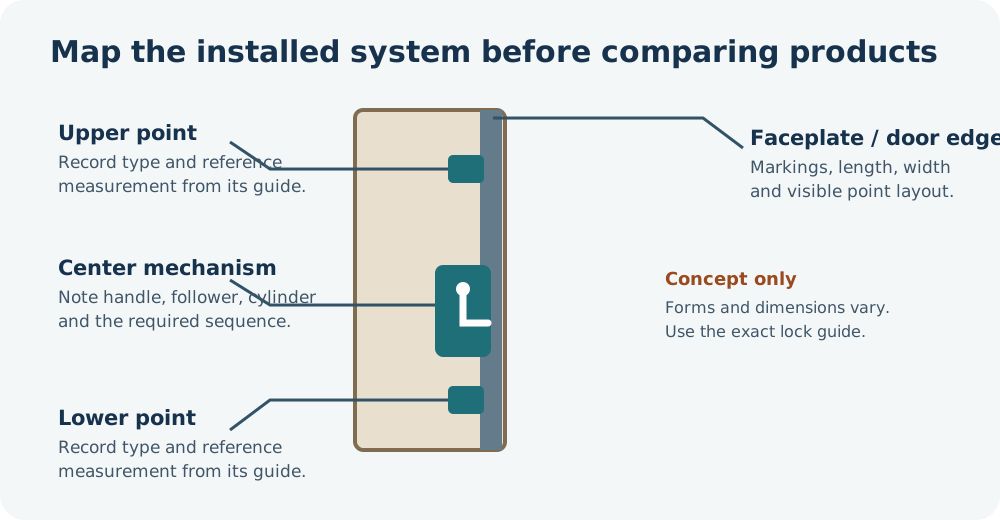
Multipoint identification forms show why one label is not enough. FUHR’s form asks for faceplate length and width, faceplate design, backset, centre distance, follower-square size, handle height, and the distance to the upper and lower locks. It also requests panic function, opening direction, access restriction, profile system, and door direction.
Use the exact form or drawing for your system. Measure and record only the fields it defines. Do not assume a listed option or dimension applies to another manufacturer.
| Field to record | What to note |
|---|---|
| Faceplate | Length, width, shape, and visible markings along the door edge |
| Main mechanism | Backset and centre distance, measured from the reference points in the lock guide |
| Handle and follower | Handle height and the square follower size if the guide requests it |
| Upper and lower points | Their distances from the guide’s stated reference point and their visible type |
| Door configuration | Swing, handing using the manufacturer’s viewpoint, active/passive panel, and frame/strike |
| Operation and safety | Handle-lift sequence, key action, panic or emergency function, access restrictions |
Use model-specific data only as an example
ASSA ABLOY describes its EL166 as a three-point mortise lock with central, upper, and lower points connected by one forend; its additional points use hook bolts with the central mechanism. The EL166 technical-features table lists backset options of 55, 60, 65, 80, and 100 mm. These options are specific to that EL166 page; confirm the installed lock and exact variant before relying on one. They are not a universal multipoint specification or a smart-lock compatibility result.
A product’s required sequence matters as much as its measurements. Nuki’s setup guidance, for example, says the named Smart Lock can turn a key but cannot lift the handle. A reader with a lift-before-turn system must verify that the exact smart lock can complete the required steps; do not assume a motorized key turn will raise the handle or move all hooks.
Get a qualified check when needed
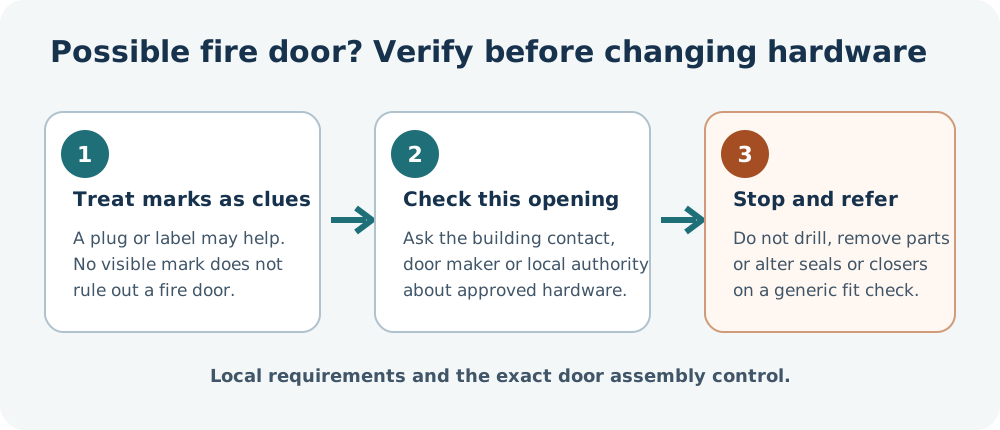
A multipoint lock may also be part of a fire-rated, shared-entry, panic, or emergency-egress door. Do not remove, disable, or alter its hardware based on a generic measurement guide. If the points do not move freely, the lock markings are unclear, or the exact sequence cannot be verified, ask the door manufacturer, locksmith, or qualified installer to identify the system.
If a door may be fire-rated, treat visible clues as prompts to verify, not proof of its rating. London Fire Brigade says a certification plug may be on the top edge or side, but the absence of a mark does not show that a door is not fire-rated. Do not drill or cut the door, paint over seals, or change hardware on that basis; seek the building manager or a qualified door professional. In England, residents in buildings covered by the government’s flat-entrance guidance should involve the Responsible Person and obtain their knowledge and agreement before changing the door, so the change does not undermine the building’s fire-risk assessment. Do not tamper with a self-closing device; report a fault through the building’s responsible contact.
In the United States and Canada, the exact approved assembly and local requirements still govern. UL explains that a fire-door assembly can include the door, frame, glazing, hardware, and accessories, and that an ordinary inspection does not approve a modification that could affect fire performance. Ask the door manufacturer, building manager, or local authority about the specific opening before changing its hardware. A lock that fits mechanically does not by itself establish approval or preserve the required exit function.
When the measurements are ready, carry them into the general door record and the door sequence checklist. The result is a better question for an exact model check, not a claim that the lock will fit.
Reference material
Sources for this guide
- Identification of dimensions for multipoint locking systemsPrimary
- EL166 — Mechanical multipoint mortise locksPrimary
- Initial setup of your Smart LockPrimary
- Fire doorsPrimary
- Fire Safety (England) Regulations 2022: fire door guidancePrimary
- UL Fire Door Inspection and Field Evaluation Programs: What Are the Differences?Primary