Choose the Right Resolution Path After a Compatibility Mismatch
Turn a smart-lock mismatch into a measured next step: verify the fit, choose a documented part, check the required lock action, or ask for specialist help.
Jump to a section
When a smart-lock guide or measurement check reveals a mismatch, first identify what failed. A part can address only the condition its maker documents; it cannot make an unsupported lock action or smart-home feature work.
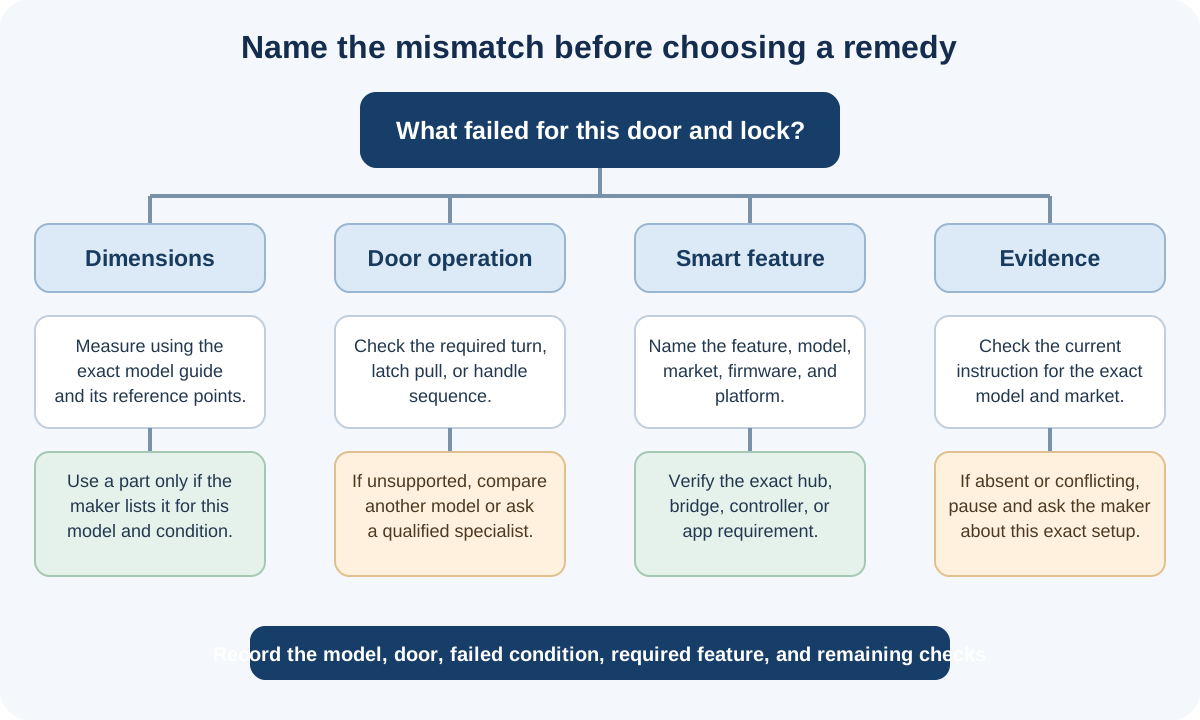
Match the next step to the failed condition
| What failed | Check next |
|---|---|
| Door or frame dimensions | Repeat the measurement using the exact model’s reference points. Look for a part listed for that model and generation only if it addresses the measured condition. |
| Cylinder or key behavior | Confirm the profile, inside and outside lengths, key function, and required lock action. A familiar profile does not prove the smart lock can turn it. |
| Required door operation | Check whether the door needs a deadbolt or cylinder turn, latch pull, or handle-lift sequence. If the exact product guide does not cover that action, compare another model or consult a locksmith or door specialist. |
| Smart-home feature | Name the feature you need, then check the exact lock, region, firmware, app, hub, bridge, or controller path. A hub cannot correct mechanical fit. |
| Missing or conflicting instructions | Keep the result conditional or unknown. Ask the manufacturer about the exact model, market, door, and part; do not choose the more convenient of two conflicting limits. |
Manufacturer instructions show why these checks stay model-specific. Schlage’s BE467F preparation guide checks door dimensions and strike alignment. Aqara’s U400 page describes a single-cylinder-deadbolt path and says to use its supplied strike. Neither establishes fit for another model or an unmeasured door.
Record the question before buying
Write down the exact lock model and market, the door and existing mechanism, the measurement or action that failed, the feature you need, and the instruction or source that leaves the result unclear. Ask the manufacturer to identify the required part and any conditions that remain. Keep the response with the product and door details so a seller’s listing or compatibility badge does not stand in for a fit answer.
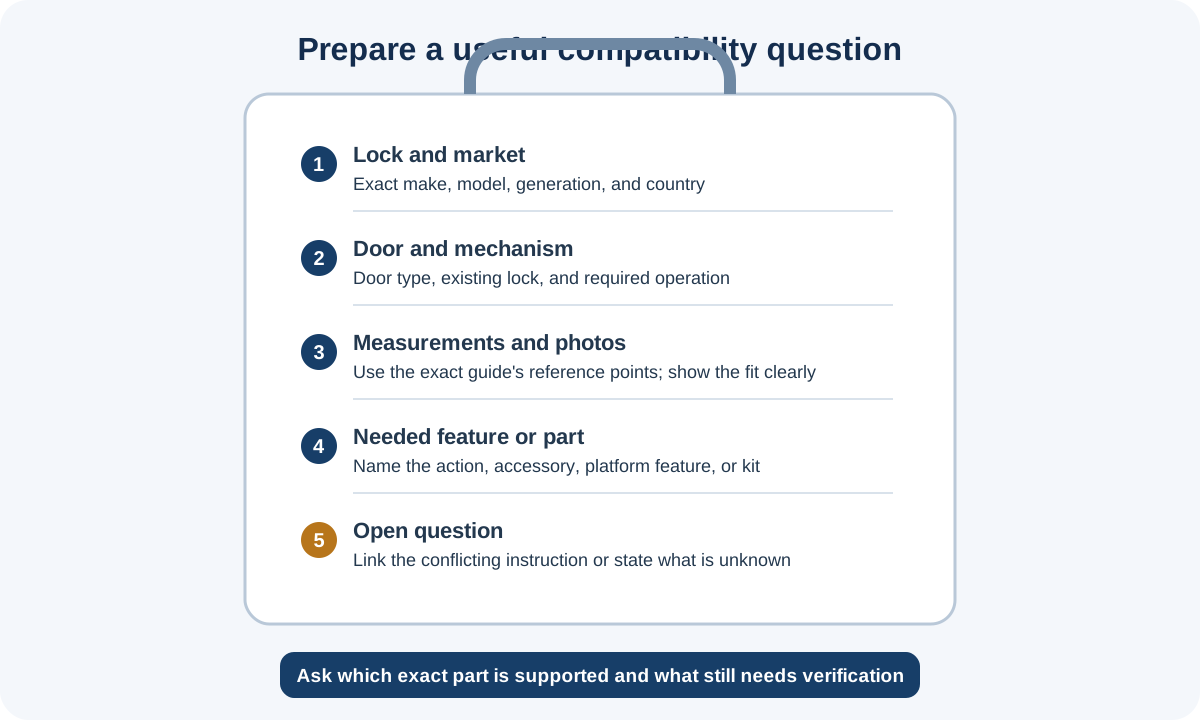
If the path involves a shared or rented entrance, door alteration, or an unfamiliar multipoint mechanism, stop for property approval or qualified help. For a part-specific check, see the mechanical accessory guide or replacement-cylinder guide. For an electronic feature, use the ecosystem accessory guide. If the candidate cannot perform the required action, compare the alternative-lock and professional-installation paths. Record the final conditions in the purchase checklist before choosing a product.
Reference material