Hubs, Bridges, Thread Border Routers, Keypads, and Batteries
Choose the hub, bridge, border router, keypad, door-position sensor, or battery required by an exact lock feature.
Jump to a section
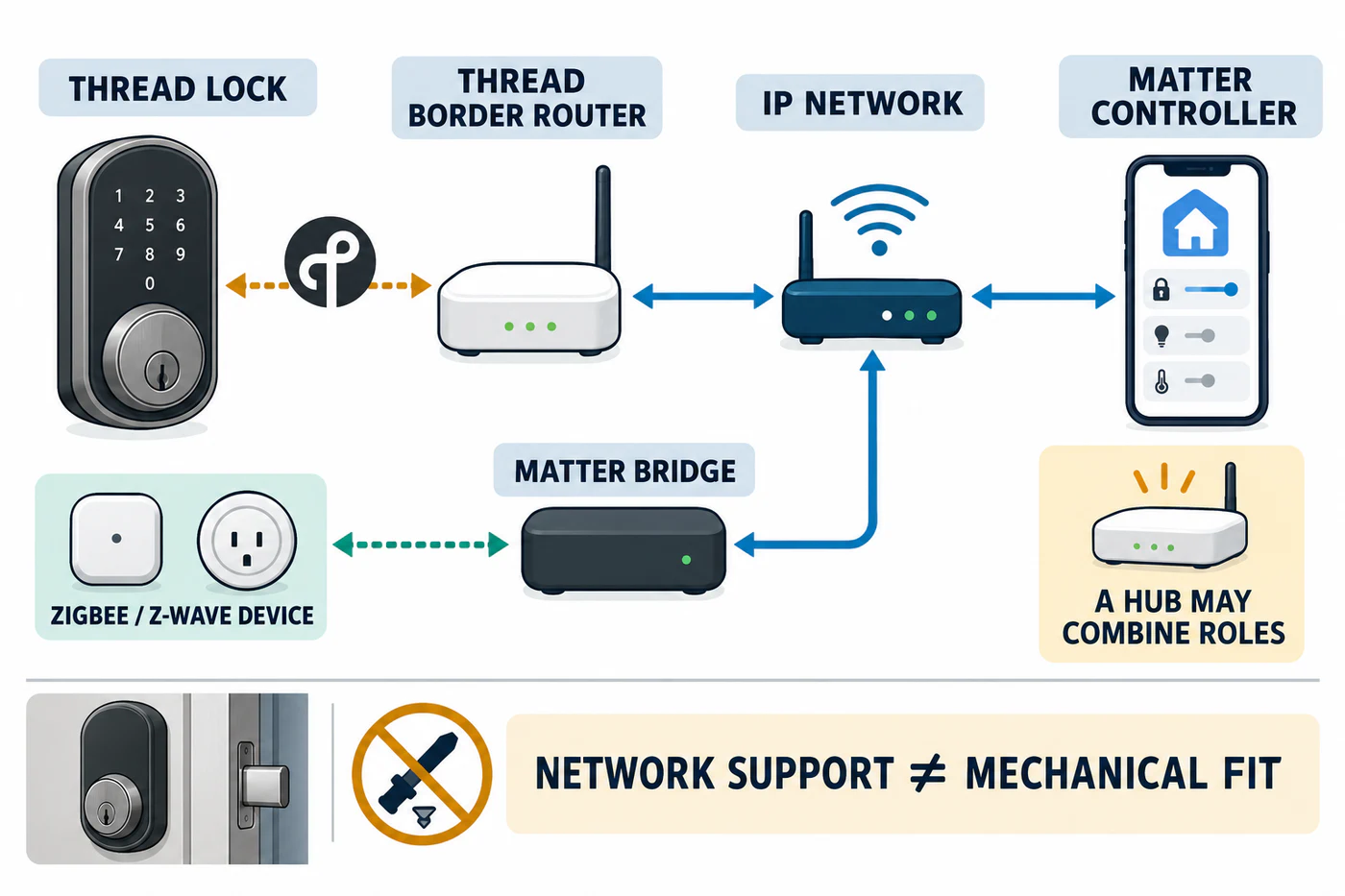
These accessories solve different problems. A controller or hub connects and controls devices in a chosen smart-home platform. A Thread border router connects a Thread network to the local IP network. A Matter bridge lets devices using another protocol participate in a Matter system. One product may combine roles, but its label alone does not tell you which lock features it enables.
Identify the job before choosing the device
| Device or term | What it does | What to confirm |
|---|---|---|
| Matter controller | Adds and controls Matter devices in an app or platform. It may be hardware or software. | The lock’s Matter device type, the chosen platform, and whether local or remote control is required. |
| Hub | A platform’s term for a central device that may add devices, control them, and provide remote access. | Whether this exact hub also supports the lock’s transport, such as Thread. |
| Thread border router | Routes communication between Thread devices and an IP network such as Wi-Fi or Ethernet. | Whether the lock uses Thread and the selected platform can use the router. A border router does not by itself prove that the lock is set up or controlled in the desired app. |
| Matter bridge | Translates another protocol, such as Zigbee or Z-Wave, so devices on that system can participate in Matter. | Which bridged device types and functions the platform exposes. A bridge does not change the lock’s mechanical fit. |
| Keypad | Adds a local entry method for a specific lock family or model. | Exact lock model, keypad model, stated distance, and any market or firmware limit. |
| Door-position sensor | Reports whether a door is open or closed; a named lock may use that signal for a feature such as close-triggered auto-lock. | Supported lock generation, whether the kit is separate, door material and mounting geometry, calibration, and whether the desired app or feature uses the signal. Door-closed status does not confirm that the bolt is locked. |
| Battery or charging part | Powers a named lock or accessory. | Exact battery type, generation, charging method, and current manufacturer instructions. |
Match the controller to the lock feature
Start with the lock’s transport and the feature you want. A lock using Matter over Thread may need both a Matter controller for the selected platform and Thread border-router capability. Some hubs provide both; others do not.
Google Home’s current Matter setup guidance requires a Matter-enabled hub. For a Matter device using Thread, the hub also needs to work as a Thread border router. Google also lists IPv6 on the home network as a Matter requirement. Home Assistant’s Matter and Thread guides describe the controller/server and border-router roles separately. Check the current setup instructions for the platform, hub model, and lock before buying.
The Aqara U400 is one model-specific example: Aqara says a Thread-enabled Matter controller is required for each selected Matter ecosystem. Its Apple Home Key and UWB paths also have Apple-device and software conditions. Those requirements do not establish that another Aqara lock, another Matter lock, or every feature in every platform will work the same way.
Check keypad compatibility by exact model
The igloohome EK1 keypad support table gives these maximum keypad-to-lock distances for named models:
| Lock model | Listed maximum distance |
|---|---|
| Retrofit Lock OE1 | Less than 10 m |
| Deadbolt 2S Metal Grey IGB4 | Less than 8 m |
| Keybox 3 IGK3 | Less than 4 m |
| Mortise 2/2+ IGM3/IGM4 | Less than 10 m |
| Push-Pull Mortise MP1F | Less than 10 m |
| Rim Lock for Metal Gates RM2/RM2F | Less than 8 m |
| Padlocks IGP1/SP2/SP3 | Less than 1 m |
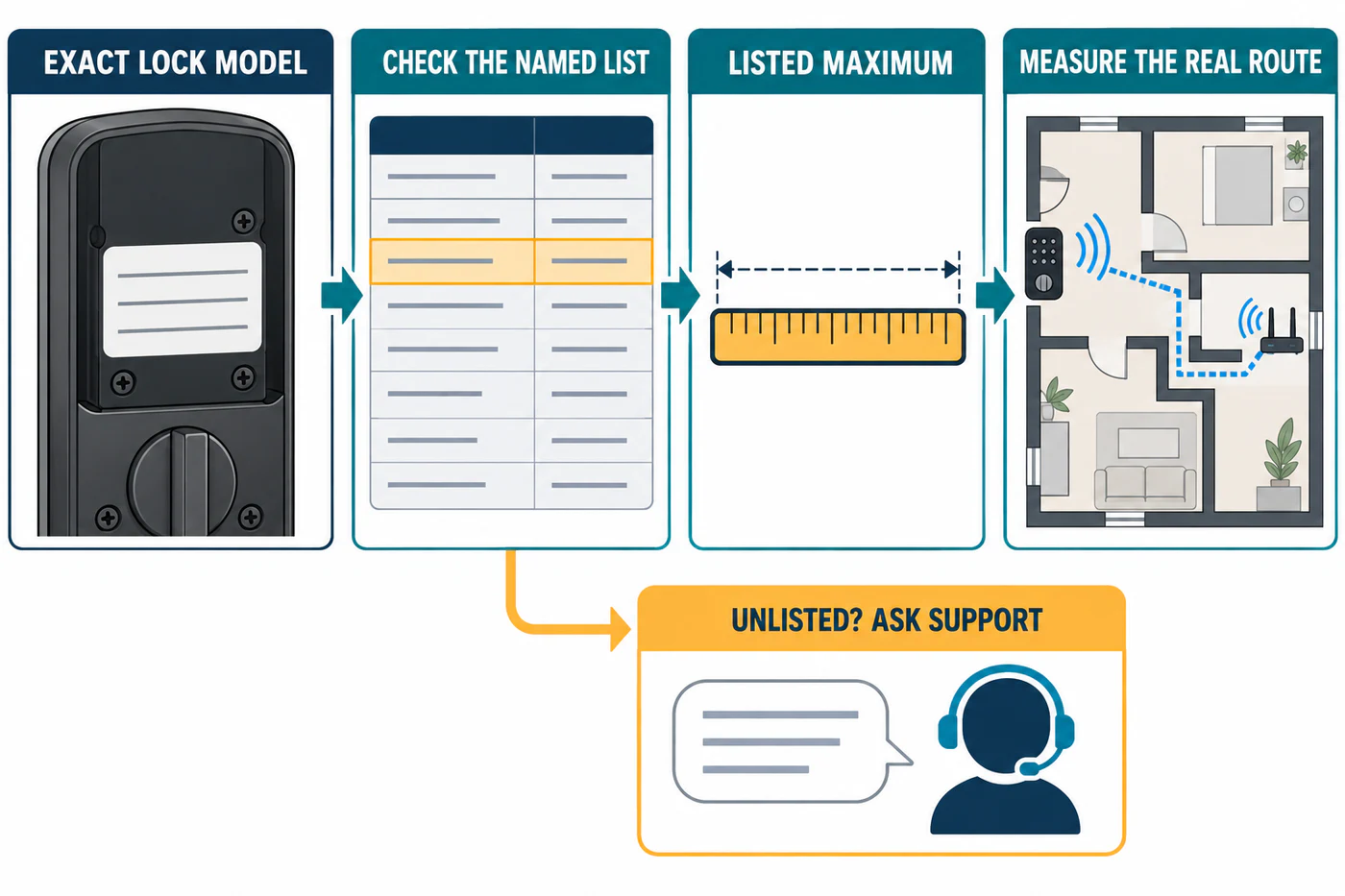
The support page routes unlisted lock models to igloohome support. Treat these as model-specific maximums, not a guarantee through every wall or installation environment. Measure the actual route and verify the exact keypad and lock versions.
Choose batteries and replacement parts by generation
Do not buy a battery from a generic “smart lock” list. For example, August lists 3V CR123A lithium batteries for its Wi-Fi Smart Lock 4th Gen. That does not establish the battery for another generation. Check the device label and the current manual, and do not substitute a charging accessory for a part that the manufacturer does not list.
Check what a door-position sensor reports
A door-position sensor detects the door leaf’s open or closed position. That is separate from whether the lock’s bolt has engaged, so confirm lock state and normal door operation independently. A signal from the door alone is not proof that the door is locked.
August’s current parts page lists a separately sold DoorSense kit for Smart Lock 3rd Gen, Smart Lock Pro 3rd Gen, and Wi-Fi Smart Lock 4th Gen. August describes DoorSense as reporting whether the door is open or closed and recording physical open/close activity. Match the exact August generation and current package before ordering it.
Nuki documents its Door Sensor for Smart Lock 3.0 and newer. Its installation guidance places the sensor on the frame and the magnet on the door, calls for a 0.5–3 cm gap, and uses the Nuki app for calibration. Nuki’s examples identify plastic and wooden doors as suitable and exclude sliding and metal doors. Its Auto Lock guidance offers an immediate-after-closing option when a supported Smart Lock is connected to a Door Sensor; Nuki says it will not lock while the sensor reports the door open or when the sensor state has not changed. These are Nuki-specific conditions, not general smart-lock behavior.
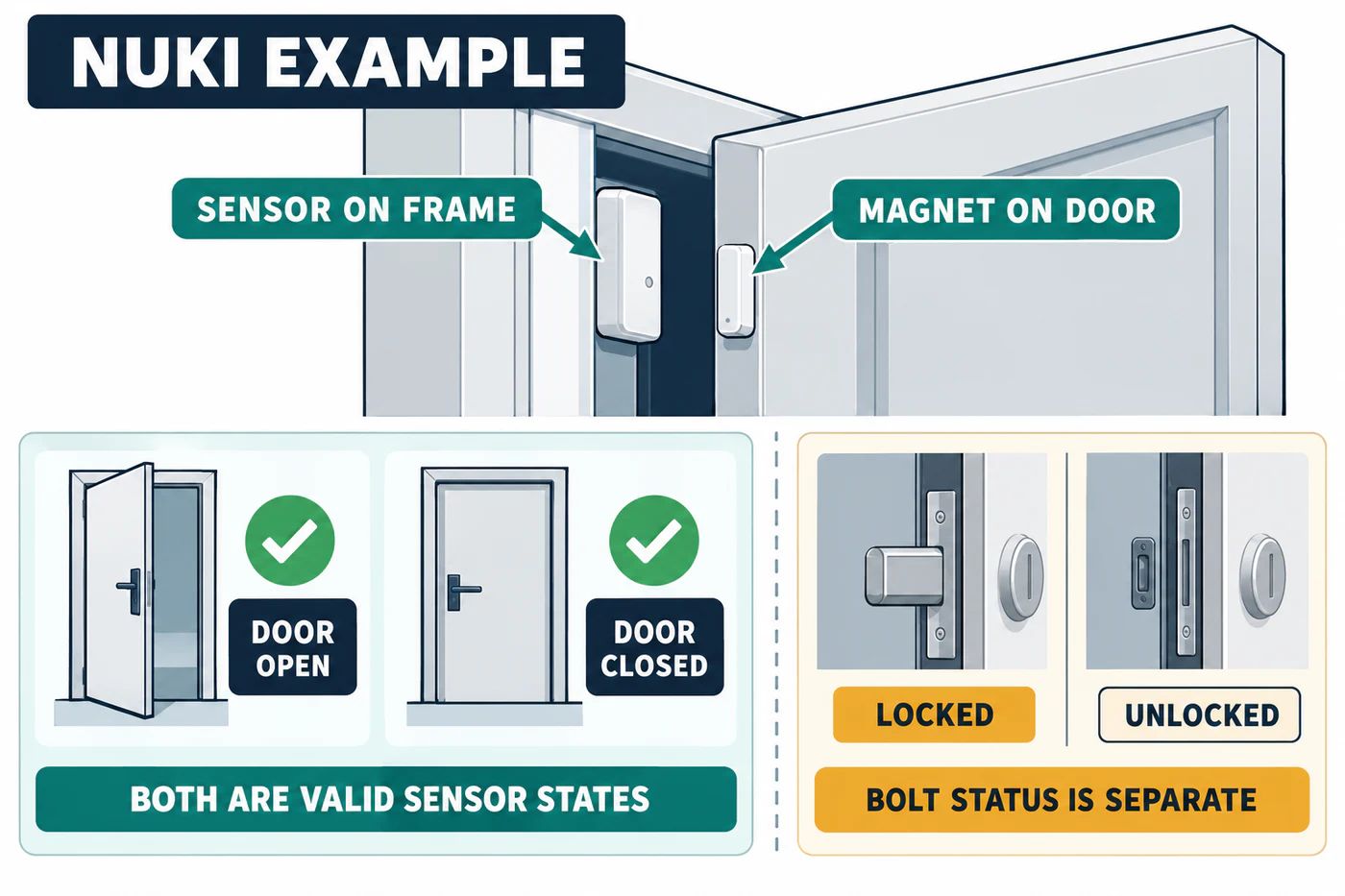
Nuki’s US storefront lists the Door Sensor as a separate product. Its product page displays door status as open or closed alongside the Smart Lock’s locked or unlocked status. Check the exact regional package before purchase rather than assuming a sensor is included with a lock.
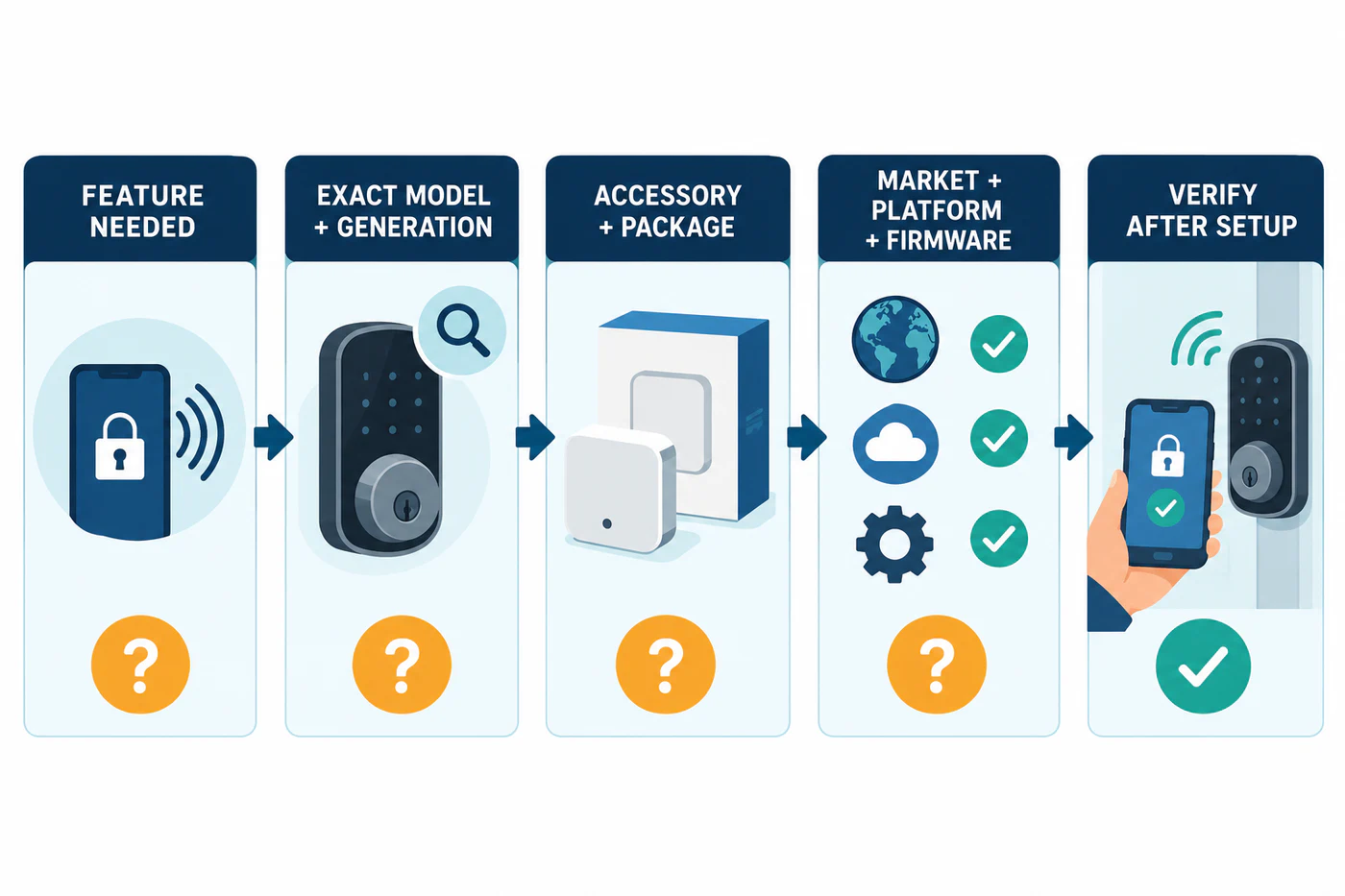
Before choosing a sensor, confirm the exact lock generation, current package contents, door material and geometry, setup procedure, and the status or automation exposed by the platform you plan to use. For a pre-purchase record, see the purchase checklist.
Recheck what the accessory will not solve
An added hub may satisfy a connectivity requirement without exposing every feature in the lock maker’s own app. A keypad does not change a cylinder or latch. A Thread border router does not make a lock fit a door. Keep the physical fit, normal key operation, required access features, and smart-home setup as separate checks. Use the purchase checklist to record each one.
Reference material
Sources for this guide
- Matter Retail Messaging GuidePrimary
- Prepare your smart home for MatterPrimary
- MatterPrimary
- ThreadPrimary
- Smart Lock U400Primary
- What are the compatible locks for the Keypad?Primary
- August Smart Lock Replacement PartsPrimary
- Nuki Door SensorPrimary
- Installation & setup of the Door SensorPrimary
- Examples for installing the Door SensorPrimary
- Auto Lock – Automatically lock your doorPrimary