Buy After the Verdict: An Evidence-Led Smart-Lock Purchase Checklist
Record the exact door, lock, market, door-state feature, accessory, and ecosystem requirements before choosing a smart-lock purchase path.
Jump to a section
Use this checklist before ordering a lock, cylinder, adapter, keypad, hub, border router, or door-position sensor. Record the condition you verified and the source that supports it. If an important field is unknown, resolve it before checkout instead of treating the product listing as a verdict.
Record the door and existing lock
| Check | Record |
|---|---|
| Market and exact door | Country, door brand or type, material, swing, and whether the door is rented, shared, or otherwise restricted. |
| Existing lock | Manufacturer, model or cylinder profile, generation, and the actual action needed to secure the door. |
| Measurements | Door thickness, backset, bore and edge-bore sizes, cylinder lengths, frame and handle clearance, and any model-specific measurement. Use the units and reference points in the manufacturer’s guide. |
| Required operation | Deadbolt turn, cylinder turn, latch pull, handle lift, multipoint sequence, physical key, or another required action. |
| Key and exit needs | Inside and outside key behavior, emergency or double-clutch function, number of keys, and manual operation if power or the network is unavailable. |
Do not substitute an estimate from the outside of the door for the measurement method in the exact installation guide.
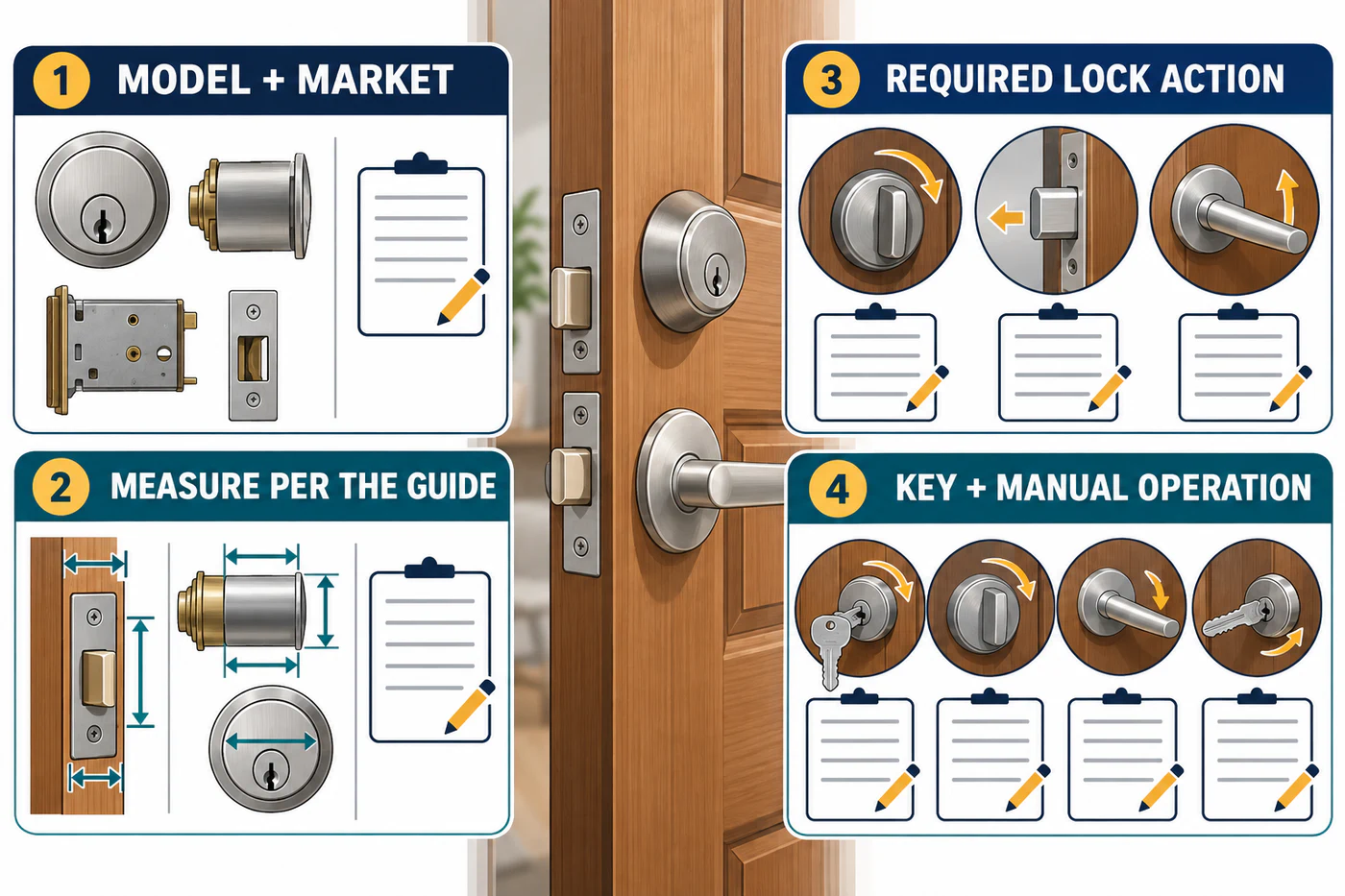
Match the exact product and accessory
| Check | Question to answer |
|---|---|
| Lock identity | What exact model, generation, regional version, and bundle are being sold? |
| Mechanical result | Do the official instructions cover this door preparation, cylinder, strike, clearance, and required lock action? |
| Accessory | What exact part number changes the failed condition? Is it included or sold separately in this market? |
| Installation | Are the required parts, dimensions, post-installation checks, and any exclusions documented for this lock? |
| Current purchase terms | Is the source a current listing for the same market and exact item? Have price, stock, warranty, and package contents been checked at the seller? |
A manufacturer list is a screening aid, not a substitute for the door check. Level’s maintained list records deadbolt make, series, model, finish, and modifications, while its guidance still calls for checking the housing fit and alignment with the bolt holes. Aqara’s US U200 listing is a US-market product page; it does not establish that the same model name, bundle, or accessory contents apply in Canada or the UK.
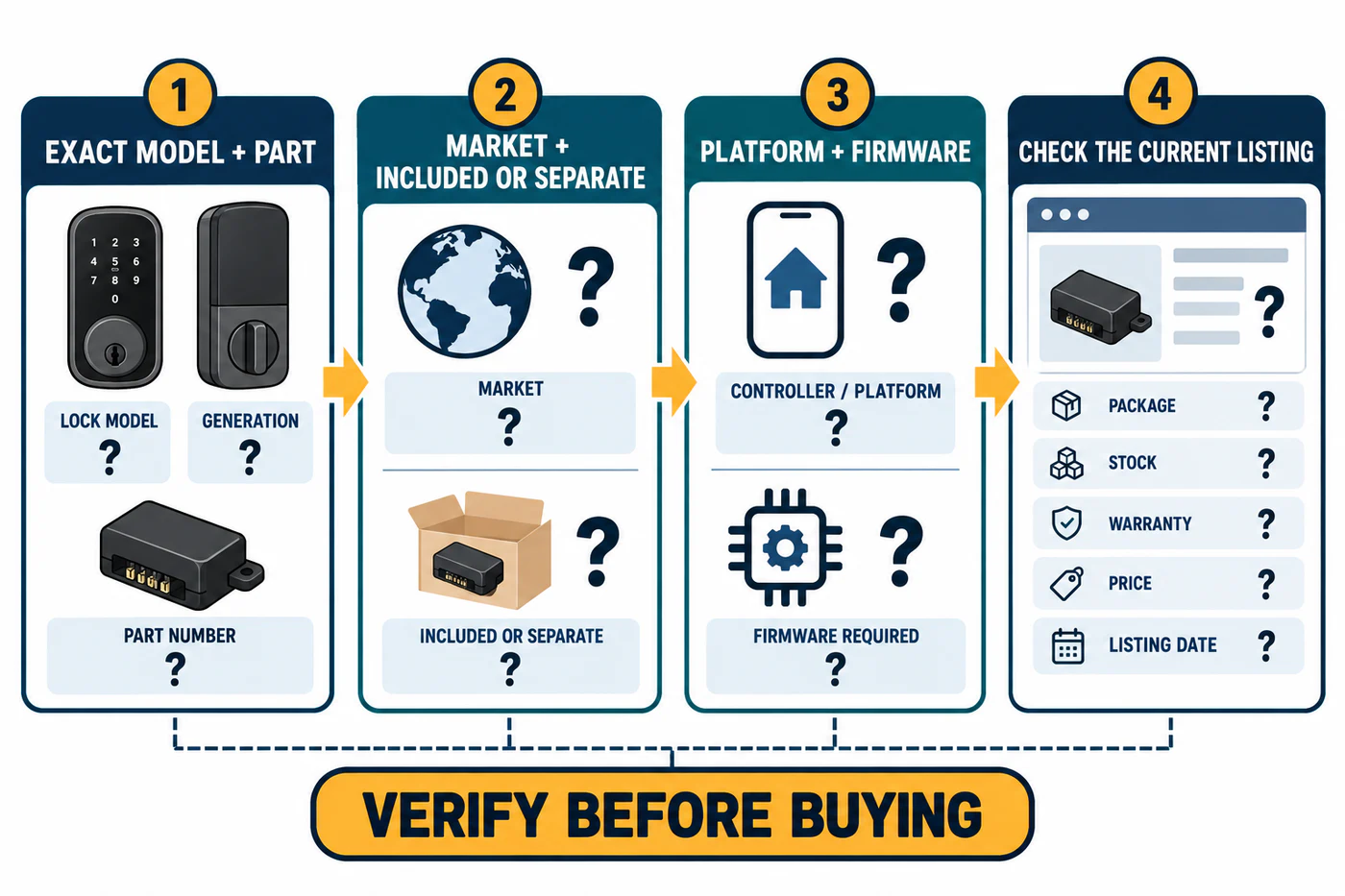
Check the smart-home feature separately
Write down the feature you want rather than relying on a general “works with” list:
- Local or remote control.
- Apple Home Key or another phone credential.
- A keypad, fingerprint reader, or guest code.
- Door-open/closed reporting or an auto-lock action that depends on the door closing.
- Automation, voice control, lock status, or an activity record.
- Control from more than one platform.
Then identify the exact controller, hub, Thread border router, bridge, app, firmware, and network requirements for that feature. For example, Google Home says its Matter setup needs a Matter-enabled hub and that Thread devices need Thread border-router capability; the hub list and network requirements can change. A Matter badge does not promise that every lock feature appears in every app.
For a door-position sensor, verify the supported lock generation, whether the kit is included or separate, door material and mounting geometry, installation gap, and calibration procedure. August currently lists DoorSense as a separate kit for Smart Lock 3rd Gen, Smart Lock Pro 3rd Gen, and Wi-Fi Smart Lock 4th Gen. Nuki’s US storefront lists its Door Sensor as a separate product, and its support material covers Smart Lock 3.0 and newer, with plastic and wooden doors supported in its examples and sliding and metal doors excluded. Nuki also documents an immediate-after-closing Auto Lock option when a supported lock is connected to the sensor. Check the selected platform’s current feature support separately; do not assume another maker behaves the same way.
A door-open/closed signal does not by itself verify that the bolt is locked. Record the requested door-state feature separately from lock status, and test both after installation. See the ecosystem accessory guide for the named mounting and feature conditions.
Record the result and the open questions
Choose the result that matches the evidence:
- Confirmed compatible: the exact product, door condition, and required action are covered by current documentation.
- Compatible with accessory or modification: the exact manufacturer-documented part or change addresses the condition.
- Conditional—verify measurements or operation: a required dimension, action, or installation detail still needs to be checked.
- Not compatible: the manufacturer excludes the door condition or the product cannot perform the required action.
- Unknown/not documented: the available material does not establish the result.
Write down the source title, URL, access date, model scope, and any contradiction or missing detail. If two manufacturer documents give different limits, keep the result unresolved and ask for a current answer for the exact product. Do not pick whichever figure makes the purchase easier.
Put commercial links after the compatibility result
Choose the accessory or product only after recording why it addresses the mismatch. If a purchase link earns the publisher a commission, label that relationship clearly beside the link. The commercial link must not change the compatibility result or hide a condition the reader still needs to verify.
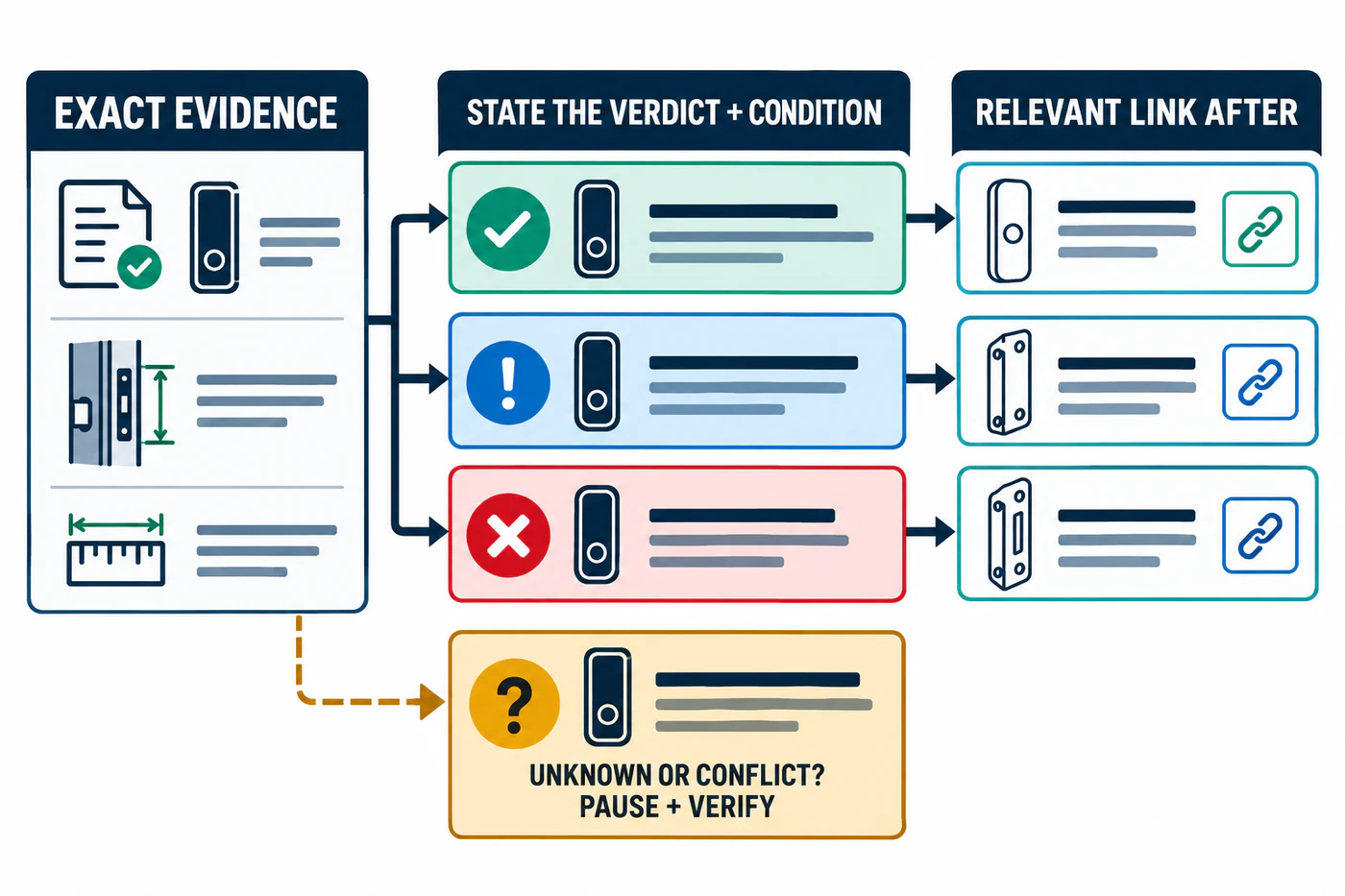
For a mismatch decision, see Choose the Right Resolution Path. For cylinder, electronic, and professional-installation paths, use the linked guides in this category.
Reference material
Sources for this guide
- Compatible DeadboltsPrimary
- Smart Lock U200Primary
- Prepare your smart home for MatterPrimary
- Matter Retail Messaging GuidePrimary
- August Smart Lock Replacement PartsPrimary
- Nuki Door SensorPrimary
- Installation & setup of the Door SensorPrimary
- Examples for installing the Door SensorPrimary
- Auto Lock – Automatically lock your doorPrimary