SwitchBot Lock Vision vs. Lock Vision Pro: Auto-Lock Differences
Check whether the exact SwitchBot Lock Vision model detects a closed door or only re-locks on a timer.
Jump to a section
Lock Vision and Lock Vision Pro differ in whether they detect a closed door. Identify the exact model before relying on automatic locking: a timer is not a door-close trigger.
Check the door-state sensor
| Behavior | Lock Vision | Lock Vision Pro |
|---|---|---|
| Door sensor magnet | Not included | Included |
| Detects open or closed state | No | The support comparison lists a magnet and close-triggered Auto-Lock; confirm setup and calibration for the unit |
| Close-triggered Auto-Lock | Not supported | Supported in the comparison |
| Timed re-lock | Supported; runs after a set interval regardless of door position | Supported, separately from close-triggered Auto-Lock |
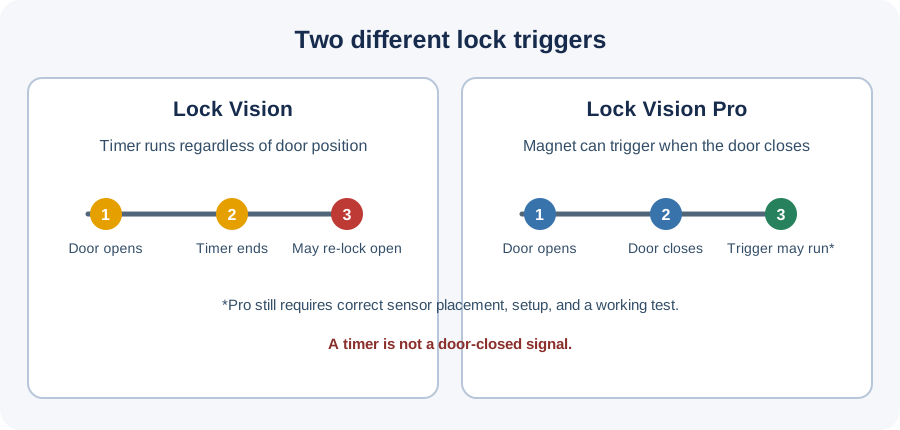
Lock Vision’s timer may re-lock while the door is open; it does not confirm closure. Lock Vision Pro’s magnet supports a door-close trigger. Place and calibrate it by the current instructions, then test it on the installed door.
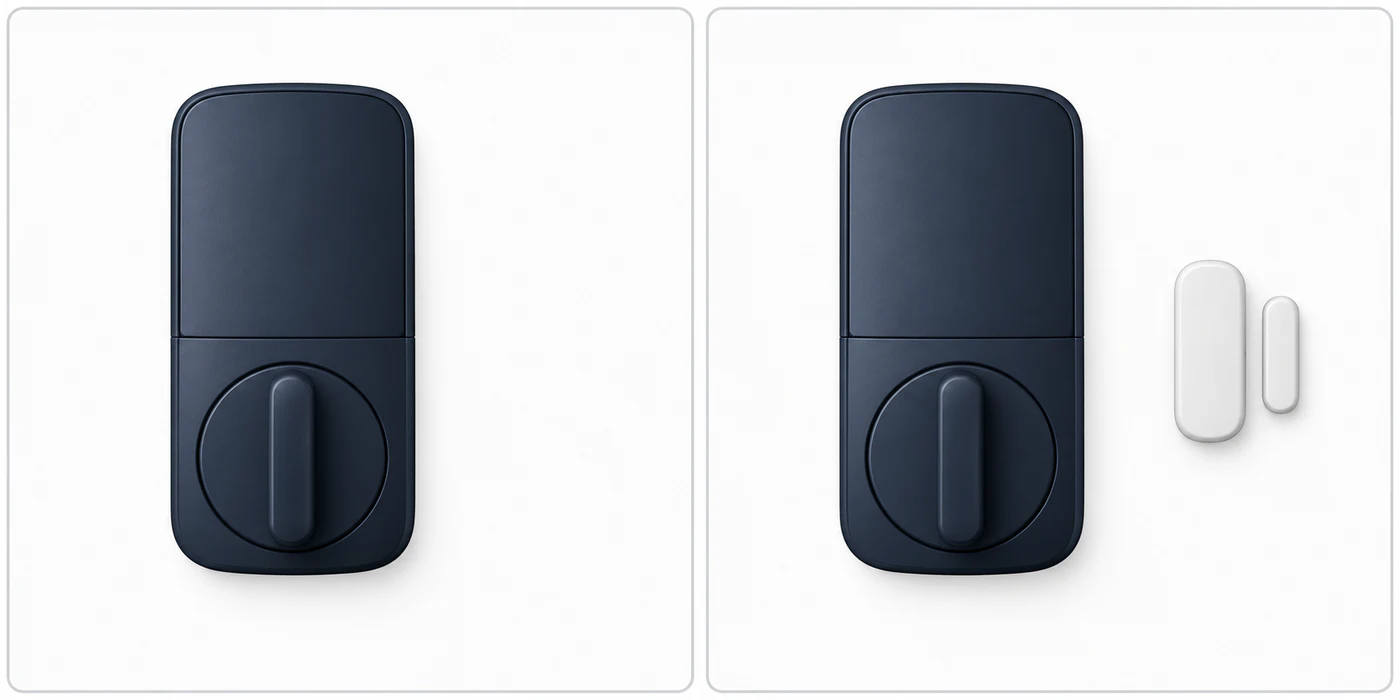
SwitchBot’s comparison lists a sensor magnet with Lock Vision Pro but not the base Lock Vision. This illustration shows only that difference; follow current instructions for placement and calibration.
Identify the unit and test the behavior
Check the product label, package, and app for “Lock Vision” or “Lock Vision Pro.” Do not infer the model from appearance or from an accessory listing. The support comparison also lists fingerprint and palm-vein access for Pro; it does not list those methods for the base model. Access methods do not establish door fit.
Before relying on Auto-Lock, follow the instructions for the exact model and test its status indication with the door open and closed. If the door sensor is absent, misaligned, or not reporting reliably, do not depend on a close-triggered lock action. Choose a manual check or another verified routine until the issue is resolved.
This comparison does not establish whether either lock fits a particular deadbolt, door, or market. Check the exact installation guide and required lock operation separately. Use the pairwise fit method for the door check and the model identification steps when the label is unclear.
Reference material