How to Verify the Exact Smart-Lock Model and Variant
Record the exact smart-lock model, market kit, package, door mechanism, and electronic prerequisites before trusting a compatibility claim.
Jump to a section
A family name is not a complete product identity. A listing may omit the market, package, generation, or cylinder included, while two versions with a similar name can use different door hardware. Before using a fit guide or buying a lock, make one record that ties the exact device in hand to the manufacturer instructions for that version.
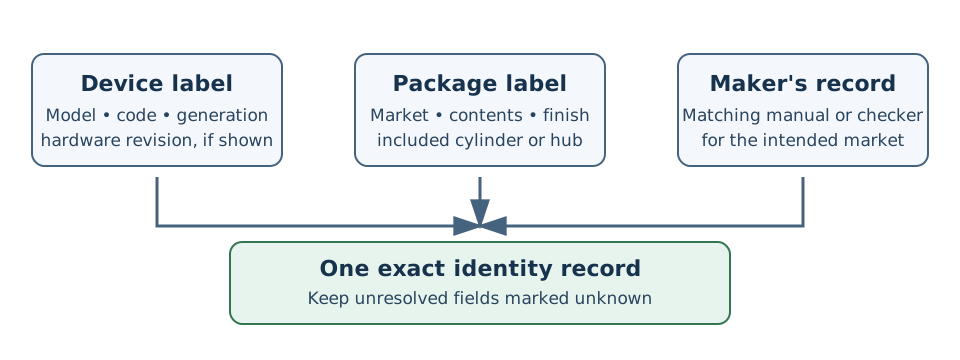
Read the lock and box labels, then match both to a current manufacturer page for the intended market. A retailer title alone may leave important fields unresolved.
Record identity before comparing compatibility
Copy the full brand and model name, product code, generation, hardware revision if shown, and finish from the physical label. Photograph the label and retain the manual or support page that matches it. Check whether the seller is offering a complete lock, a replacement cylinder, an accessory, or a package with a hub, bridge, extra battery, strike, or key card.
Then record the intended market and package contents separately. Codes can distinguish product or package records without proving that a product is exclusive to that market. Aqara’s U400 US page, for example, lists six codes and groups them with different battery and M100 hub contents. The U200 specifications page lists EL-D02D and EL-D02E with different listed accessories; it does not establish that either code is a universal regional marker. Confirm the exact offer and box rather than inferring territory from one code. See the model-code lookup and U200/U400 comparison.
Keep three verdicts separate
| Record | What to capture | What it answers |
|---|---|---|
| Mechanical fit | Door and lock type; cylinder profile or deadbolt type; backset, thickness, and clearances required by that exact guide | Can this hardware be installed on this door as configured? |
| Operation | Whether the lock must turn a key, pull a latch, retract a deadbolt, or depend on a user lifting a handle | Can the device perform the required locking action on this door? |
| Electronics | Exact lock generation, app and firmware, included or required hub/bridge/controller, radio protocol, and supported network | Can the required app, remote control, or smart-home feature work in this setup? |
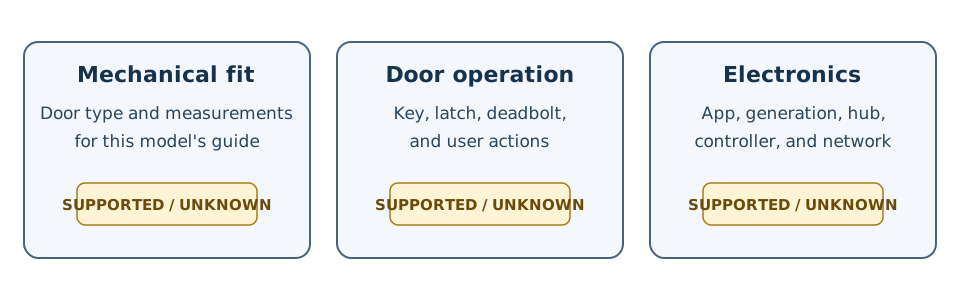
Complete each result from evidence for the named variant. A pass in one column does not fill in either of the others.
Use the manual or manufacturer compatibility checker for the exact model and market. For dimensions, follow its named measurement points and orientation; do not substitute a family-level diagram. For electronics, record required hubs, controllers, app versions, or account and network conditions independently from the physical fit. Nuki, for example, identifies a Smart Lock generation in its app settings, while its deadbolt and Ultra guides define different mechanical checks. A connectivity match cannot establish that either lock turns the door hardware.
If a label, package, generation, or measurement is missing, mark that field unknown and ask the maker or seller for evidence. Do not turn an unknown into “fits” because another model in the same brand family fits. Once the identity record is complete, apply a pairwise door-fit verdict and keep the record current using the compatibility freshness checklist.
Reference material