Re-Hand a Yale Assure Lock After Installation or a Door Move
Check the Yale Assure re-handing path when a supported lock was programmed off the door, moved, or will not lock after setup.
Jump to a section
Yale’s New Zealand Assure Series support page describes two different electronic-handing paths: one for a lock that will not lock after installation or reset, and another for a lock moved or programmed off the door. Choose the path that matches the event and symptom. The button sequences below are specific to the cited New Zealand Assure Series guidance; confirm your exact model, regional variant, and current manual before using them.
Check the door before either path
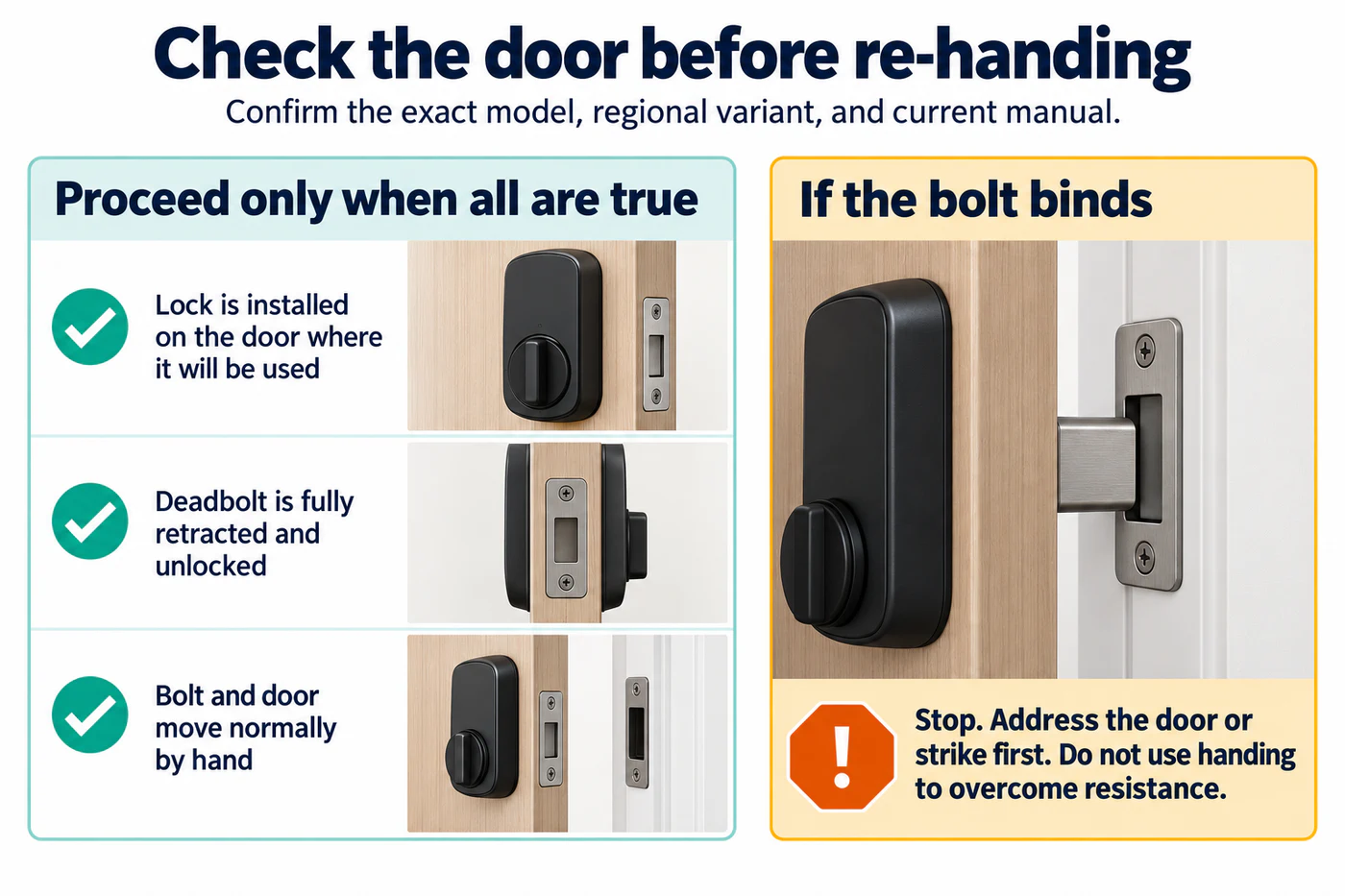
Confirm the exact Assure model and regional variant, then follow its current Yale instructions. Make sure the lock is securely installed on the door where it will be used and the deadbolt is fully retracted in the unlocked position. The bolt and door should move normally by hand. If the bolt binds, address the door or strike first; handing should not be used to overcome physical resistance.
If it will not lock after installation or reset
The installation/reset FAQ on the cited New Zealand Assure Series support page gives an automatic Lock Handing route through Advanced Lock Settings:
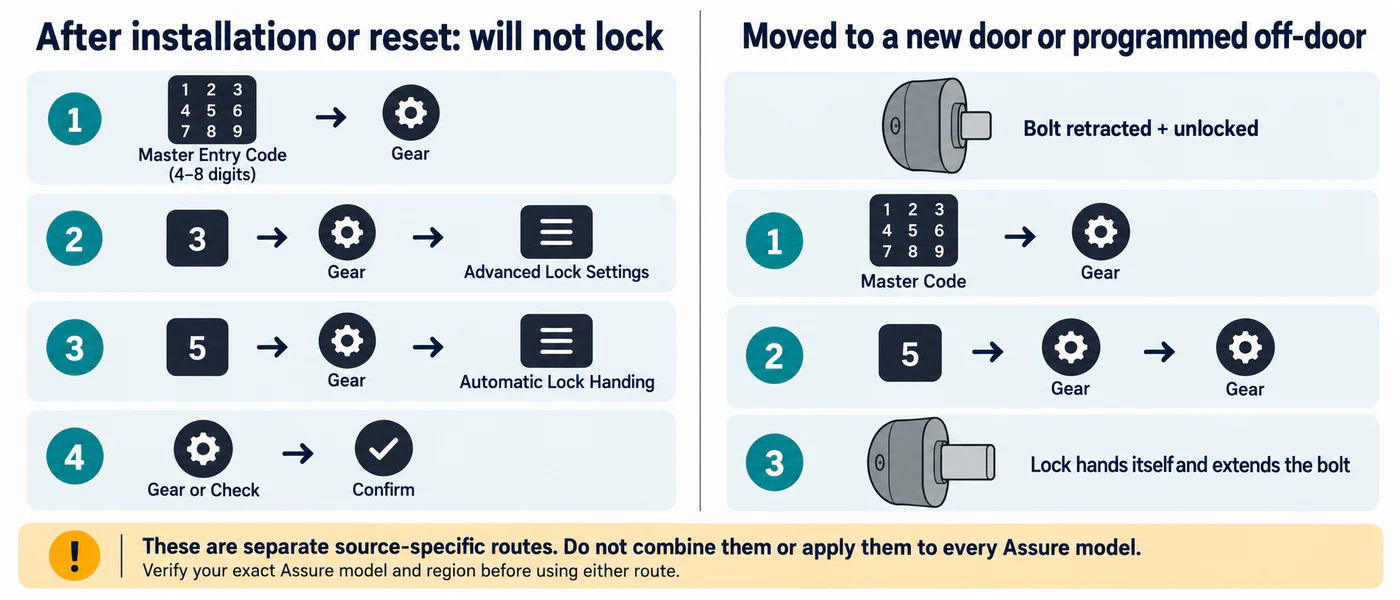
- Enter the 4–8 digit Master Entry Code, then press the gear key.
- Press 3, then the gear key, to open Advanced Lock Settings.
- Press 5, then the gear key, for automatic Lock Handing.
- Press the gear key or Check key to confirm, as the FAQ directs.
Use this branch for the FAQ’s installation/reset symptom. Its menu path is distinct from the moved-lock procedure below. If the exact lock’s current instructions show different labels or steps, follow those instructions instead.
If the lock was moved or programmed off the door
The how-to guide on the same Yale page describes a separate handing sequence. With the deadbolt fully retracted and unlocked, enter the Master Code, press the gear key, press 5, then press the gear key twice. The lock performs handing and extends the bolt. Use this route for the moved/off-door setup described by the guide; do not combine it with the Advanced Lock Settings path above or assume it applies to every Assure model or market.
After the matching procedure, test the lock with the door open if the exact manual directs, then verify ordinary locking and unlocking at the door. A lock that moves when open but binds closed still needs door or strike diagnosis; see door sag, strike pressure, and alignment. For unrelated calibration or jam symptoms, see calibration and jam diagnosis.
Yale’s cited support page also describes emergency-power and battery-drain topics for its Assure family, but those do not change the handing steps. Check the exact model manual for emergency access and preserve a working physical entry path. If the lock’s security state is uncertain or the bolt will not move normally, stop and contact Yale or a qualified locksmith.
Reference material
Sources for this guide
- Assure Lock® SeriesPrimary