Door Sag, Strike Pressure, and Alignment
Check whether a smart-lock stall comes from door sag, strike contact, or frame resistance before changing the lock.
Jump to a section
A bolt that moves freely with the door open but slows, scrapes, or stops when the door is closed is meeting a different load. The door may have sagged, the strike may be out of line, the weather seal may be pressing on the slab, or the frame may have shifted. A motor error is a symptom; it does not identify which part moved.
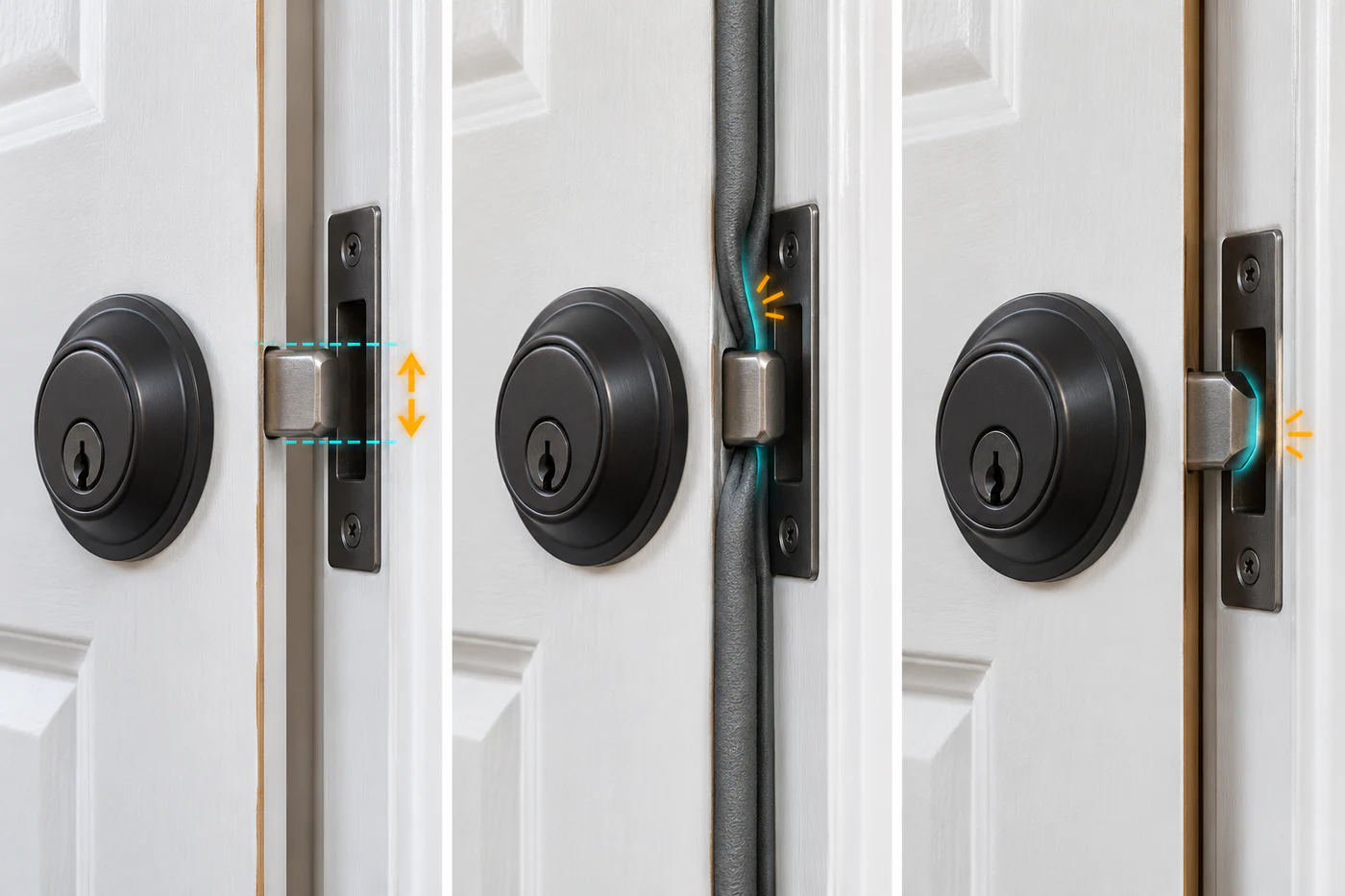
Compare open-door and closed-door operation
Use the exact lock’s normal manual controls and installation instructions. Schlage’s deadbolt guide recommends testing the bolt with the door open from the inside, then with the key from the outside, and only then testing with the door closed. If the bolt drags or hits the strike when closed, Schlage directs attention to the strike or doorjamb alignment.
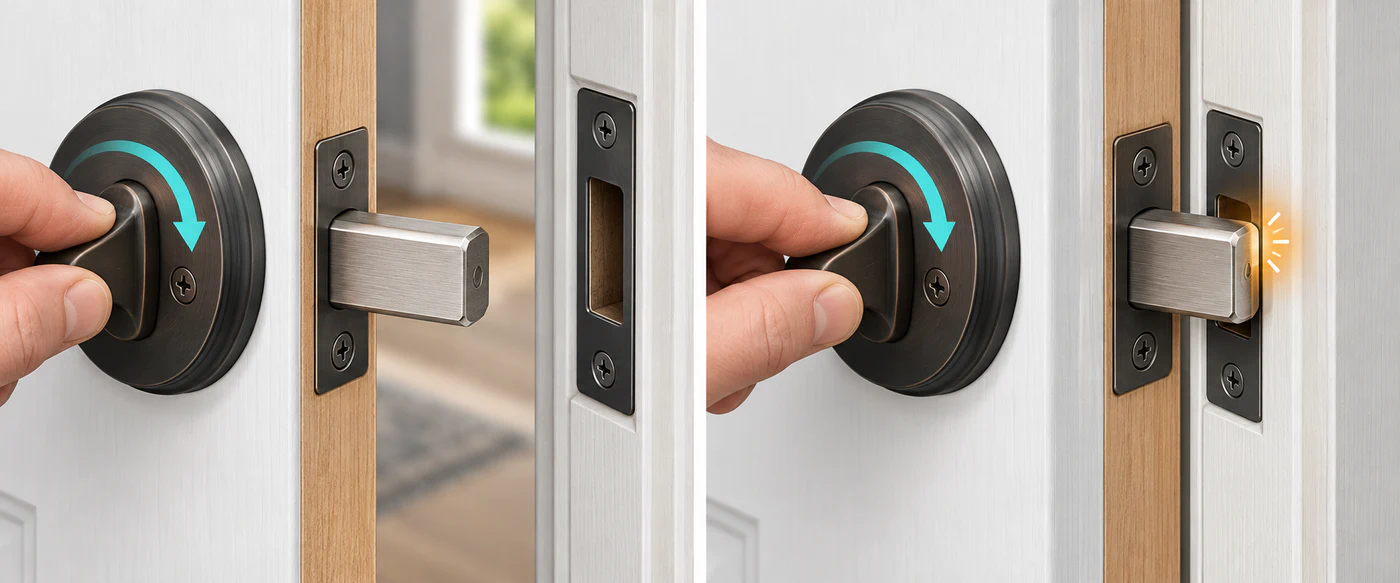
This comparison is useful because it separates the lock’s movement from the door-and-frame load:
| Result | What to check next |
|---|---|
| The bolt binds even with the door open | Confirm the bolt, tailpiece, latch, installation, and lock model instructions. Do not keep using the motor. |
| It moves freely open, then rubs only when closed | Look for strike contact, a shifted door, hinge-side sag, weatherstrip pressure, or a frame change. |
| It works by hand but not when motorized | Check mounting, screw pressure, calibration, power, and the product’s intended action. A motor fault is not yet established. |
| The handle or key sequence is unusual | Check the door’s required locking sequence before adjusting the strike. |
Look for visible contact marks around the bolt and strike, a door that needs lifting or pushing to latch, or a change after seasonal movement. These observations can point toward friction, but there is no universal force, clearance, or “acceptable drag” threshold for every lock and door.
Check the exact preparation guide
Door thickness, backset, bore size, strike, and screw requirements belong to the model’s installation path. As one model-specific example, the Schlage Control BE467F existing-hole guide gives a door-thickness range of 1-3/8 to 1-3/4 inches, backsets of 2-3/8 or 2-3/4 inches, a 2-1/8-inch face bore, and a 1-inch edge bore. Those values apply to that cited Schlage preparation guide; they are not general smart-lock dimensions.
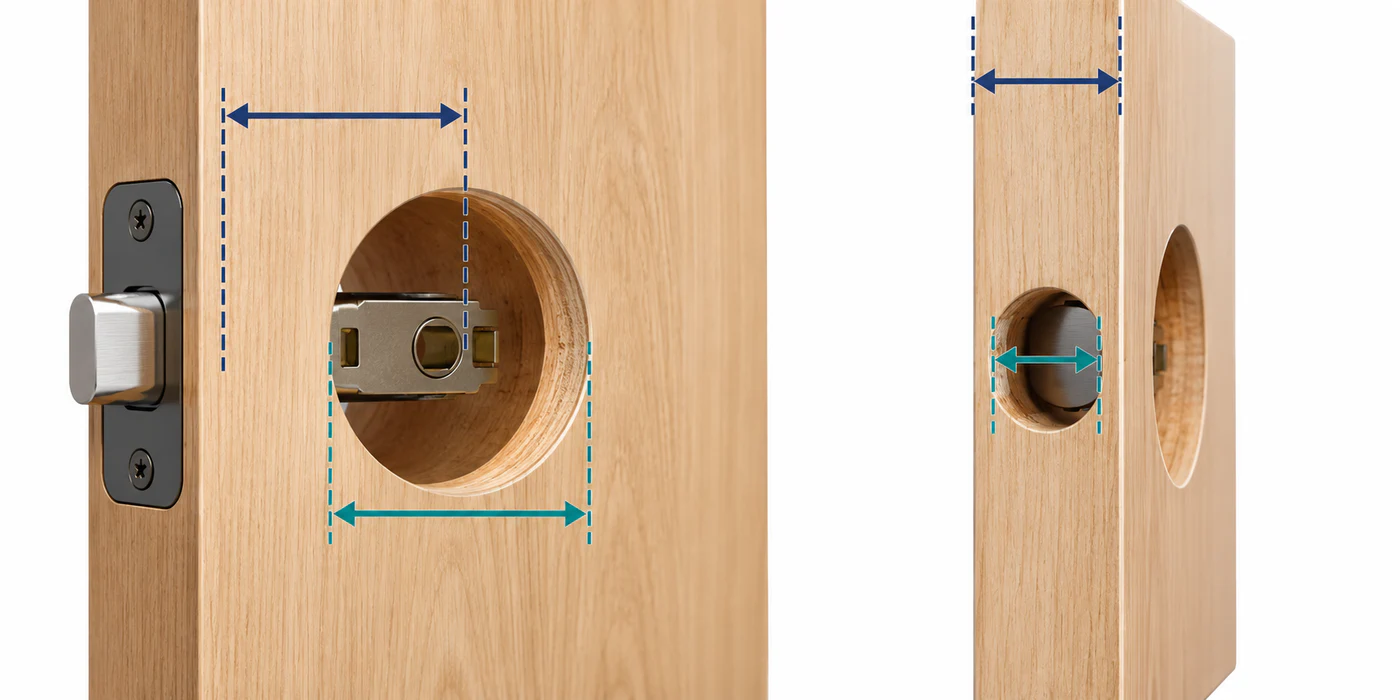
Check that the supplied strike and parts match the guide. A strike that looks similar may not give the bolt the needed path. Do not enlarge holes, move a strike, or change a door’s security hardware based only on a generic troubleshooting article.
Reduce load before recalibrating
Correct a door or frame problem before recalibrating. Calibration may record an incomplete movement range if the bolt is being forced against an obstruction. Manufacturer procedures differ: some models test with the door closed, while others ask for an open-door test. Follow the instructions for the installed lock.
SimpliSafe’s calibration support, for example, distinguishes an off-door calibration test from a test with the lock mounted. A successful off-door test may point toward mounting-plate or door-load issues; it does not establish a universal procedure for other locks.
Know when to stop
If the door needs structural adjustment, the hinges or frame are loose, the strike cannot be safely aligned, or the lock does not move normally by hand, use a qualified door installer or locksmith. Keep the normal key or manual exit path available while diagnosing. Avoid repeatedly running the motor against a bolt that is under load.
For a broader diagnostic order, see Smart Lock Does Not Work: Fit Problem, Setup Problem, or Incompatibility?. If the door itself operates freely, continue to calibration and jam diagnosis.
Reference material