Aqara U300 Door Fit and Installation Checks
Check the Aqara U300's lever-lock backset, supplied latch, strike, and panel connection against its manual.
Jump to a section
The Aqara U300 is a lever lock with its own latch and strike installation path. Use this guide only for the U300, and compare the door with the current U300 manual before changing hardware. It does not establish the fit of a different Aqara model or a deadbolt retrofit.
Check the backset before installing
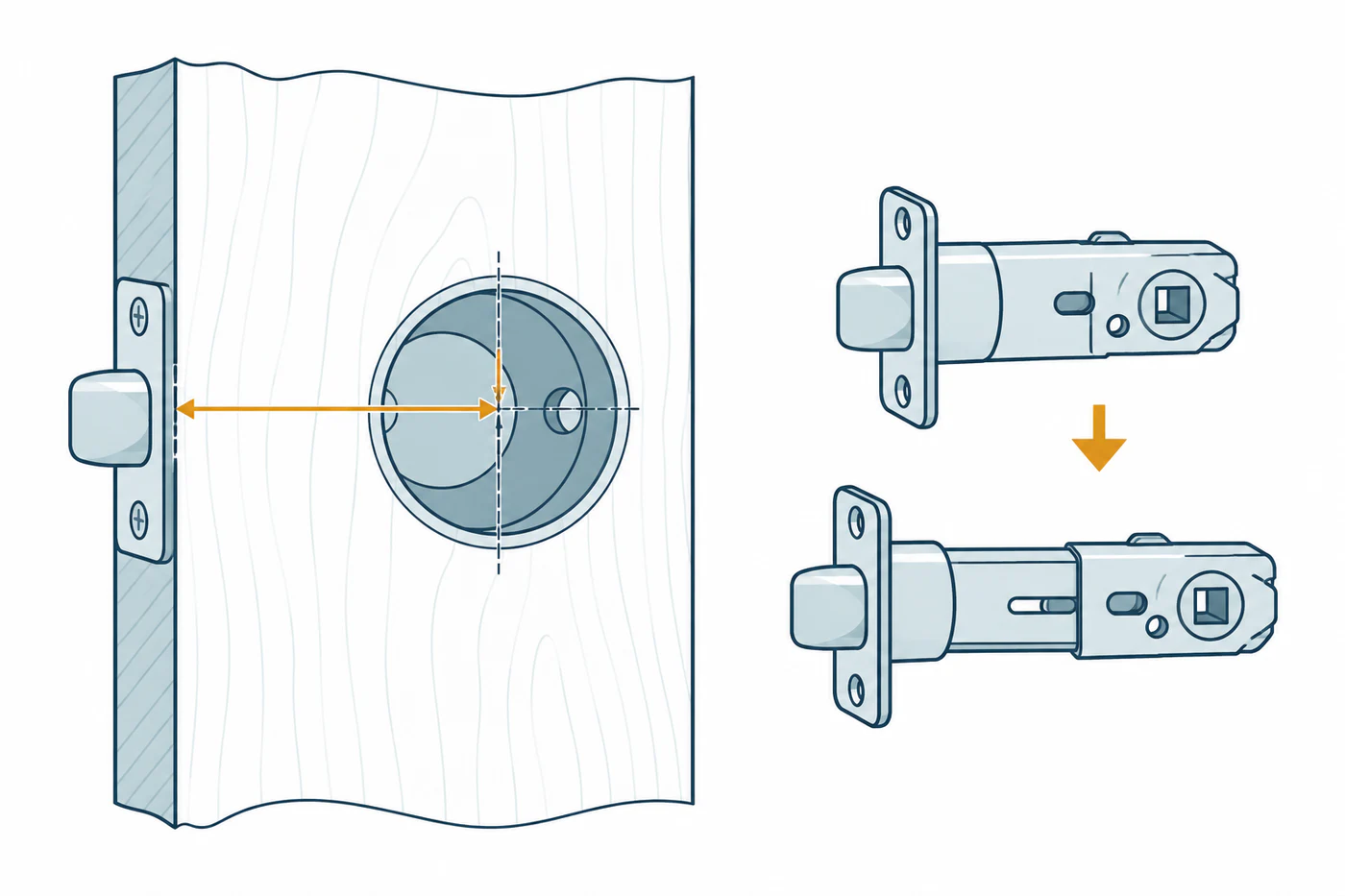
The U300 manual specifies a backset of either 2-3/8 inches (60 mm) or 2-3/4 inches (70 mm). Measure from the door edge to the center of the lock opening using the manual’s method, then confirm that the supplied latch is set for that measurement. If the door preparation does not match one of those choices, stop and ask Aqara or an installer what the compatible path is; do not enlarge the opening based on a general article.
Verify the latch and strike
Before securing the lock, compare the latch direction and supplied strike with the manual:
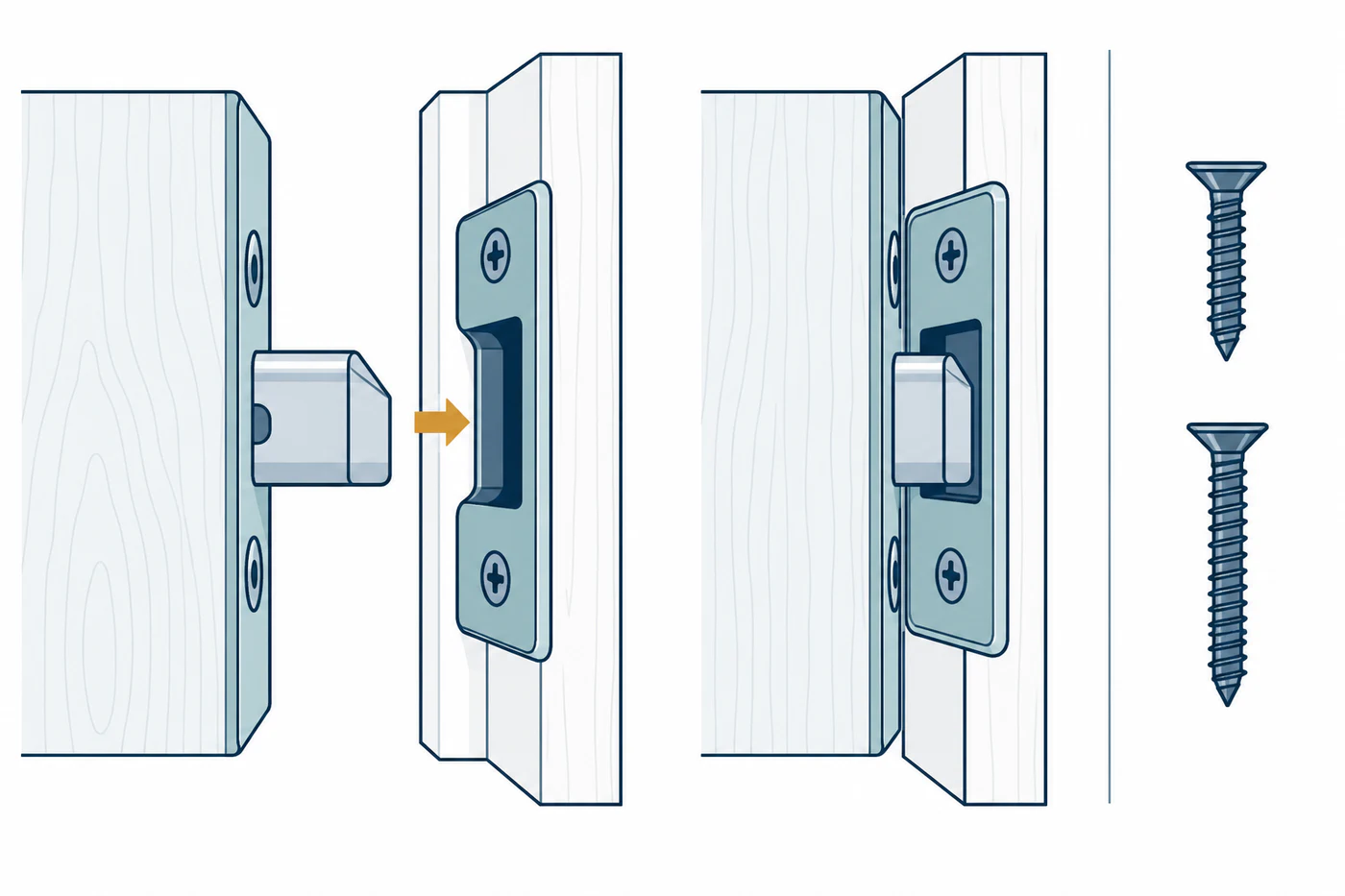
- The latch bevel faces the door jamb.
- The supplied latch is adjusted for the measured backset.
- The supplied strike is used, with a screw length selected for the door conditions described in the manual.
These details are U300 installation requirements, not general lever-lock rules. A latch that is reversed, set to the wrong backset, or meeting a misaligned strike can make the lock feel like a motor or calibration failure. The manual does not provide a universal strike-clearance or door-force threshold.
Check the panel connection
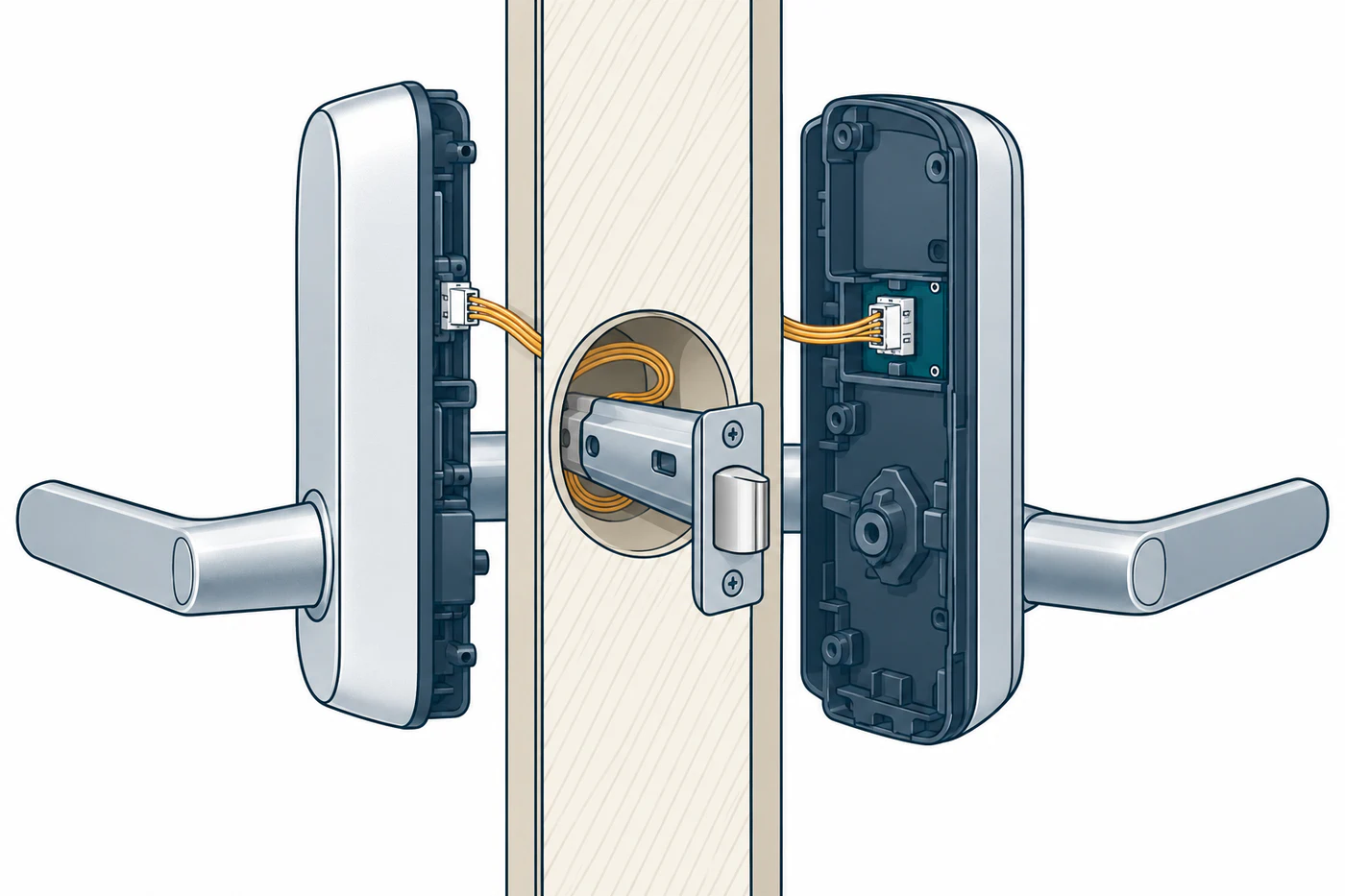
The U300 manual directs installers to connect the outer-panel cable to the inner panel and tuck excess cable into the mounting hole before securing the inside assembly. If a cable is pinched, disconnected, or difficult to seat, follow the manual’s diagrams for the exact hardware. Do not force a panel or continue powered tests if the mechanical lock action is not normal.
Test the door before diagnosing the app
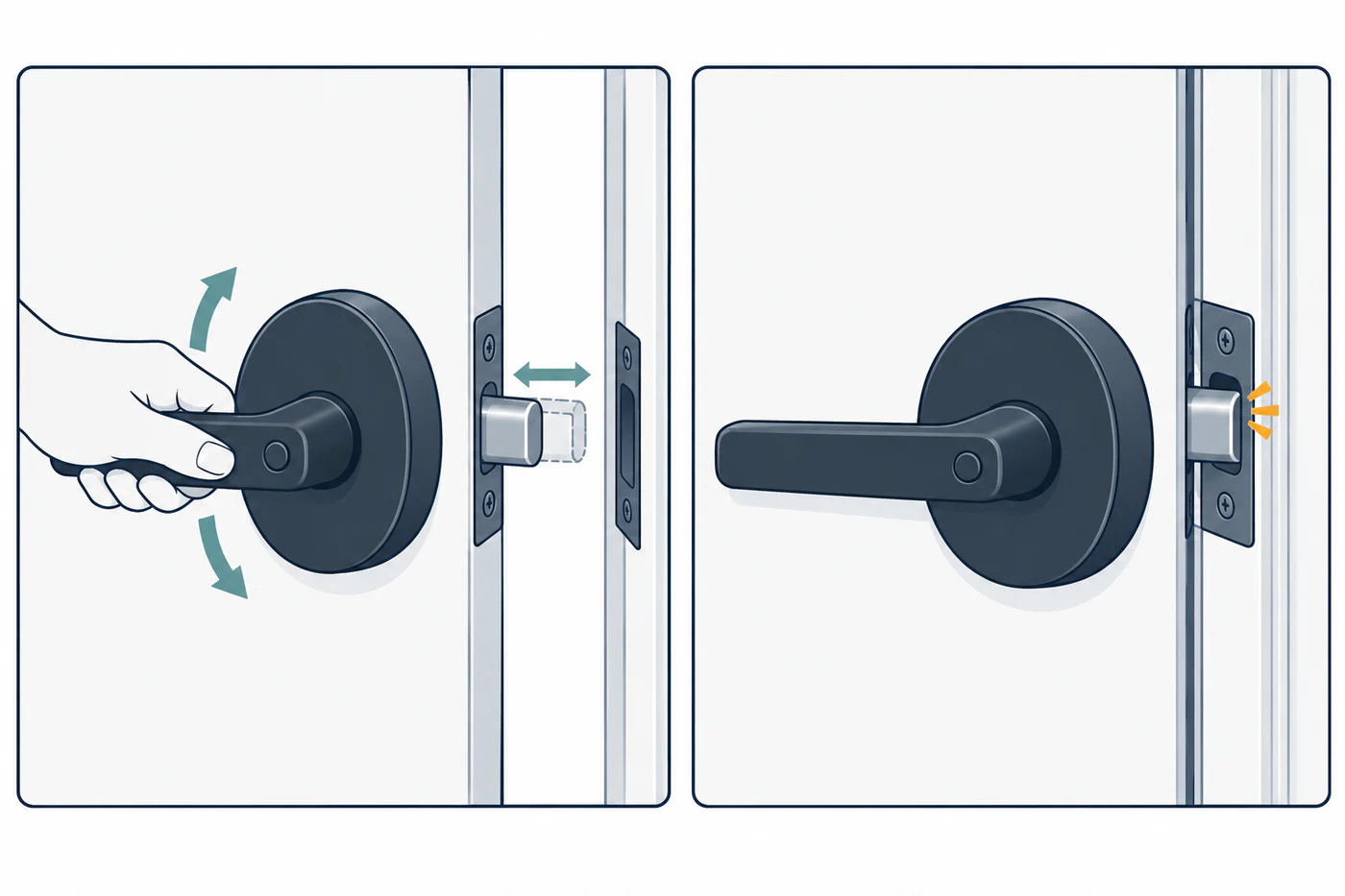
Use the manual’s normal operating steps to confirm that the latch and lock move as intended, first with the door open where the instructions permit and then with the door closed. If it moves freely open but binds against the frame when closed, investigate the strike or door alignment. If it binds while open, stop and recheck the installation rather than repeatedly commanding the motor.
After the physical installation is sound, continue with the U300’s own app and Matter setup instructions. If the printed Matter code stops working after one ecosystem has been added, see Aqara U300 Matter binding. For the wider fit-versus-setup decision order, see Smart Lock Does Not Work: Fit Problem, Setup Problem, or Incompatibility?.
Reference material
Sources for this guide
- Smart Lock U300 User ManualPrimary