Aqara U300 Matter Binding and Additional Ecosystems
Understand the Aqara U300 setup-code change after first Matter binding and choose the right manufacturer reset path.
Jump to a section
This setup-code behavior is specific to the Aqara Smart Lock U300. If its printed Matter code no longer works after the first ecosystem has been added, that does not by itself mean the lock or door is incompatible.
Add the first Matter ecosystem
Aqara’s U300 manual says to power the lock, press Set, then scan the printed Matter QR code or enter its code in the first third-party ecosystem. The manual states that the printed QR code becomes invalid after that first binding.
Add another ecosystem
For a second ecosystem, copy the Matter QR code from the ecosystem app that already has the U300 bound, then follow the second app’s sharing or multi-admin steps. Do not keep retrying the original printed code as if it were reusable.
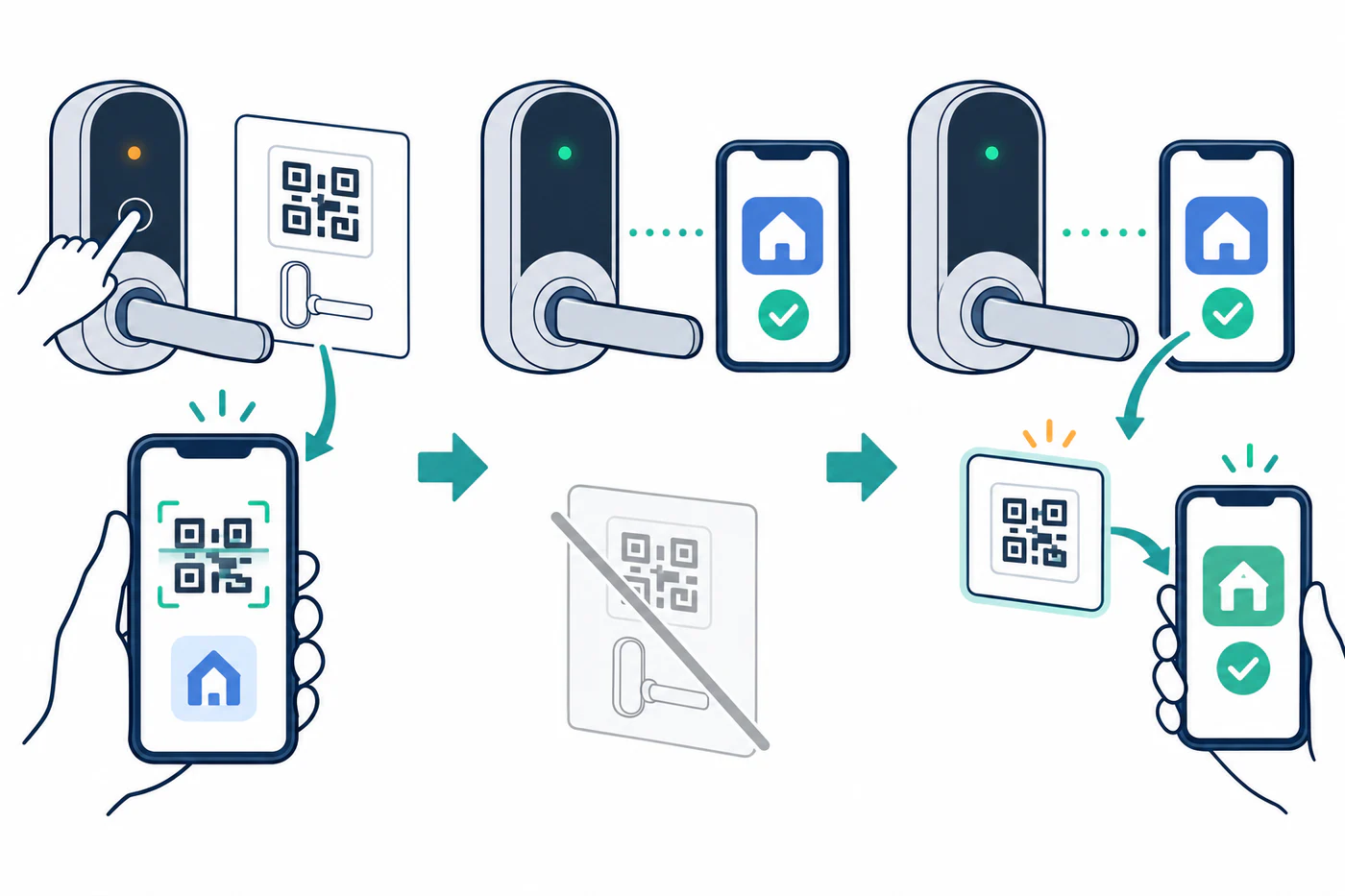
The U300 manual notes that Matter may expose basic functions while feature support can vary by ecosystem. Verify the exact lock and requested feature with the manufacturer and the target platform.
If the U300 was removed or must be rebound
The manual distinguishes a factory reset from a Matter reset in local settings. Its reset button can restore factory settings; its Matter reset disconnects the lock from non-Aqara ecosystems. These actions can change credentials or platform links.
Before resetting, confirm that you have the manufacturer’s current instructions, administrator access, and a working physical access method. A reset is not the first step when the only problem is reuse of the printed Matter code.
For platform-wide commissioning and controller checks, see Wi-Fi, Bluetooth, Thread, Hub, Firmware, and Feature Failures.
Reference material
Sources for this guide
- Smart Lock U300 User ManualPrimary