SwitchBot Lock Pro Compatibility and Door Clearance Checks
Screen a US SwitchBot Lock Pro path by lock type, door swing, frame clearance, and required manufacturer confirmation.
Jump to a section
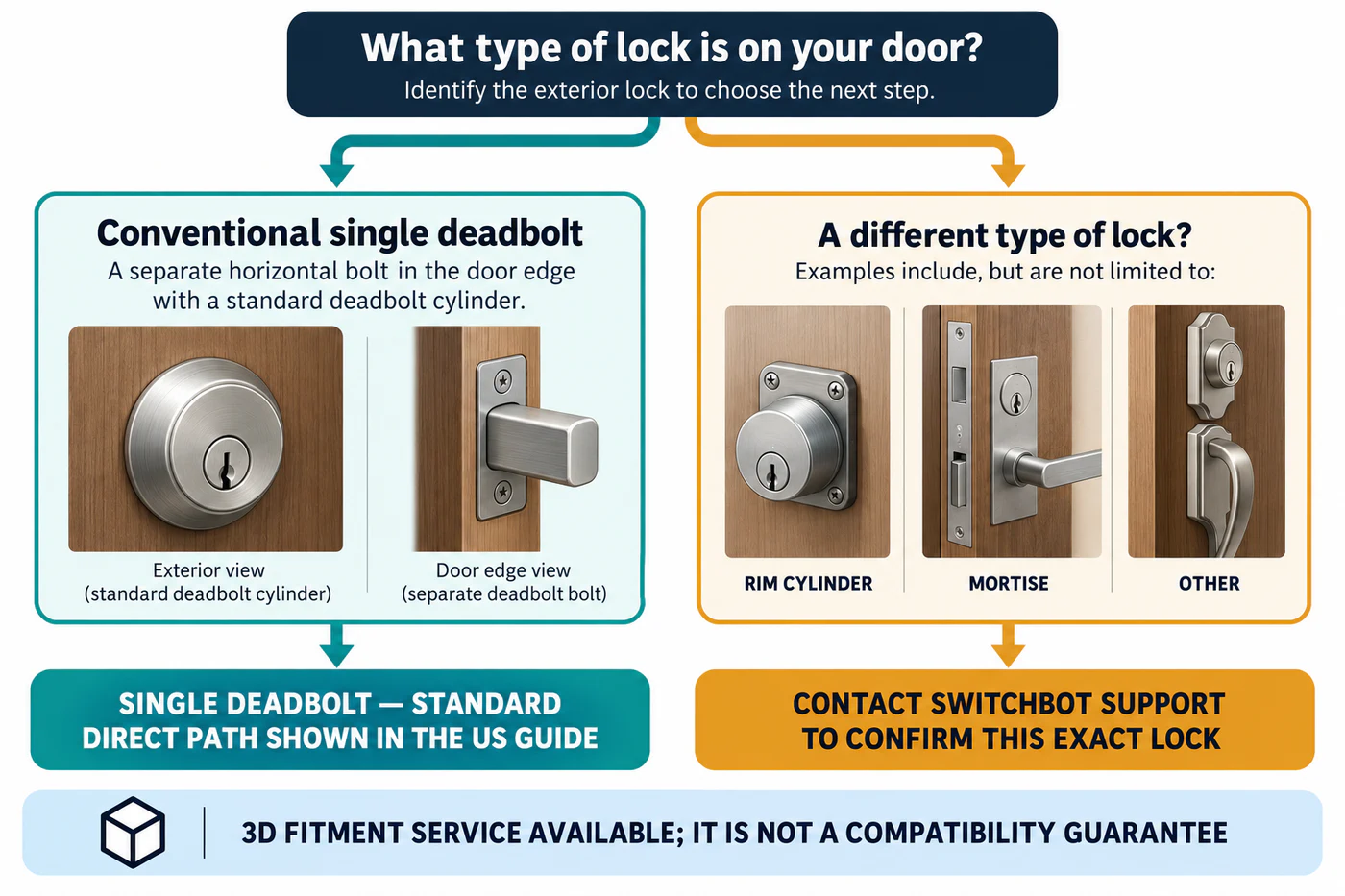
SwitchBot’s US Lock Pro guide treats an existing single deadbolt as its direct compatibility path. It routes rim-cylinder, mortise, and other non-standard cases through SwitchBot support for confirmation. Use the guide as a model-specific screen; it does not establish fit for every lock body or door.
Check the lock type and door clearance
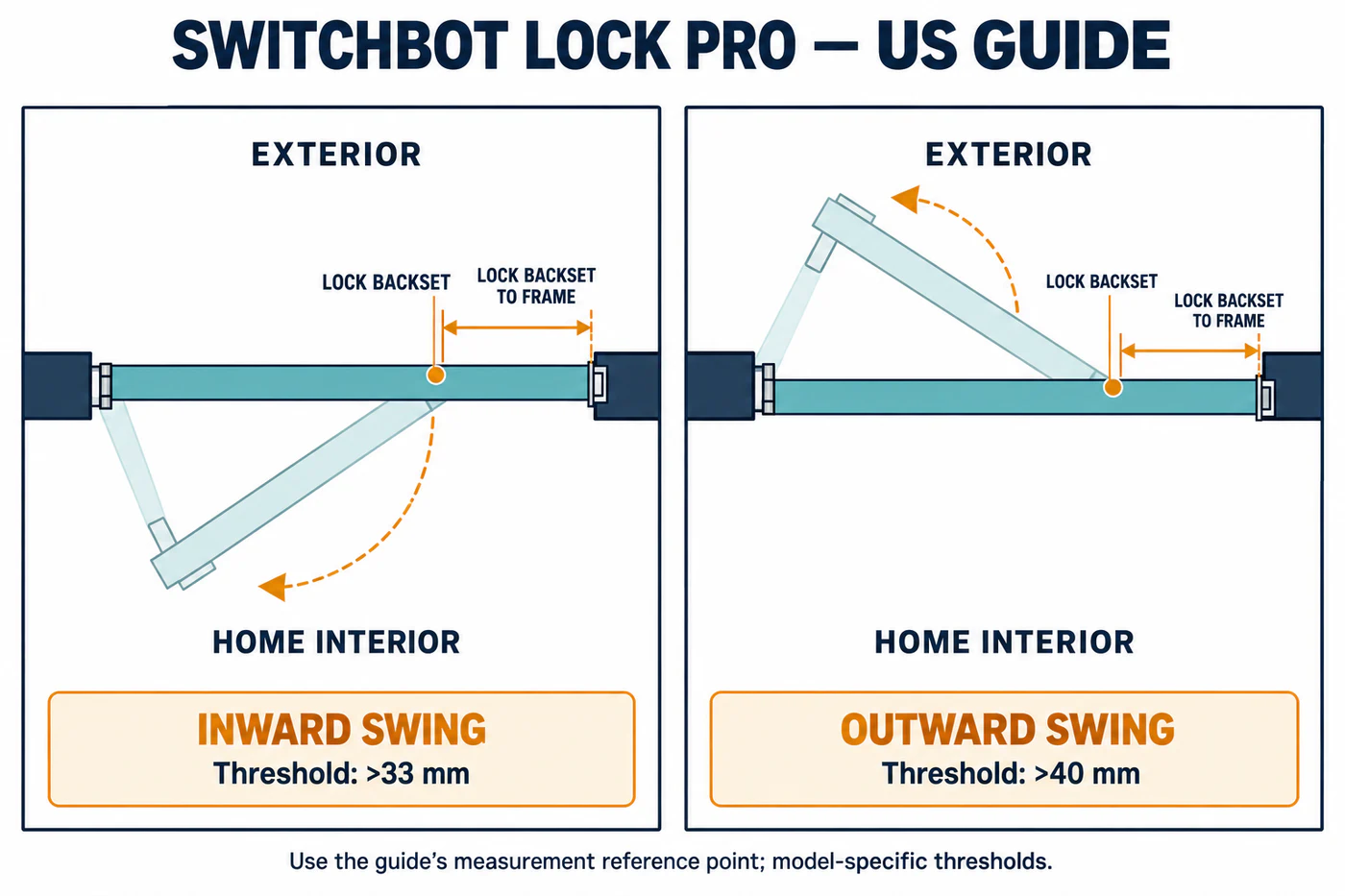
First identify the lock already installed. Then check the frame clearance using the reference point shown in SwitchBot’s guide:
| Door swing | Lock Pro guide’s backset-to-frame check |
|---|---|
| Opens outward | More than 40 mm |
| Opens inward | More than 33 mm |
These are Lock Pro thresholds. Do not substitute measurements from another smart-lock guide, since the reference point and clearance requirement may differ.
Get support confirmation for other lock types
For a rim cylinder, mortise lock, or other configuration that the guide routes to support, send SwitchBot the requested photos and dimensions before buying. Ask the reply to identify the exact lock type and whether the current product version can be fitted. The guide mentions 3D fitment services; that option is not a blanket compatibility guarantee.
If you cannot identify the mechanism or measure the clearance from the guide’s reference point, pause and ask for help. Do not use a generic adapter to bridge an undocumented fit.
Recheck normal operation
Confirm that the existing deadbolt moves freely with the physical key and that the door closes and opens normally before installing a motorized retrofit. Follow the current Lock Pro installation guide for its exact setup and post-installation checks.
For other reasons a candidate may fail, see Choose the Right Resolution Path or compare the alternative-lock and installer paths.
Reference material