Identify a Pella Patio Door and Lock Before Choosing a Smart Lock
Find the Pella serial-number route, identify the door and panel arrangement, and record the installed locking actions before evaluating a smart-lock candidate.
Jump to a section
A Pella name or patio-door style does not identify the lock a motor would need to operate. Hinged, sliding, and folding units can have different panels, hardware, and lock actions, even within one product family. Start with the exact door and record what its installed hardware does before comparing it with a smart-lock guide.
Find the serial number and confirm the door family
Pella’s serial-number guide gives different label locations by door type and material. For wood and clad-wood hinged patio doors, the label may be on the panel above the handle or between the glass near a lower corner, on the interior or exterior. For sliding patio doors, vinyl and fiberglass labels may be on the glass near a lower corner or on the upper interior frame; wood and clad-wood labels may be above the handle or near a lower corner of the glass.
The current location guide does not give a label position for vinyl or fiberglass hinged patio doors, and it does not list a folding-door location. Do not transfer a location from a different door type. If the serial number is missing or the door material and label route do not match the guide, contact Pella support or a dealer with photographs of the unit.
For older wood products, Pella describes a long alphanumeric label adhered to the glass for products purchased from 1997 through 2008; it is distinct from glass etching. For products purchased before 1997, Pella says to look for a stamp on the sill, roughly two to four inches from a corner. Treat these as identification routes, then have Pella confirm the exact series and product details where needed. A serial number is not a lock-compatibility verdict.
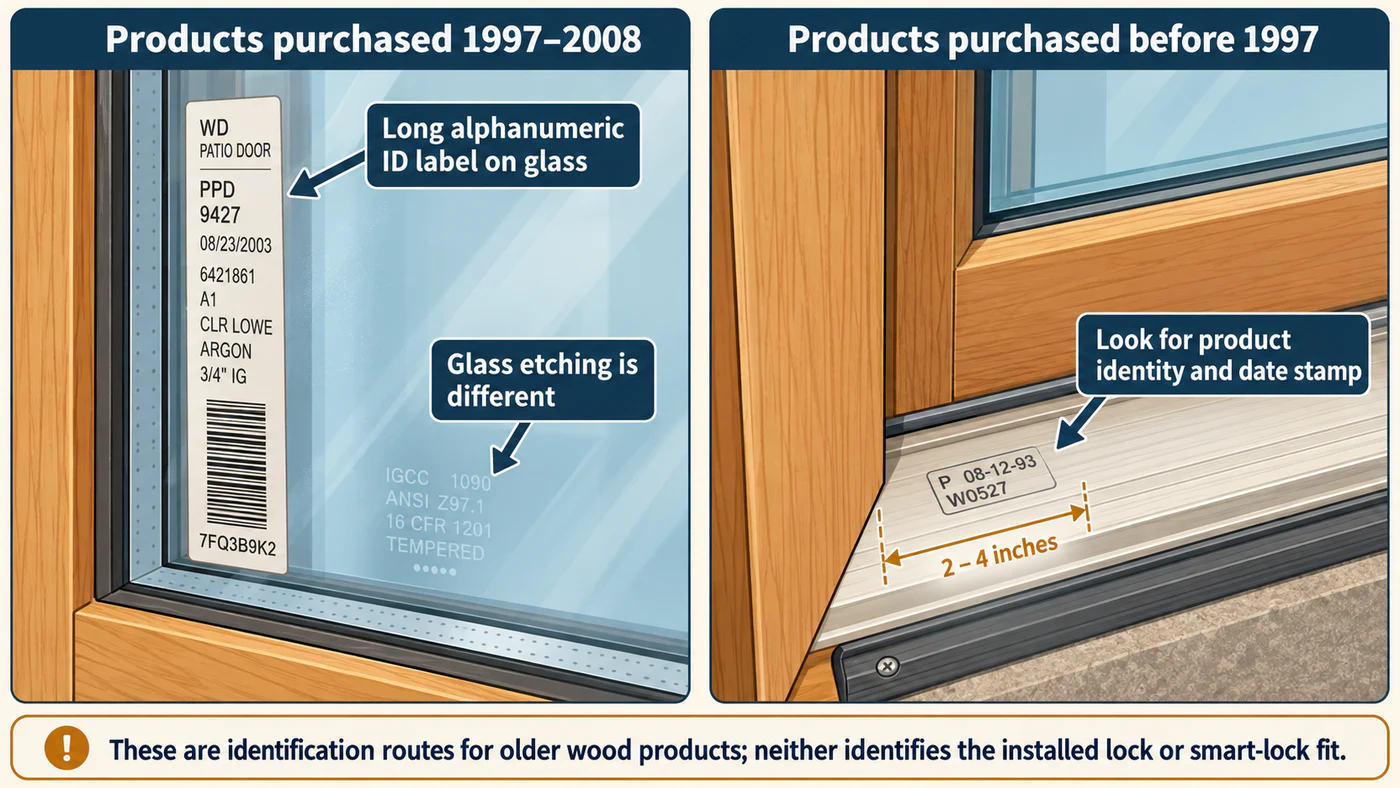
The older-unit identifiers help locate product details; they do not identify the installed lock.
Record the serial number, door material, approximate age, series name, and whether the unit is hinged, sliding, or folding. A photograph of the whole opening and each panel helps keep the product identity connected to the installed configuration.
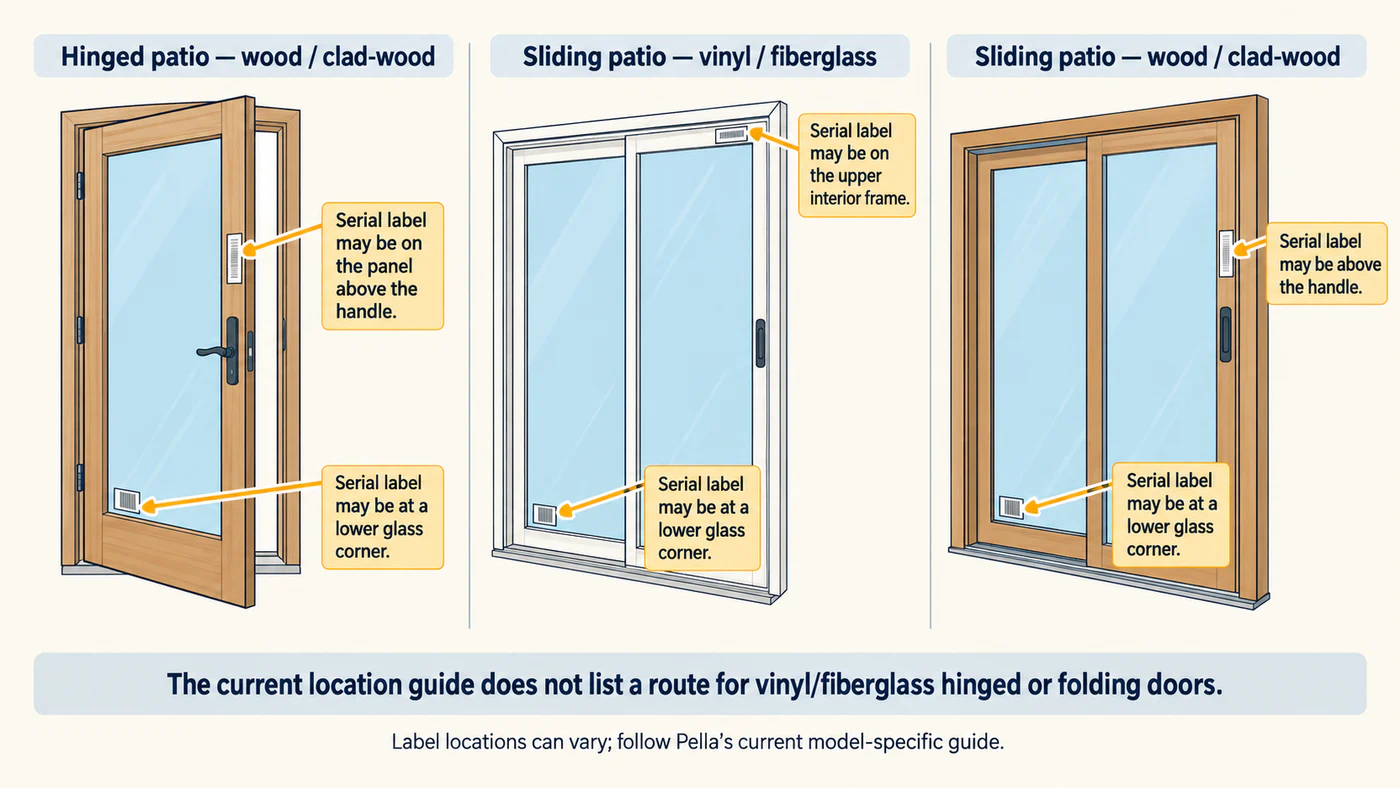
Pella lists possible locations by door type and material; use the current guide for the exact model.
Record the panels and their lock actions
For the actual door, note which panels move and which remain fixed. On a hinged unit, record the swing direction and which leaf opens first. On a sliding unit, record which panels operate and where they travel. Do not infer a panel’s role from a series name or a product photo.
Next, document the hardware that is installed: handles, thumb-locks, key cylinders, visible deadbolts, shoot-bolts, flushbolts, or a separate vent lock. Use the current instructions for that exact unit to establish the normal order of operation. Pella door families use different hardware, and a sequence from another family or an unverified manual view should not be transferred to the door in front of you.
Product families illustrate why the exact model matters
Pella’s current product pages describe several different locking arrangements:
| Example | What Pella describes | What still needs checking |
|---|---|---|
| 250 Series vinyl hinged patio door | Inswing and outswing configurations, multipoint locking hardware, and optional flush passive-panel hardware. | Which options are installed and what actions secure each panel. |
| Lifestyle Series wood hinged patio door | A mortised, keyed three-point lock: a center deadbolt and shoot-bolts at the head and sill engage together. | The handle sequence and whether a particular smart lock can operate the complete mechanism. |
| Vista Series aluminum hinged patio door | A five-point locking system. | The installed hardware and operating sequence; the product page does not specify a smart-lock interface. |
| Lifestyle Series four-panel sliding patio door | Two fixed and two operable panels, with listed thumb-lock and optional key-lock hardware. Its integrated vent lock can hold the door open four inches while the door remains locked. | Which panels and lock options are present on the unit and how the selected lock would interact with them. |
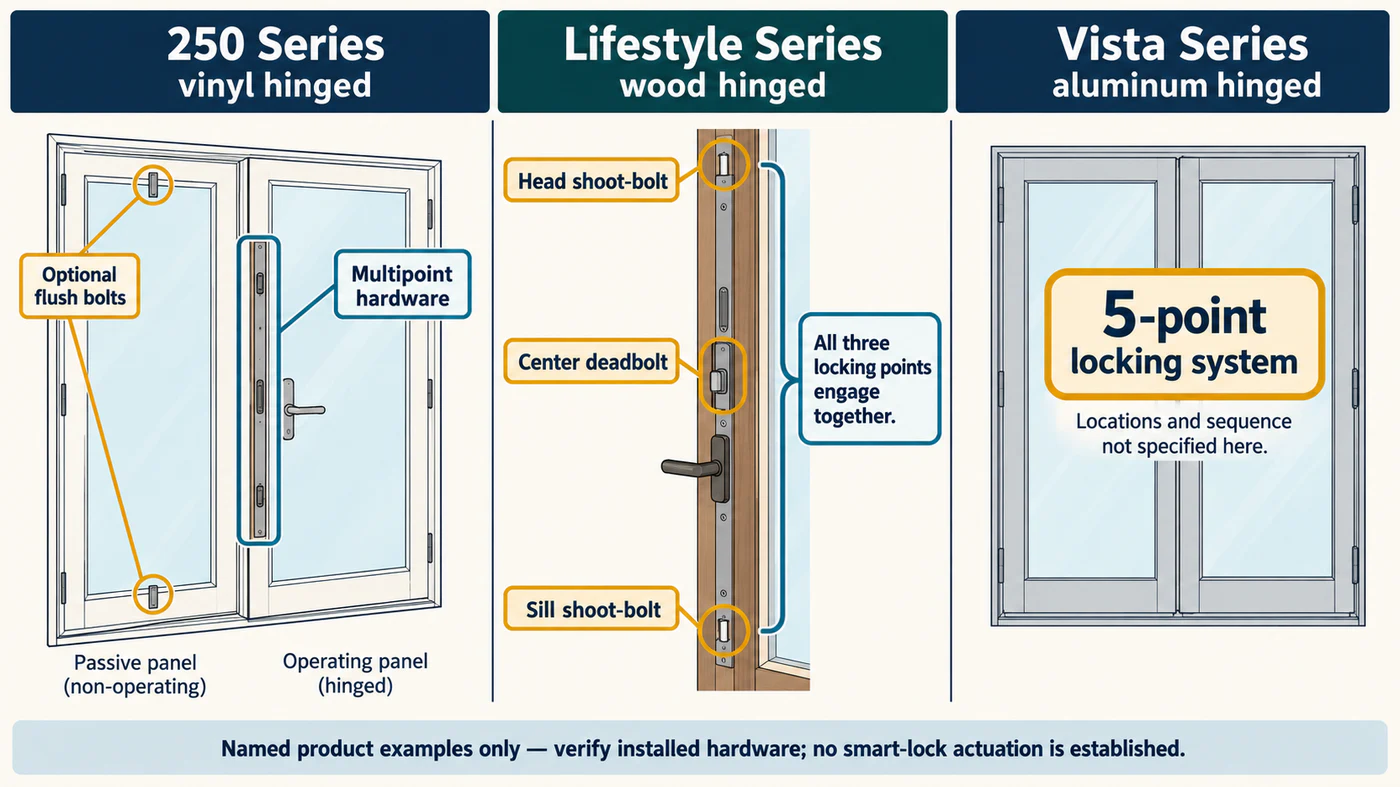
These are product-page examples, not a description of a particular installed door or a smart-lock interface.
These product descriptions help identify questions to ask; they do not establish that a retrofit motor fits or moves every lock point. The exact unit and its instructions control the compatibility check.
Build a useful compatibility record
Before choosing a candidate, collect:
- The serial number, series, door material, and approximate manufacture period.
- The number of panels, which ones operate, the swing or sliding direction, and the active leaf if the instructions identify one.
- Every installed handle, cylinder, bolt, and other control, plus the normal locking sequence from the current Pella instructions for that exact unit.
- The candidate smart lock’s full model or variant and the actions its own installation guide says it can perform.
- Only the measurements required by that lock’s guide, such as door thickness, backset, preparation, or trim clearance.
Compare both guides. A product listing for a Pella series does not confirm the hardware in an older or custom unit, and the presence of a deadbolt does not show that a motor operates separate shoot-bolts or another panel. If the installed sequence or required preparation is unclear, keep the result unknown and ask Pella and the lock maker to confirm the exact combination. Use a qualified door specialist when the proposed fit depends on changing the frame, panel, or multipoint hardware.
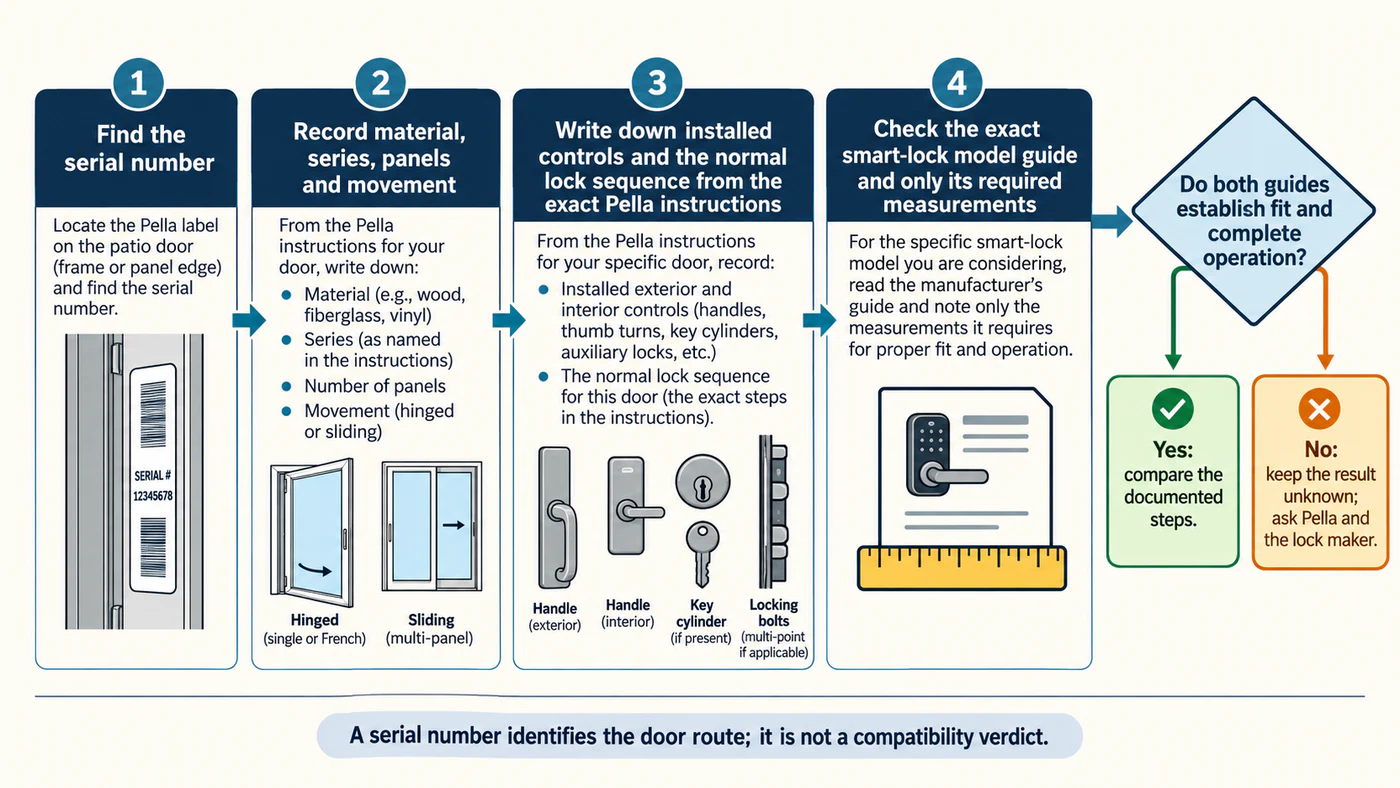
Keep the result unknown when the two exact product guides do not establish full fit and operation.
For a cross-manufacturer comparison of patio, French, folding, and sliding mechanisms, see how those door families differ. For alignment, clearance, or specialist decisions, see the special-door installation guide.
Reference material