SimpliSafe Smart Lock Calibration
Follow SimpliSafe’s model-specific calibration checks for battery, Base Station, reinstall, reset, and door-load symptoms.
Jump to a section
SimpliSafe lists low batteries, Base Station placement, firmware, and installation as possible reasons its Smart Lock may fail to recalibrate. Its sequence applies to the SimpliSafe Smart Lock and distinguishes the original lock from Smart Lock Series 2 in some physical steps.
Work through the manufacturer’s sequence
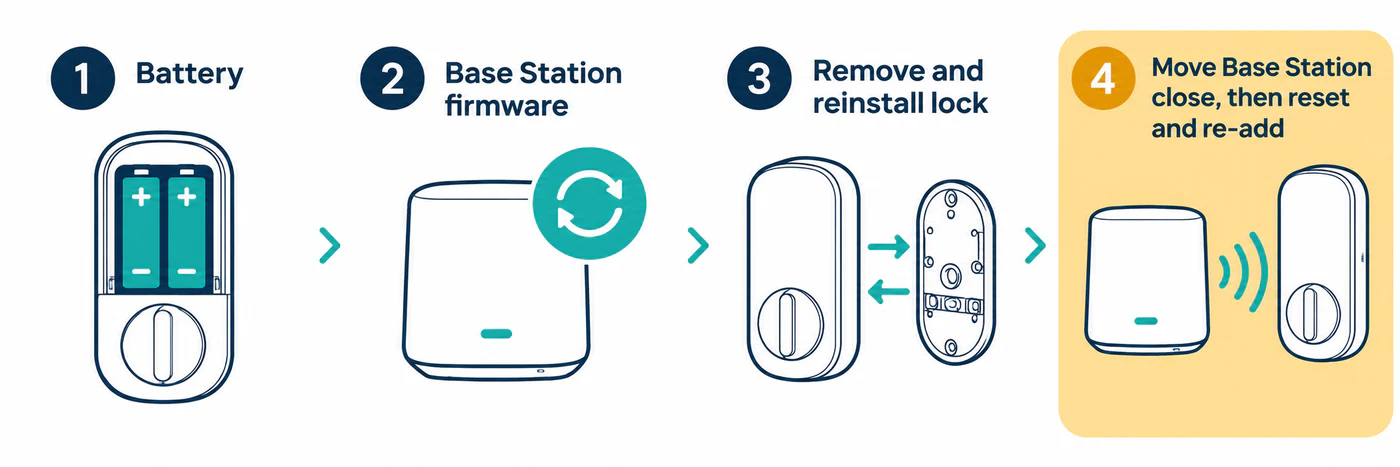
- Check the Smart Lock battery level in the SimpliSafe app. Replace low batteries using the instructions for the exact lock generation, then retry calibration.
- Check the Base Station for a firmware update and install it through the SimpliSafe app or keypad as directed by SimpliSafe.
- If the lock still fails, remove it from the system in the app and reinstall it, then retry calibration.
- If it still fails, SimpliSafe’s support path moves the Base Station next to the lock and then resets and re-adds the lock. The support article specifies different battery-cover slide directions for the original Smart Lock and Series 2. Follow that exact article and identify your generation before removing a battery or using the pairing button.
- If calibration still fails, SimpliSafe recommends testing the lock off the door on a table. A successful off-door test can point to mounting-plate pressure or door load. Reinstall and adjust only as its current instructions describe.
Keep the reset as a later step
The Base Station move and lock reset are later branches in SimpliSafe’s troubleshooting sequence, not the first response to every calibration error. Before unpairing or resetting, make sure you have administrator access and another safe way to enter the home. Do not use this sequence for another brand or model.
If the lock calibrates off the door but not when installed, compare the door-open and door-closed results and inspect the mounting and strike as the manufacturer allows. If you are not comfortable removing the lock or checking its mounting plate, contact SimpliSafe or a qualified installer.
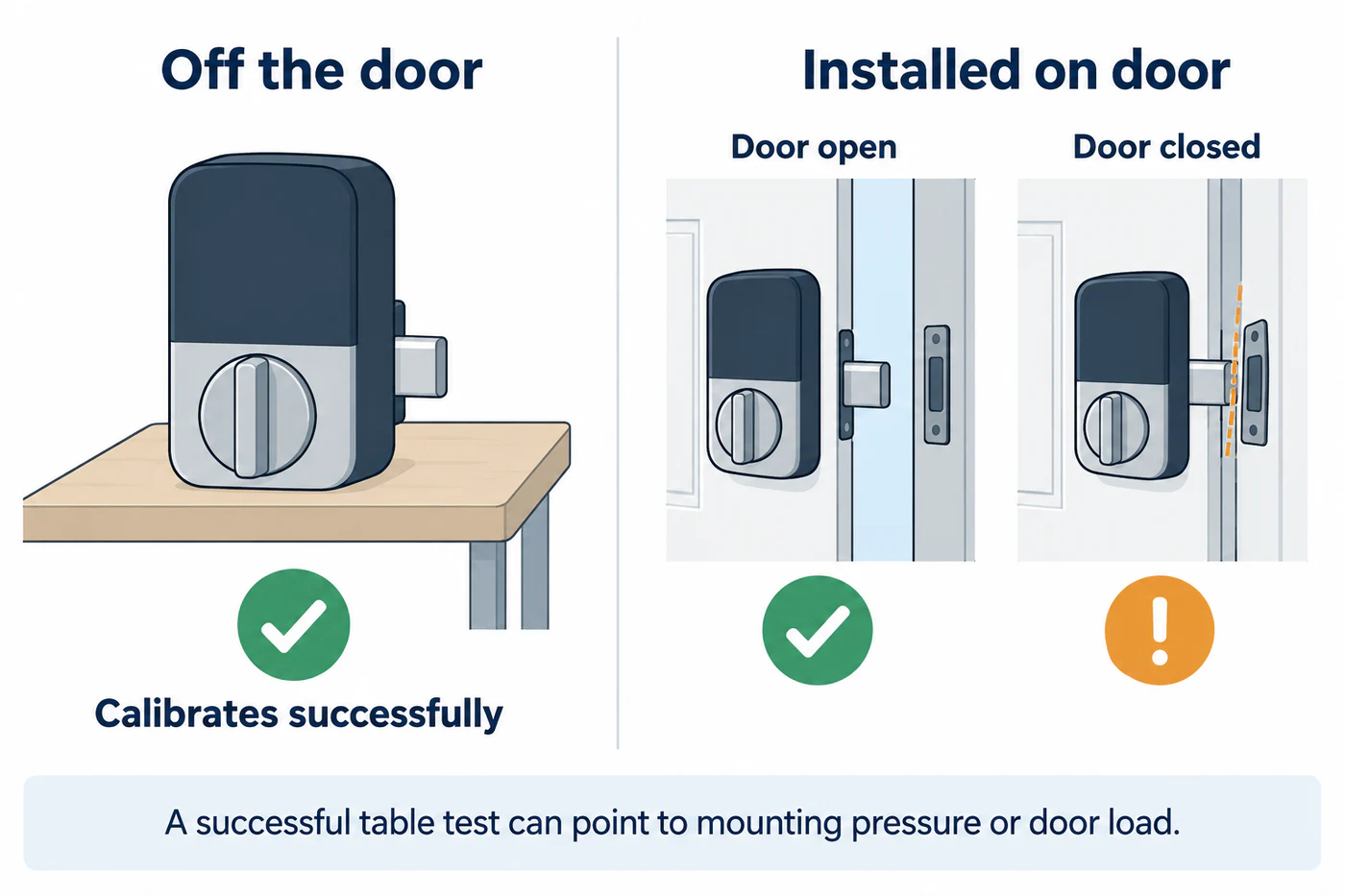
Example diagnostic pattern only; compare both results because outcomes vary by installation.
For cross-brand principles, see calibration and jam diagnosis and door alignment.
Reference material