igloohome Deadbolt Go Calibration
Use the Deadbolt Go’s documented pre-pair calibration sequence or follow its in-app instructions after pairing.
Jump to a section
igloohome documents separate calibration routes for the Deadbolt Go before and after app pairing. The pre-pair route uses a factory PIN, but the guide does not publish the PIN value here; use the one supplied for your lock and do not share a real setup credential.
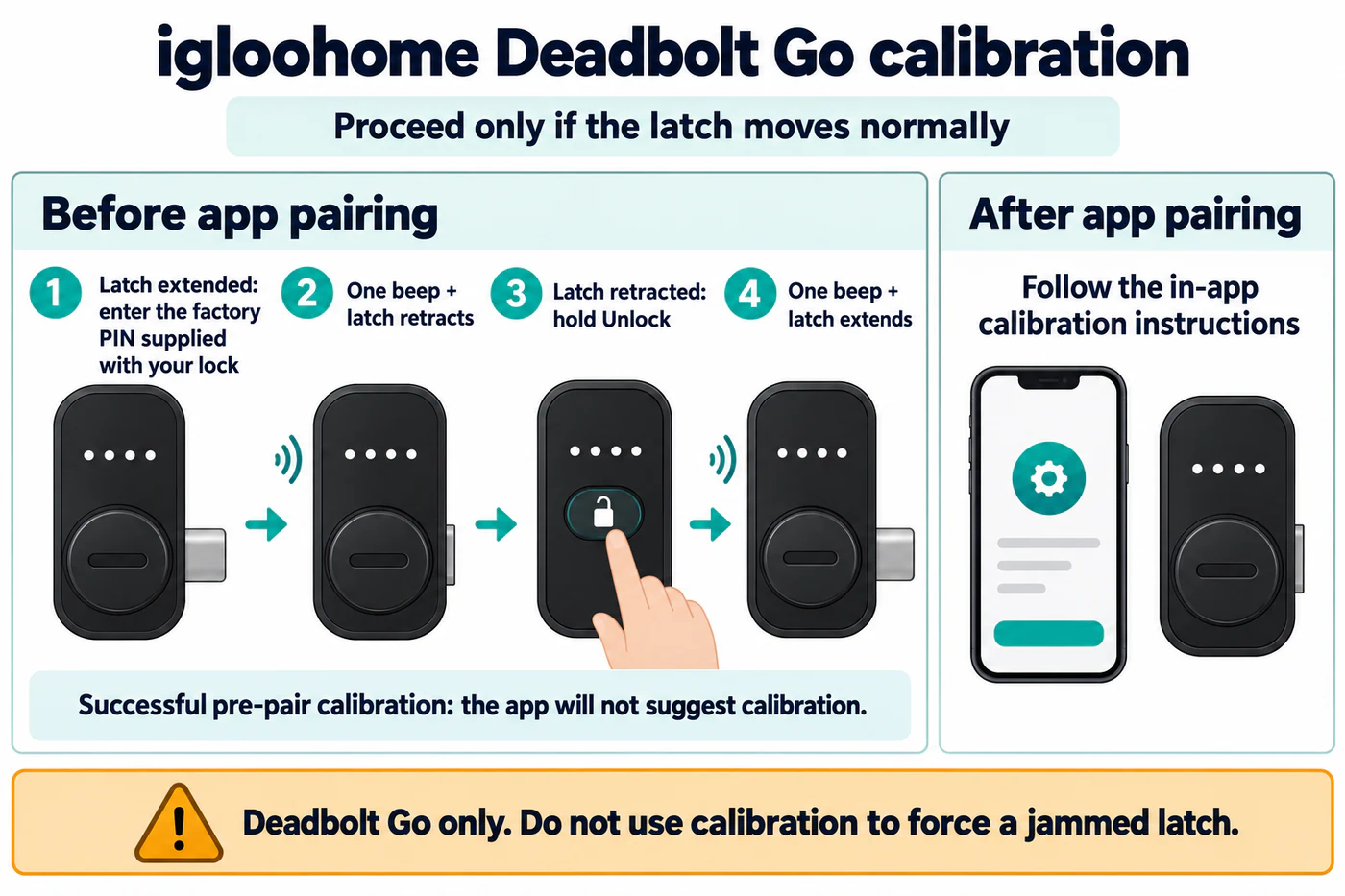
Before pairing
Follow the exact Deadbolt Go instructions and begin only if the latch moves normally:
- With the latch extended, enter the supplied factory PIN. The motor starts the first calibration action; igloohome describes one beep and latch retraction as its success indication.
- With the latch retracted, hold the Unlock button to start the second action. The guide describes one beep and latch extension as success.
igloohome says the app will not suggest calibration if this pre-pair calibration succeeds.
After pairing
If the lock has already been paired, follow the app’s calibration instructions instead of repeating the pre-pair sequence. The source does not establish this procedure for other igloohome products.
Calibration is not a way to force a jammed latch. If the latch cannot move normally or the procedure does not complete, stop and consult the Deadbolt Go guide or igloohome support.
For broader diagnostic context, see Calibration, Motor Torque, Jams, and Latch/Bolt Confusion.
Reference material
Sources for this guide
- Calibration GuidePrimary