Aqara Smart Lock U500: Calibration and Safety Checks
Follow the shared calibration precautions in the Aqara Gate, Rim, and Glass U500 manuals before use.
Jump to a section
The Gate, Rim, and Glass U500 manuals share calibration precautions. Follow the exact model’s manual; calibration does not confirm fit.
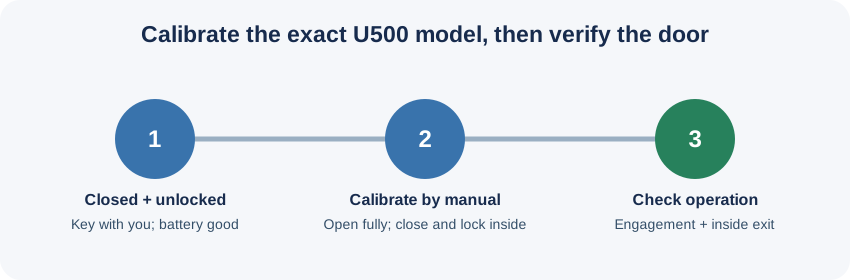
Before calibration
Install the exact model according to its manual. Start with the door closed and unlocked, keep a mechanical key with you, and do not calibrate when the battery is low. Aqara says incomplete calibration can prevent proper operation.
Calibrate and verify
The manuals describe calibration through Aqara Home or the lock’s Door Lock Setup Mode. For the on-lock method, connect the lock to an ecosystem, press Set once to enter setup mode, press 5, and follow the voice prompts. Fully open the door, then close it from inside and lock it so the lock can detect the door status.
After calibration, test the complete lock movement and confirm that the door can still be opened from inside. If Auto-Lock is set to act immediately, Aqara says to make sure the lock is fully engaged before leaving. Do not rely on a successful app pairing as proof that calibration, alignment, or exit operation is correct.
The manuals distinguish Auto-Lock on Close from Safety Re-Lock: the first follows a door-close event and configured delay; the second re-locks after a remote, automation, or third-party unlock when the door was not opened. Check the exact model’s settings and verify the behavior on the installed door.
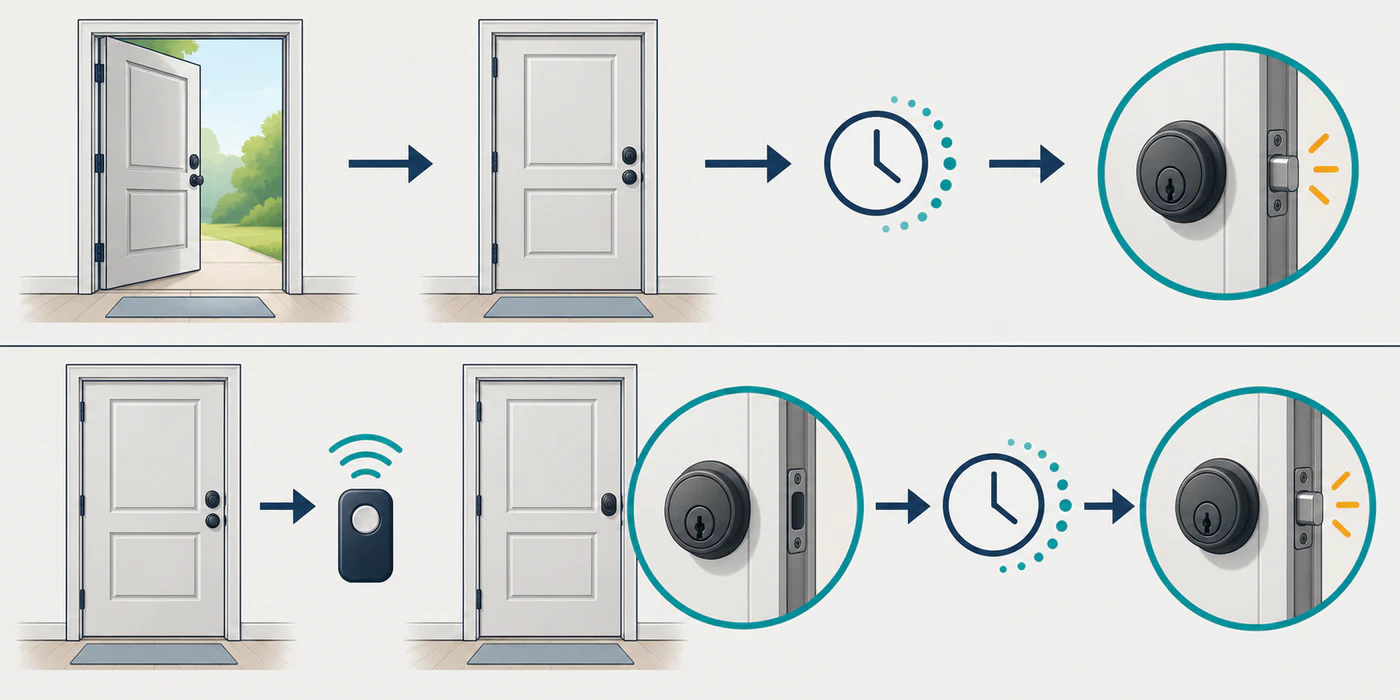
Auto-Lock on Close (when available in Aqara Home) follows a door-close event and configured delay. Safety Re-Lock follows remote, automation, or third-party unlock when the door was not opened. The generic drawing shows trigger logic only; confirm feature availability in the exact setup.
For model-specific preparation, use the separate Gate, Rim, or Glass fit screen. Follow the matching manual and do not transfer one variant’s mechanical instructions to another.
Reference material